Chuyển đổi từ MongoDB sang DynamoDB
🎯 Mục tiêu Task 7: Chuyển đổi từ MongoDB Atlas sang DynamoDB - HƯỚNG THỦ CÔNG ĐƠN GIẢN NHẤT
⚠️ Lưu ý quan trọng: Migration này sẽ thay đổi hoàn toàn database backend. Hãy backup dữ liệu MongoDB trước khi bắt đầu!
7.0 Hướng Thủ Công (UI Ưu Tiên)
Tại sao chọn hướng này:
- ⚡ Đơn giản: Chỉ dùng UI, không cần command line
- ⚡ Phù hợp: Dữ liệu ít (vài ngàn → vài trăm ngàn records)
- ⚡ An toàn: Migration một lần, không cần sync liên tục
💡 Pro Tip: Nếu bạn có dữ liệu > 1 triệu records, nên sử dụng AWS Database Migration Service (DMS) thay vì cách thủ công này.
7.1 Export Dữ Liệu từ MongoDB Atlas
📋 Chuẩn bị trước khi export:
- MongoDB Compass đã cài đặt
- Connection string của MongoDB Atlas
- Đủ dung lượng disk cho file export (ước tính ~30% kích thước database)
Cách dễ nhất: MongoDB Compass
- Kết nối tới cluster Atlas
- Mở MongoDB Compass
- Connect với connection string của Atlas
⚠️ Bảo mật: Không bao giờ commit connection string vào git. Sử dụng environment variables hoặc .env file.
- Chọn database
vinashoes
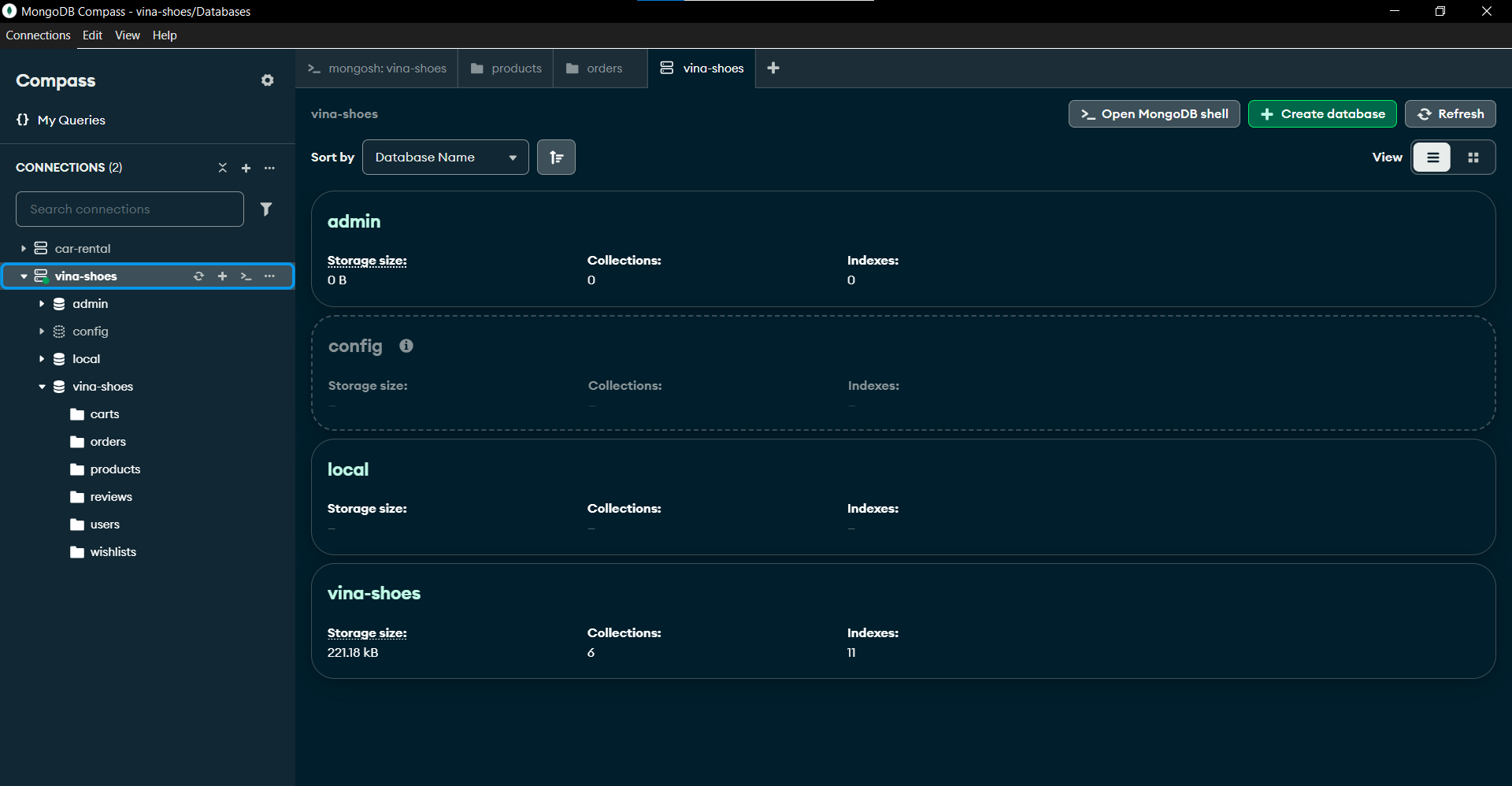
- Export từng collection:
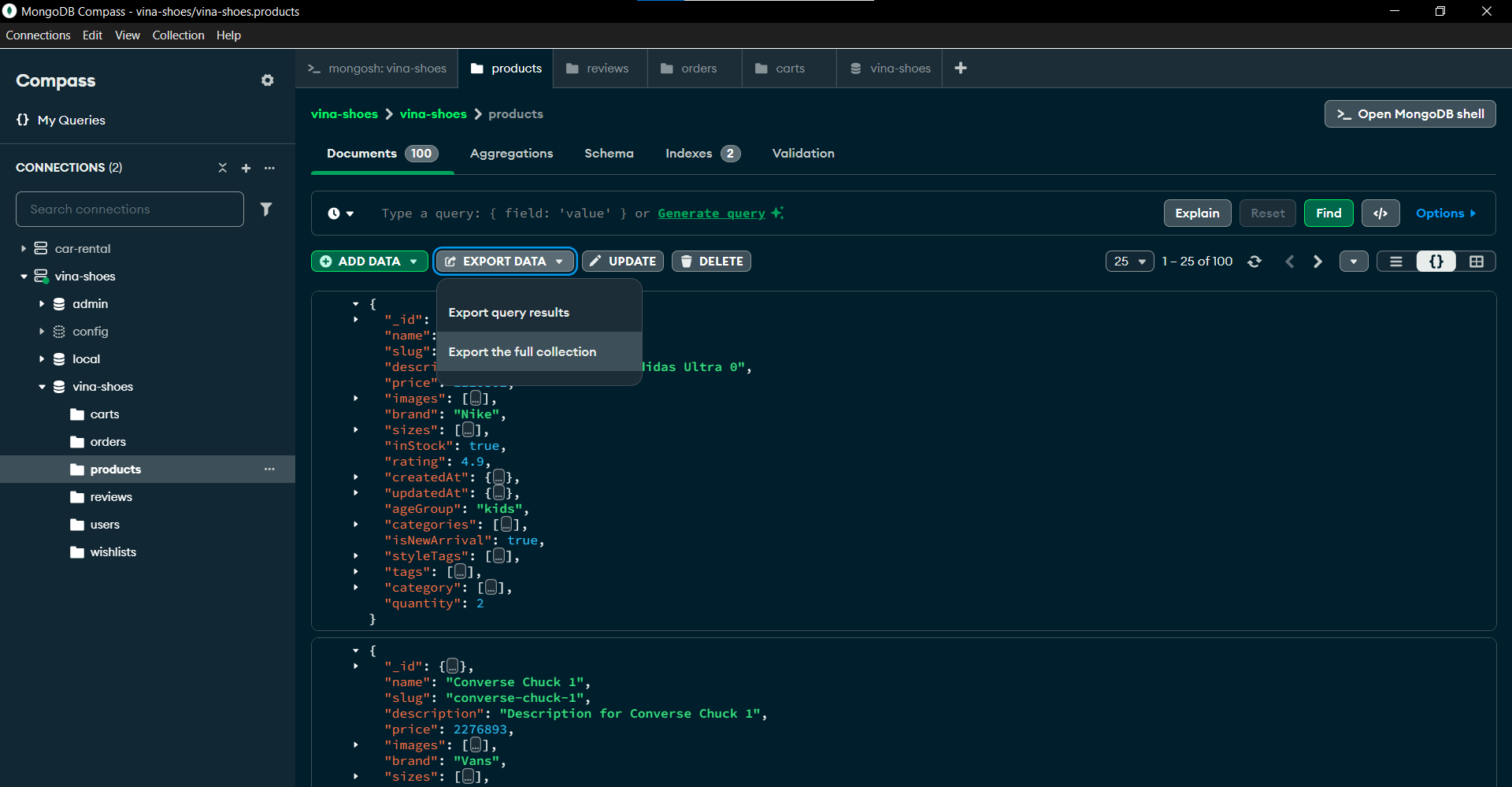
- Vào collection
products,users,carts,… → Export Collection → Export as csv
- Vào collection
💡 Optimization Tips:
- Export theo batch nhỏ nếu collection quá lớn (>100MB)
- Chọn chỉ những field cần thiết để giảm dung lượng file
- Sử dụng filter để export data mới nhất trước
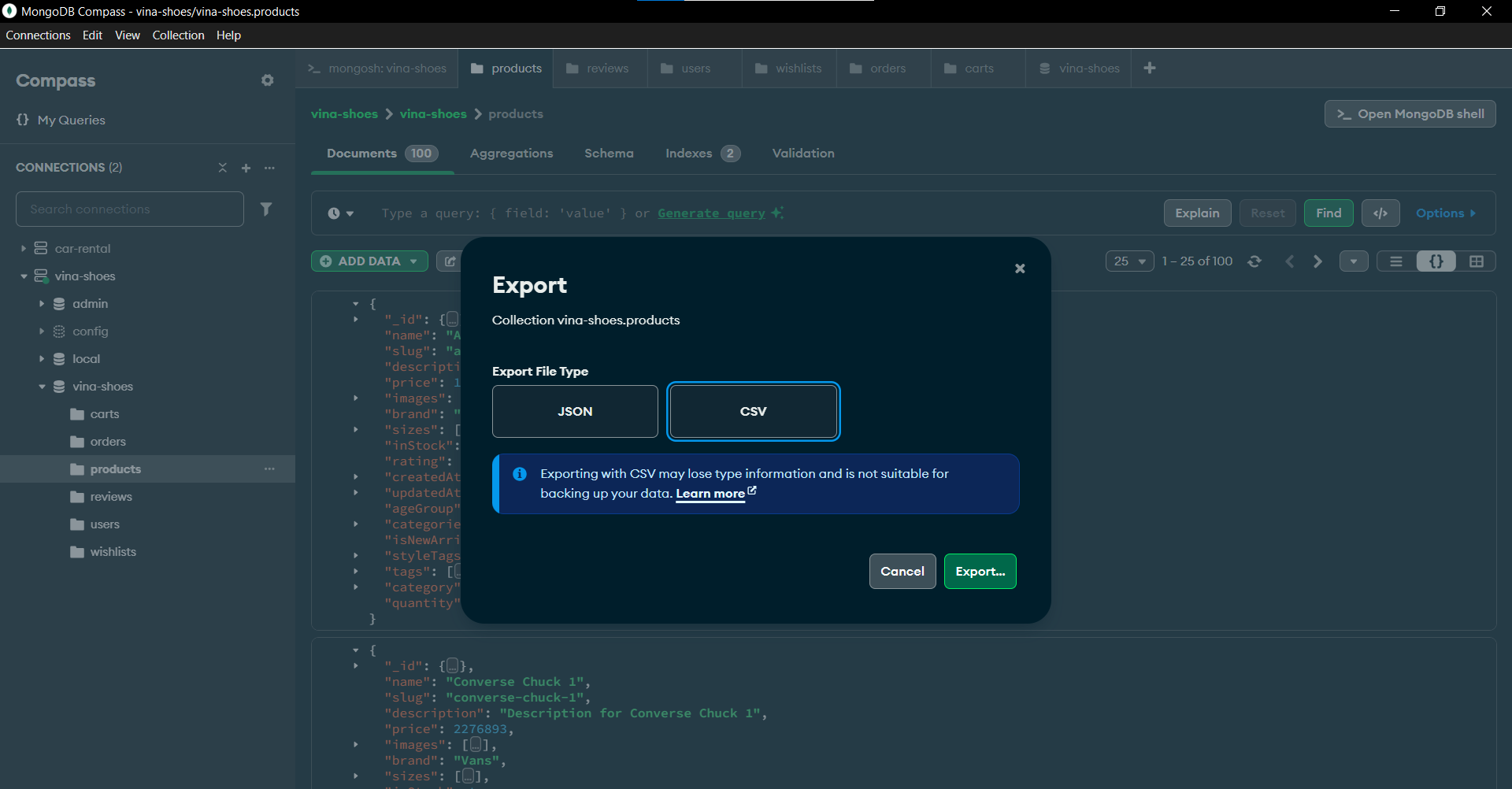
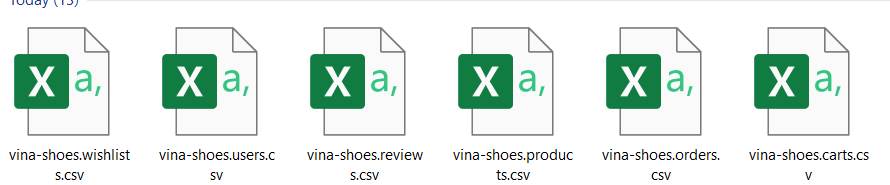
Kết quả: Bạn có được những file csv:
📁 File Structure mong đợi:
exports/
├── products.csv      (sản phẩm)
├── users.csv         (người dùng)
├── orders.csv        (đơn hàng)
├── carts.csv         (giỏ hàng)
└── categories.csv    (danh mục)
7.2 Upload lên S3
💰 Chi phí: Upload S3 có thể mất phí nếu file lớn. Sử dụng S3 Intelligent Tiering để tối ưu chi phí.
AWS Console → S3:
- Sử dụng bucket đã tạo ở task 3
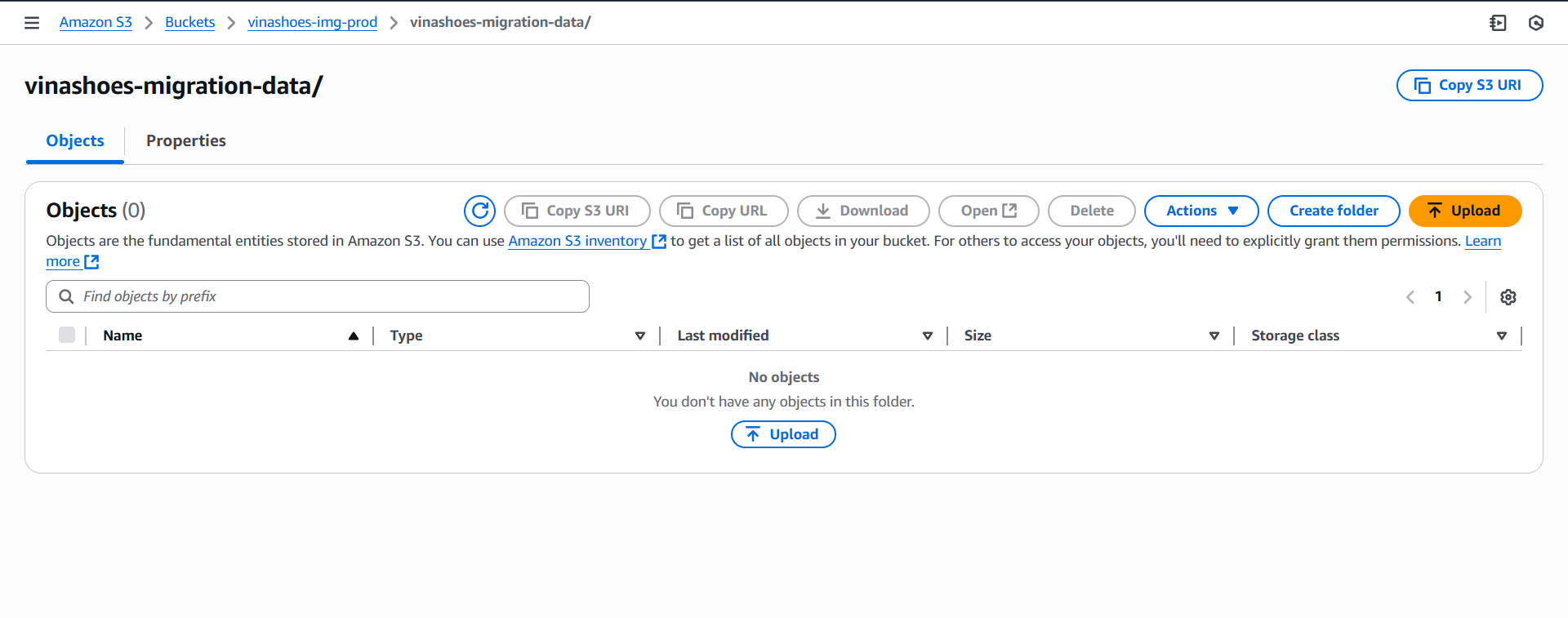
- Upload files csv:
- Vào bucket
vinashoes-migration-data - Click “Upload”
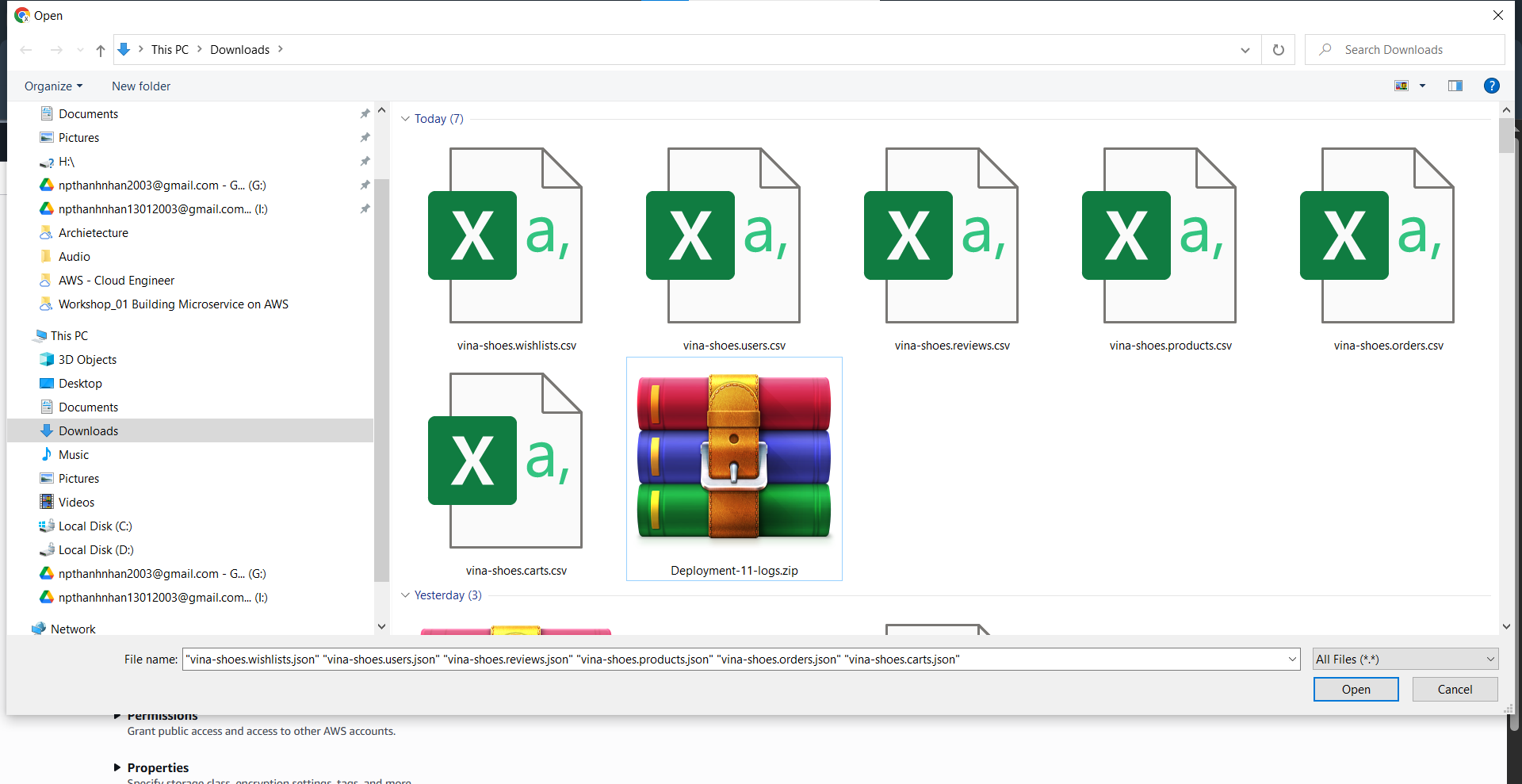
- Chọn tất cả các file:
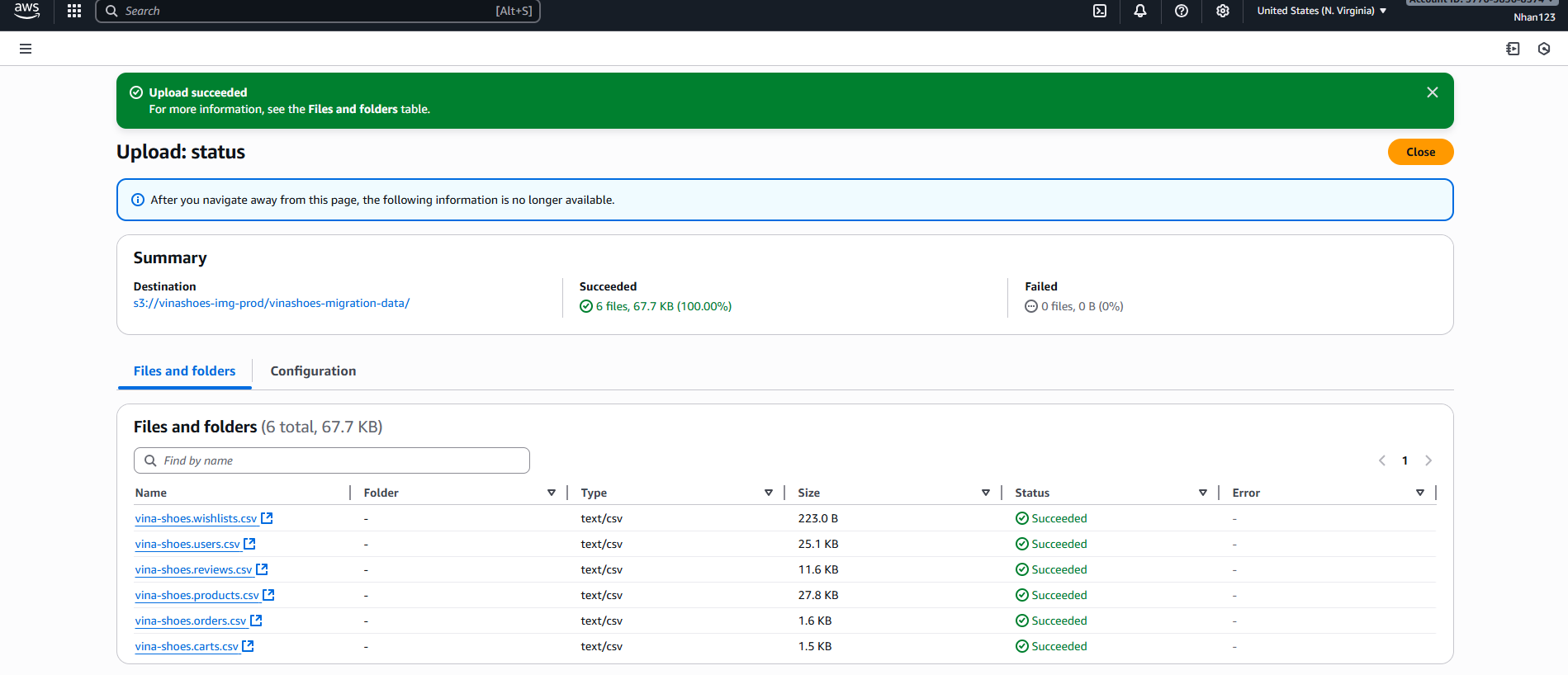
products.csv,orders.csv,users.csv,… - Click “Upload”
- Vào bucket
🚀 Speed Up Upload:
- Sử dụng AWS CLI cho file > 100MB:
aws s3 cp *.csv s3://bucket-name/ --recursive - Enable multipart upload cho file lớn
- Compress file trước khi upload:
gzip *.csv
7.3 Import vào DynamoDB
⏱️ Thời gian import:
- Small data (<1000 items): 2-5 phút
- Medium data (1K-100K items): 10-30 phút
- Large data (>100K items): 1-4 giờ
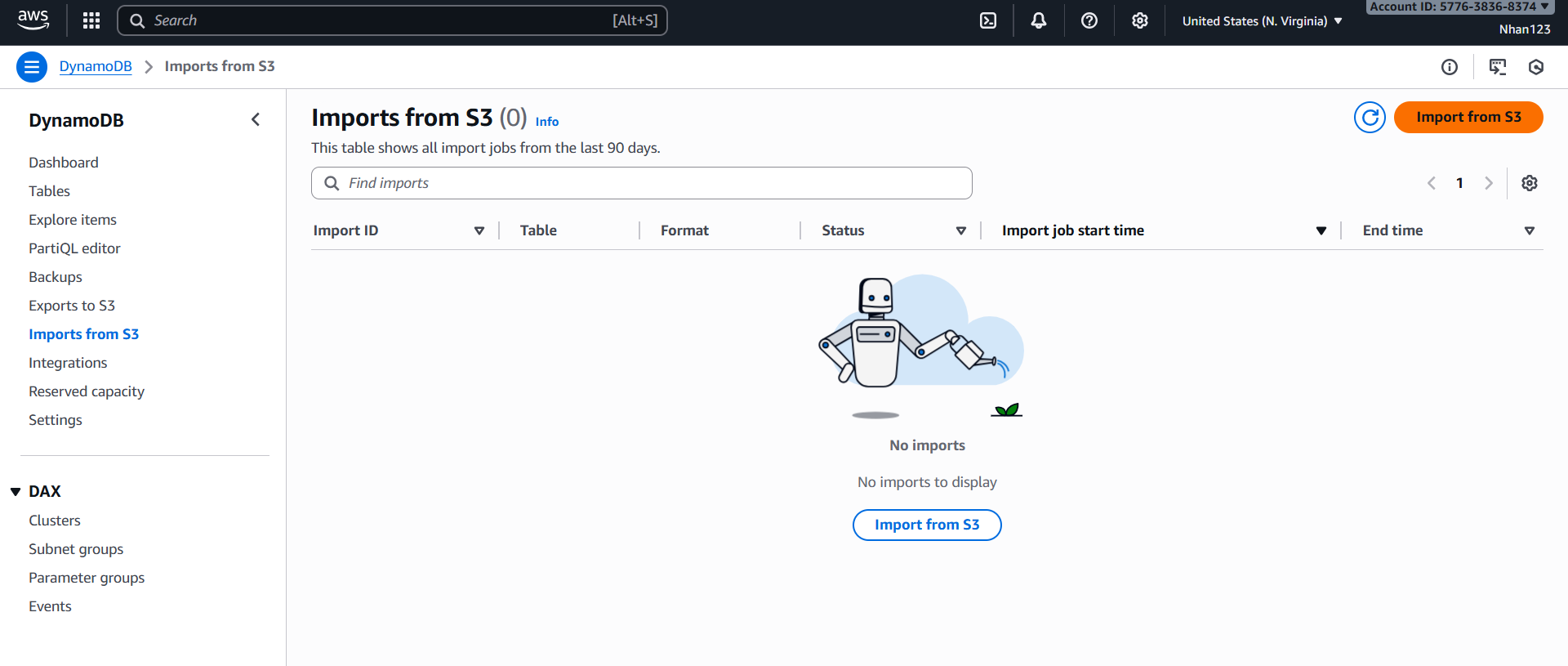
AWS Console → DynamoDB:
Import Products Table
- DynamoDB → Tables → Import from S3
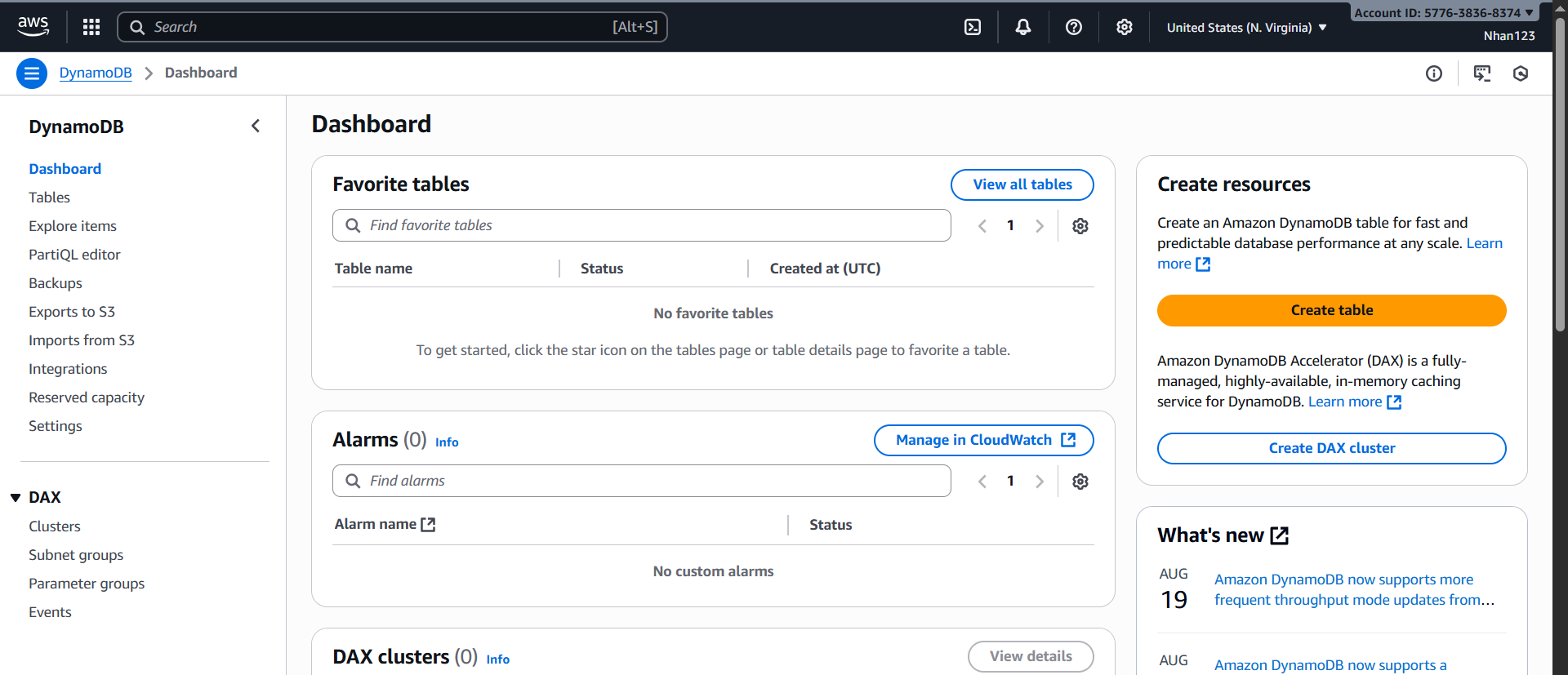
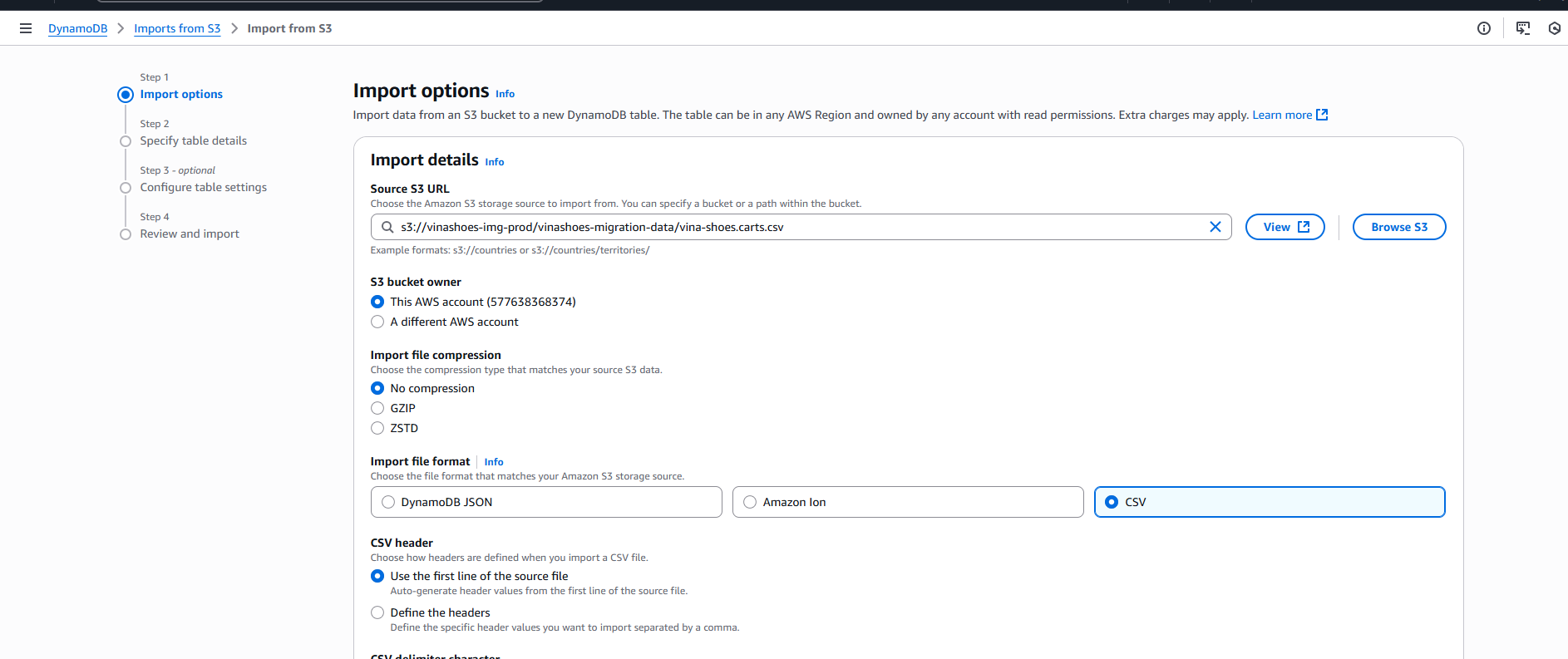
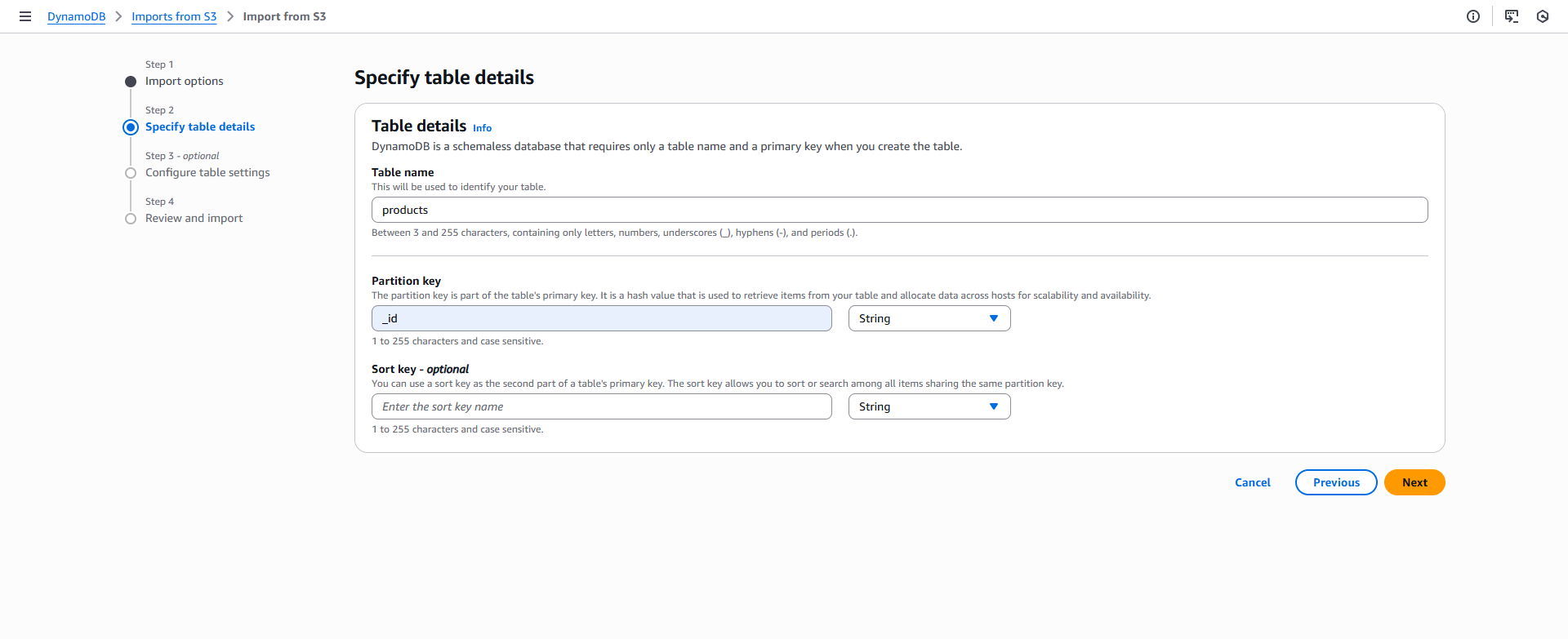
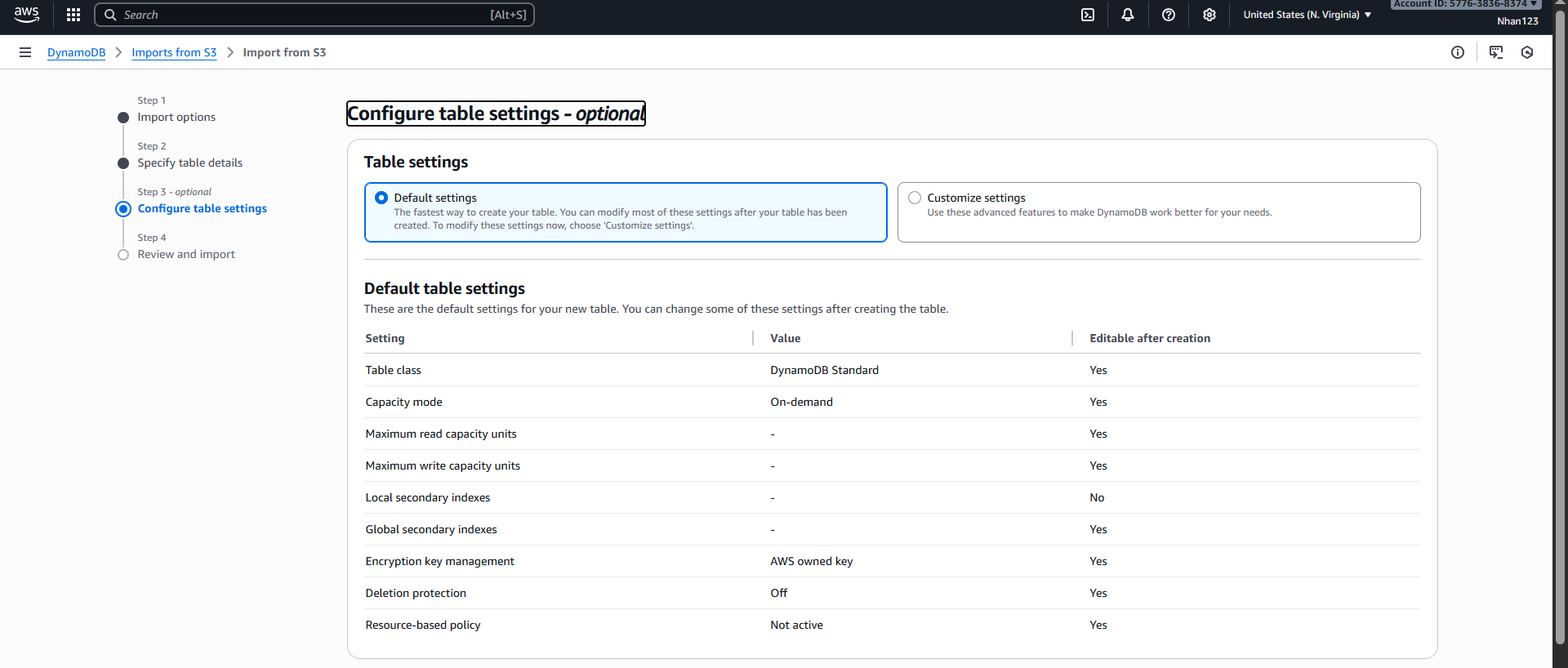
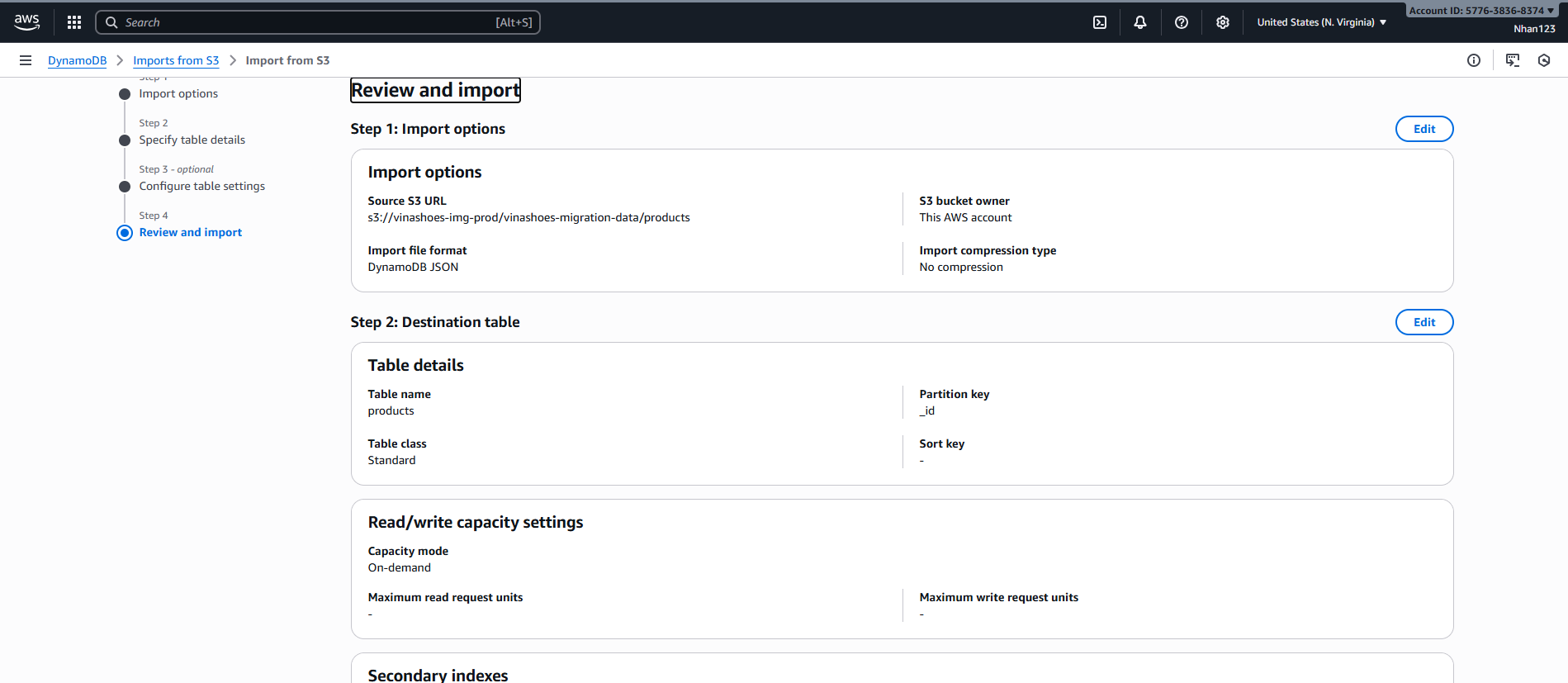
- Cấu hình import:
- S3 bucket:
vinashoes-migration-data - S3 object:
products.csv - Table name:
vinashoes-products - Partition key:
_id(String) - Click “Import”
- S3 bucket:
⚠️ Partition Key Design:
- Chọn field có distribution đều (tránh hot partition)
_idtừ MongoDB thường là ObjectId → phân phối tốt- Tránh dùng timestamp hoặc counter làm partition key
📊 Monitoring Import Progress:
- Theo dõi CloudWatch metrics:
SuccessfulRequestLatency - Check Import status trong DynamoDB console
- Set up CloudWatch alarm nếu import bị fail
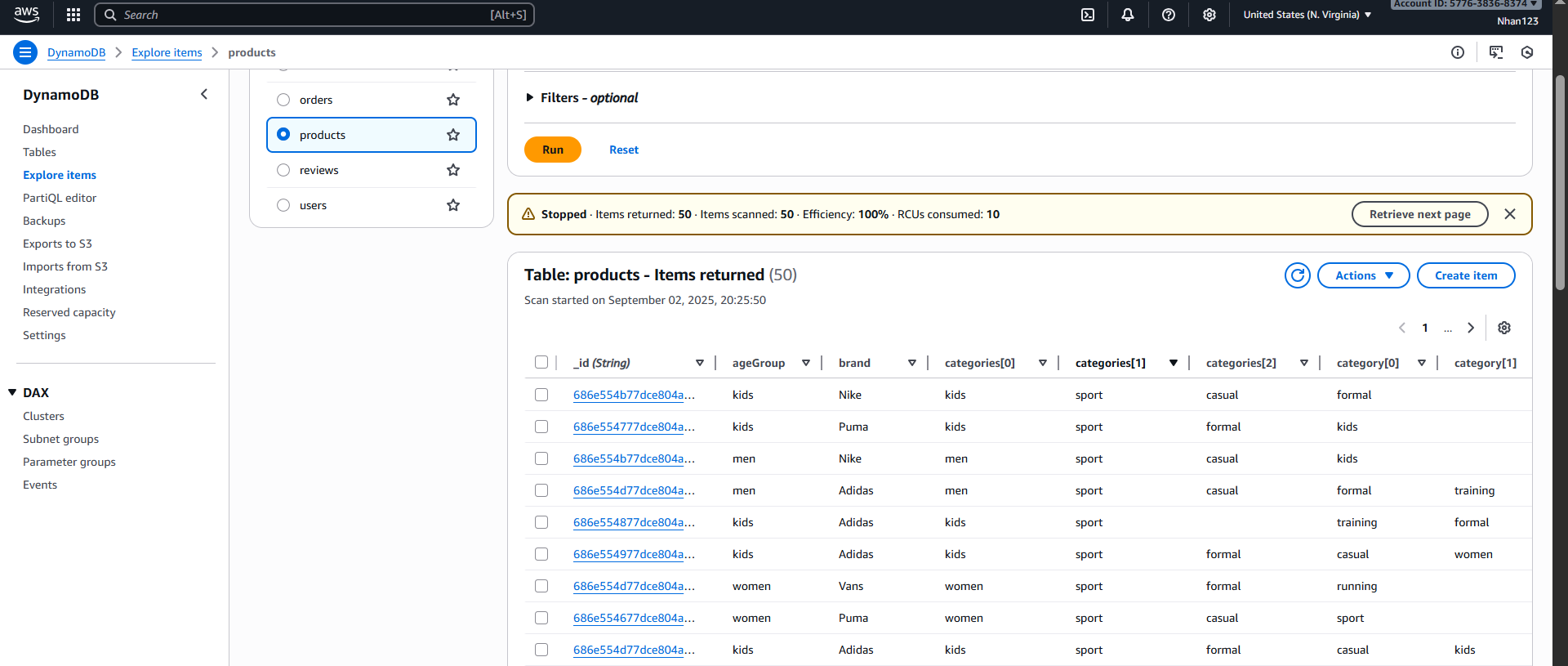
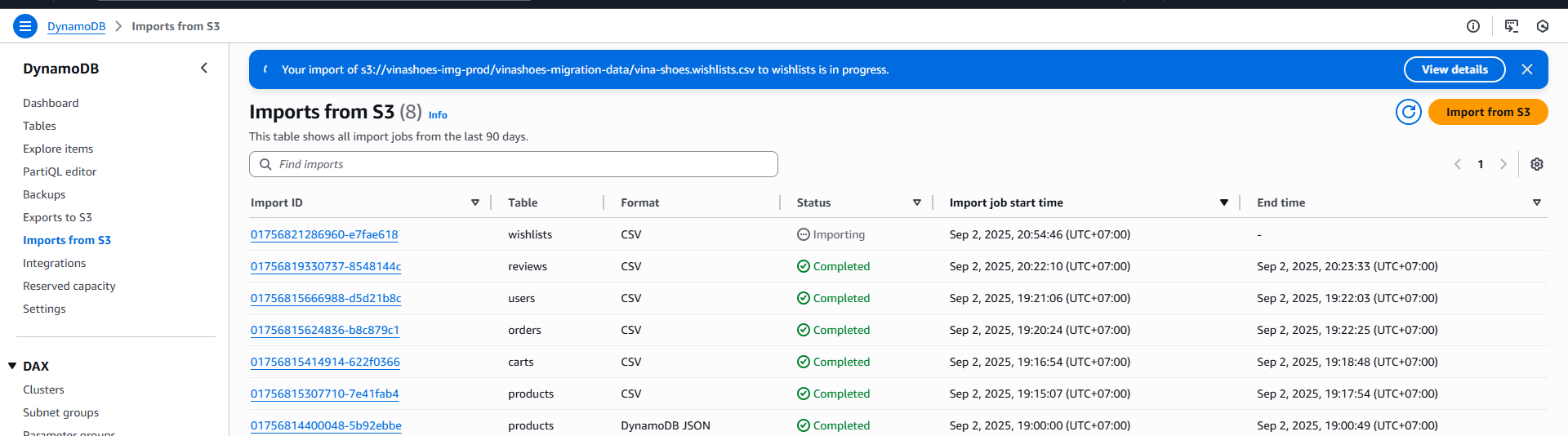
Xác nhận tất cả bảng đã import thành công:
✅ Verification Checklist:
- Tất cả tables đã tạo thành công
- Item count khớp với MongoDB collection
- Partition key được set đúng
- No import errors trong CloudWatch logs
7.4 Sửa Code Backend NestJS
🔧 Breaking Changes: Việc chuyển từ MongoDB sang DynamoDB sẽ thay đổi hoàn toàn cách query data. Cần test kỹ all endpoints!
Cài đặt DynamoDB SDK
npm uninstall mongoose @nestjs/mongoose
npm install @aws-sdk/client-dynamodb @aws-sdk/lib-dynamodb
📦 Package Dependencies:
@aws-sdk/client-dynamodb: Low-level DynamoDB client@aws-sdk/lib-dynamodb: High-level document client (recommended)- Optional:
@aws-sdk/util-dynamodbcho data transformation
Thay đổi Repository
Mongo code (cũ):
// product.service.ts
const product = await this.productModel.findById(id);
DynamoDB code (mới):
// product.repository.ts
import { Injectable } from '@nestjs/common';
import { DynamoDBClient } from "@aws-sdk/client-dynamodb";
import { GetCommand, ScanCommand, DynamoDBDocumentClient } from "@aws-sdk/lib-dynamodb";

@Injectable()
export class ProductRepository {
  private client: DynamoDBDocumentClient;

  constructor() {
    const ddbClient = new DynamoDBClient({ region: "ap-southeast-1" });
    this.client = DynamoDBDocumentClient.from(ddbClient);
  }

  async findById(id: string) {
    const result = await this.client.send(new GetCommand({
      TableName: "vinashoes-products",
      Key: { _id: id }
    }));
    return result.Item;
  }

  async findAll() {
    const result = await this.client.send(new ScanCommand({
      TableName: "vinashoes-products"
    }));
    return result.Items;
  }
}
⚠️ Performance Warning: ScanCommand đọc toàn bộ table → expensive! Sử dụng QueryCommand với GSI cho production.
Environment Variables
# .env
AWS_REGION=ap-southeast-1
AWS_ACCESS_KEY_ID=your-key
AWS_SECRET_ACCESS_KEY=your-secret
🔐 Security Best Practices:
- Sử dụng IAM roles thay vì hardcode credentials
- Principle of least privilege cho DynamoDB permissions
- Enable encryption at rest cho sensitive data
7.5 Test
🧪 Testing Strategy:
- Unit tests cho repository layer
- Integration tests cho API endpoints
- Load testing để verify performance
- Data consistency validation
Test Local
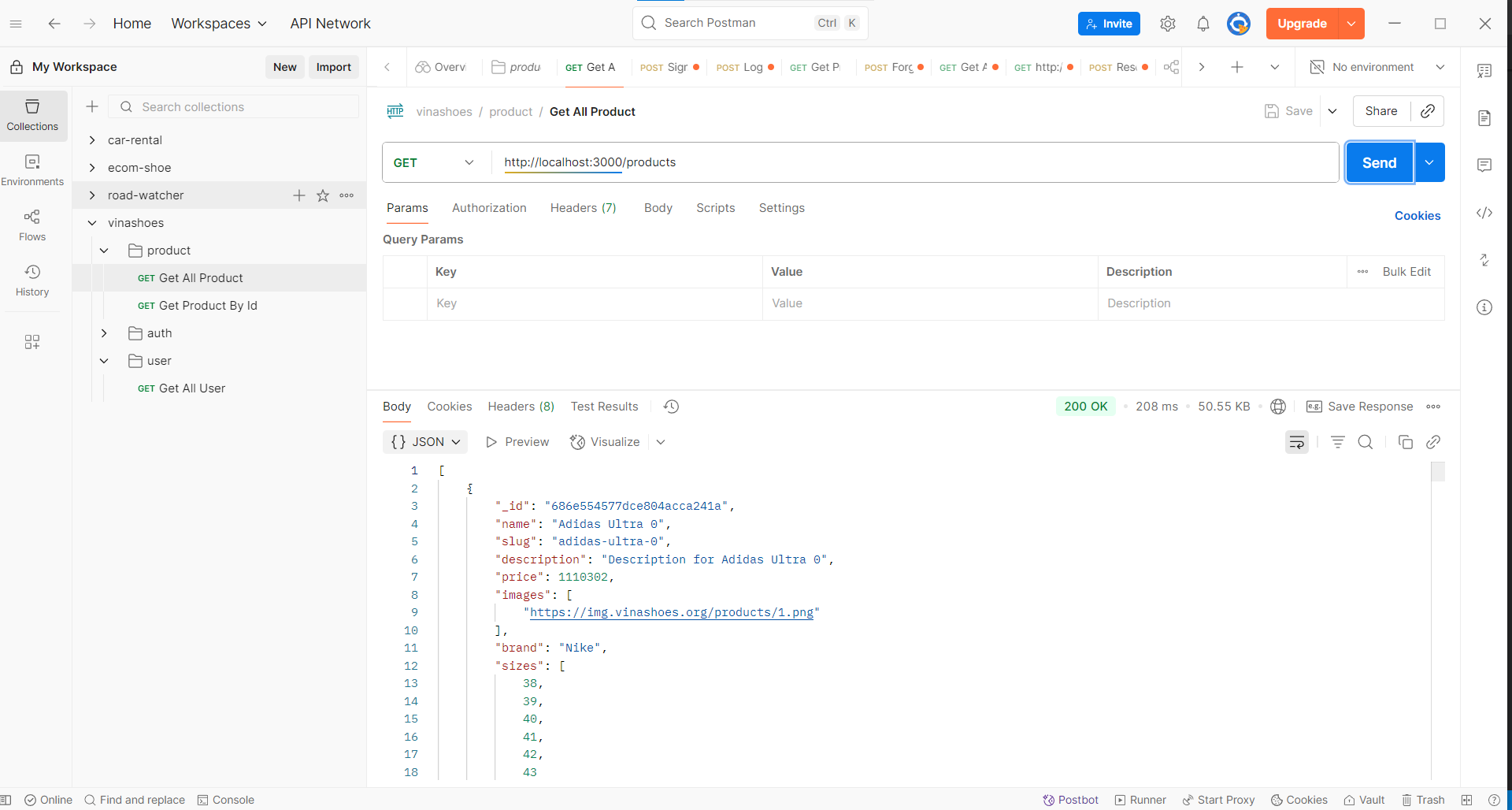
# Test API endpoints vẫn hoạt động
curl http://localhost:3000/api/products
🔍 Advanced Testing:
# Test pagination
curl "http://localhost:3000/api/products?limit=10&lastKey=abc123"

# Test search with GSI
curl "http://localhost:3000/api/products/category/shoes"

# Test write operations
curl -X POST http://localhost:3000/api/products \
  -H "Content-Type: application/json" \
  -d '{"name":"Test Product","price":100}'
7.6 Post-Migration Checklist
📋 Migration Complete - Next Steps:
Database:
- All tables imported successfully
- Data consistency verified
- Indexes (GSI) created for query patterns
- Backup strategy implemented
Application:
- All CRUD operations working
- Error handling updated for DynamoDB exceptions
- Performance monitoring setup
- Connection pooling optimized
Operations:
- CloudWatch alarms configured
- Auto-scaling policies set
- Backup retention policy defined
- Cost monitoring enabled
Clean-up:
- S3 migration files archived/deleted
- Old MongoDB connections removed
- Environment variables updated
- Documentation updated
💡 DynamoDB Limitations to Remember:
- Không có JOIN operations như SQL
- Query patterns cần design trước
- Item size limit: 400KB
- Pagination bắt buộc cho large result sets
🚀 Performance Optimization Tips:
- Sử dụng batch operations cho multiple items
- Implement caching layer (ElastiCache/Redis)
- Design GSI cho common query patterns
- Monitor và tune read/write capacity
7.7 Dọn dẹp tài nguyên
⚠️ Cảnh báo: Việc clean up sẽ xóa vĩnh viễn dữ liệu migration. Hãy đảm bảo migration đã thành công trước khi thực hiện!
7.7.1 Xóa S3 Bucket Migration
AWS CLI Commands:
# List all objects in the migration bucket
aws s3 ls s3://vinashoes-migration-data --recursive

# Delete all objects in the bucket
aws s3 rm s3://vinashoes-migration-data --recursive

# Delete the bucket
aws s3 rb s3://vinashoes-migration-data
7.7.2 Xóa DynamoDB Tables
AWS CLI Commands:
# Delete products table
aws dynamodb delete-table --table-name vinashoes-products --region ap-southeast-1

# Delete users table
aws dynamodb delete-table --table-name vinashoes-users --region ap-southeast-1

# Delete orders table
aws dynamodb delete-table --table-name vinashoes-orders --region ap-southeast-1

# Delete carts table
aws dynamodb delete-table --table-name vinashoes-carts --region ap-southeast-1

# Delete categories table
aws dynamodb delete-table --table-name vinashoes-categories --region ap-southeast-1
⚠️ Production Warning: Chỉ xóa tables trong test environment. Production tables cần backup trước khi xóa.
7.7.3 Xóa Backup và Export Files
AWS CLI Commands:
# Delete any DynamoDB backups created during migration
aws dynamodb list-backups --region ap-southeast-1 | jq -r '.BackupSummaries[] | select(.TableName | startswith("vinashoes-")) | .BackupArn' | xargs -I {} aws dynamodb delete-backup --backup-arn {} --region ap-southeast-1

# Delete any export files in S3 (if any)
aws s3 rm s3://vinashoes-backup-exports --recursive
7.7.4 Kiểm tra sau khi dọn dẹp
Verification Commands:
# Verify S3 bucket deleted
aws s3 ls | grep vinashoes-migration-data || echo "Migration bucket deleted"

# Verify DynamoDB tables deleted
aws dynamodb list-tables --region ap-southeast-1 | grep vinashoes- || echo "All DynamoDB tables deleted"

# Check remaining resources
aws dynamodb list-backups --region ap-southeast-1 | jq '.BackupSummaries | length'
7.8 Phân tích chi phí
💰 Phân tích chi phí Migration từ MongoDB sang DynamoDB
7.8.1 Bảng giá Migration
| Dịch vụ | Chi phí | Mô tả |
|---|---|---|
| S3 Storage (Migration) | $0.023/GB/tháng | Lưu trữ file CSV tạm thời |
| S3 Data Transfer In | Miễn phí | Upload dữ liệu migration |
| DynamoDB Import | Miễn phí | AWS Import from S3 |
| DynamoDB Storage | $0.25/GB/tháng | Lưu trữ dữ liệu chính |
| DynamoDB Backup | $0.10/GB/tháng | Automated backup |
7.8.2 Phân tích chi phí
Chi phí migration ước tính (cho 1GB dữ liệu):
- S3 Storage: 1 GB × $0.023 × 1 tháng = $0.023/tháng
- DynamoDB Import: Miễn phí
- DynamoDB Storage: 1 GB × $0.25 = $0.25/tháng
- DynamoDB Backup: 1 GB × $0.10 = $0.10/tháng
- Tổng chi phí: $0.373/tháng
7.8.3 Lợi ích và ROI
Lợi ích của Migration sang DynamoDB:
- Scalability: Tự động scale theo nhu cầu
- Performance: Low latency reads/writes
- Cost-effective: Pay per use model
- Managed Service: AWS quản lý infrastructure
- Integration: Native AWS integration
Tính toán ROI:
- Chi phí DynamoDB: $0.373/tháng
- Giá trị tương đương MongoDB: $2.50/tháng (512MB free tier limit exceeded)
- Tiết kiệm: $2.127/tháng
- ROI: ($2.127 / $0.373) × 100% = 570%
7.8.4 Giám sát chi phí
AWS Cost Explorer Commands:
# Get DynamoDB costs for last month
aws ce get-cost-and-usage \
    --time-period Start=2024-01-01,End=2024-02-01 \
    --granularity MONTHLY \
    --metrics BlendedCost \
    --group-by Type=DIMENSION,Key=SERVICE \
    --filter '{
        "Dimensions": {
            "Key": "SERVICE",
            "Values": ["Amazon DynamoDB"]
        }
    }' \
    --region us-east-1
CloudWatch Monitoring:
# Monitor DynamoDB table size
aws cloudwatch get-metric-statistics \
    --namespace AWS/DynamoDB \
    --metric-name TableSizeBytes \
    --dimensions Name=TableName,Value=vinashoes-products \
    --start-time 2024-01-01T00:00:00Z \
    --end-time 2024-02-01T00:00:00Z \
    --period 86400 \
    --statistics Maximum \
    --region ap-southeast-1
7.8.5 Chiến lược tối ưu hóa chi phí
DynamoDB Optimization:
- Sử dụng On-Demand cho traffic không đều
- Provisioned capacity với auto-scaling cho predictable workloads
- Implement GSI chỉ khi cần thiết
- Sử dụng DynamoDB Streams thay vì polling
Migration Cost Reduction:
- Compress CSV files trước khi upload S3
- Delete migration data ngay sau khi import thành công
- Sử dụng S3 Intelligent Tiering cho temporary storage
- Monitor và alert khi vượt budget
Monitoring & Alerts:
- Set up CloudWatch alarms cho DynamoDB usage
- Regular cost reviews với Cost Explorer
- Budget alerts cho DynamoDB spending
- Track read/write capacity utilization
Bảng 7.8.6: So sánh Chi phí Storage
| Service | MongoDB Atlas (Free Tier) | DynamoDB (On-Demand) | DynamoDB (Provisioned) | Ghi chú |
|---|---|---|---|---|
| Storage | 512MB free | $0.25/GB/tháng | $0.25/GB/tháng | DynamoDB tính theo GB |
| Data Transfer | 512MB free out | $0.09/GB | $0.09/GB | Transfer ra ngoài |
| Backup | Included | $0.10/GB/tháng | $0.10/GB/tháng | Automated backup |
| Tháng đầu | ~$0 | ~$2.5 (1GB data) | ~$2.5 (1GB data) | Ước tính cho 1GB data |
Bảng 7.8.7: Chi phí Read/Write Operations
| Operation Type | MongoDB Atlas | DynamoDB On-Demand | DynamoDB Provisioned | Ghi chú |
|---|---|---|---|---|
| Reads | $0.10/1M queries | $0.25/1M RCU | $0.00013/RCU/hour | RCU = Read Capacity Unit |
| Writes | $0.10/1M operations | $1.25/1M WCU | $0.00065/RCU/hour | WCU = Write Capacity Unit |
| Queries phức tạp | Free | Thêm phí GSI | Thêm phí GSI | Global Secondary Index |
Bảng 7.8.8: Usage Scenarios & Cost Optimization
| Scenario | Estimated Monthly Cost | Optimization Tips |
|---|---|---|
| Small E-commerce (1K users) | $5-15 | Use On-Demand, monitor usage |
| Medium E-commerce (10K users) | $50-150 | Provisioned capacity, auto-scaling |
| Large E-commerce (100K+ users) | $500+ | Reserved capacity, GSI optimization |
| Development/Test | $1-5 | On-Demand with low traffic |
Bảng 7.8.9: ROI Analysis (so với MongoDB Atlas)
| Metric | MongoDB Atlas (Dedicated) | DynamoDB | Savings |
|---|---|---|---|
| Storage (1GB) | $2.50 | $0.25 | 90% |
| Compute (Basic) | $60/month | $10/month (est.) | 83% |
| Backup | $0.25/GB | $0.10/GB | 60% |
| Total Annual | $750 | $150 | 80% |
💡 Cost Optimization Tips:
- Sử dụng DynamoDB On-Demand cho traffic không đều
- Provisioned capacity cho predictable workloads
- Implement caching để giảm read operations
- Monitor với CloudWatch và set billing alerts
- Sử dụng DynamoDB Streams thay vì polling
Next Step: Task 8: ECR