Frontend Infrastructure Deployment
Mục tiêu Task 3
Deploy Frontend VinaShoes và Edge Layer với 4 service chính:
- Amazon S3 - Image storage với secure access configuration
- Amazon CloudFront - CDN cho static assets và caching
- AWS WAF - Web Application Firewall protection
- AWS Amplify Hosting - Next.js Frontend với GitHub CI/CD
📋 Prerequisites từ Task 2:
- ✅ Domain
vinashoes.orgđã đăng ký và DNS ready - ✅ SSL certificates issued cho
vinashoes.org,www.vinashoes.org,img.vinashoes.org - ✅ Cloudflare DNS configured (DNS-only mode)
- ✅ ACM certificates ready for use
Target Deliverables:
- ✅ S3 bucket ready với secure access configuration
- ✅ Image CDN qua CloudFront <200ms (
img.vinashoes.org) - ✅ Payload tấn công bị chặn bởi WAF
- ✅ Website FE online, HTTPS OK (
vinashoes.org)
3.0. Domain Management (Cloudflare)
🎯 Objective: Verify domain setup và quản lý DNS records trên Cloudflare
3.0.1. Cloudflare Domain Dashboard
Cloudflare Console:
- Navigate to Domain Management:
- Cloudflare Dashboard → Account home → Domain registration → Manage domains
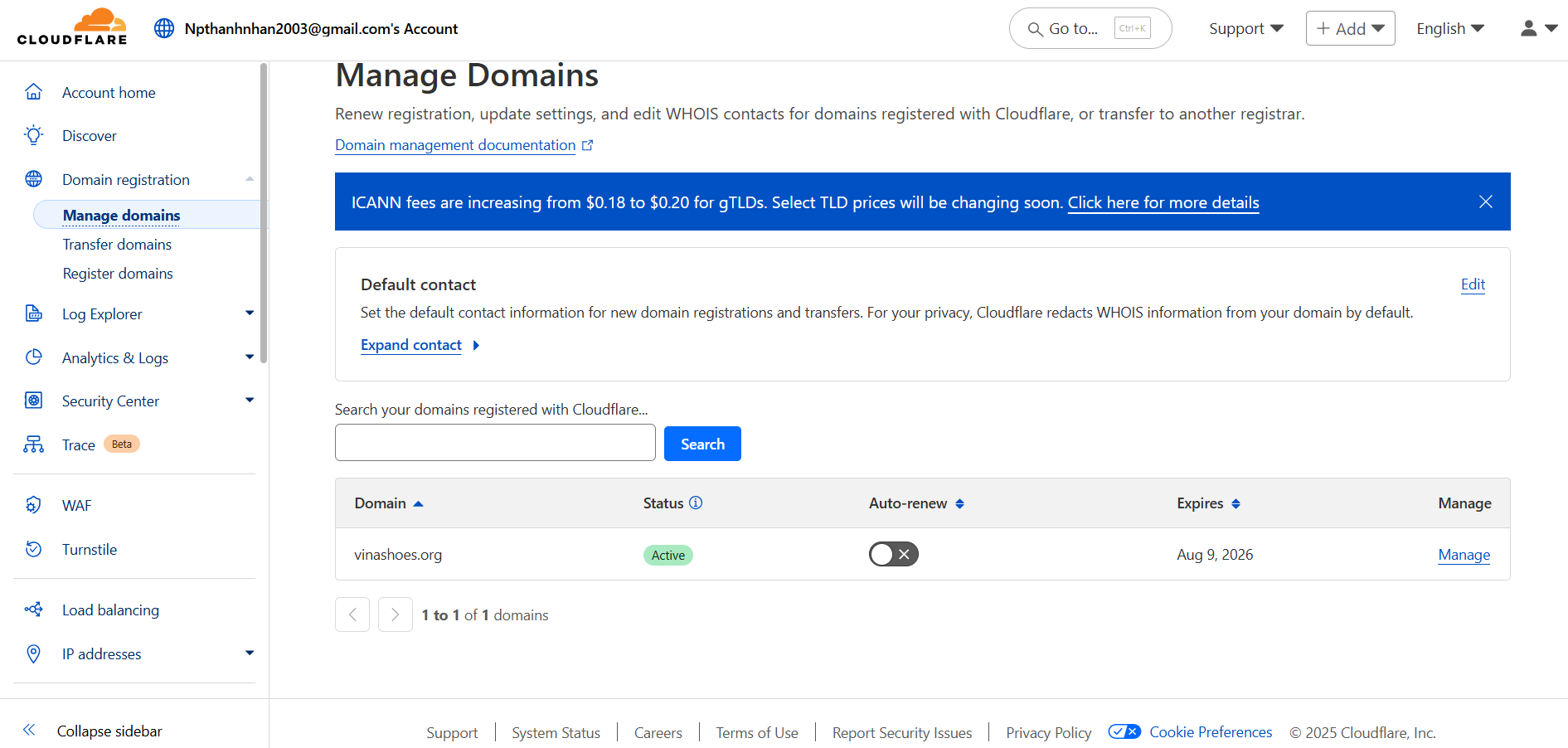
- Verify Domain Status:
- Domain:
vinashoes.org - Status: Active ✅
- Auto-renew: Enabled
- Expires: Aug 9, 2026
- Domain:
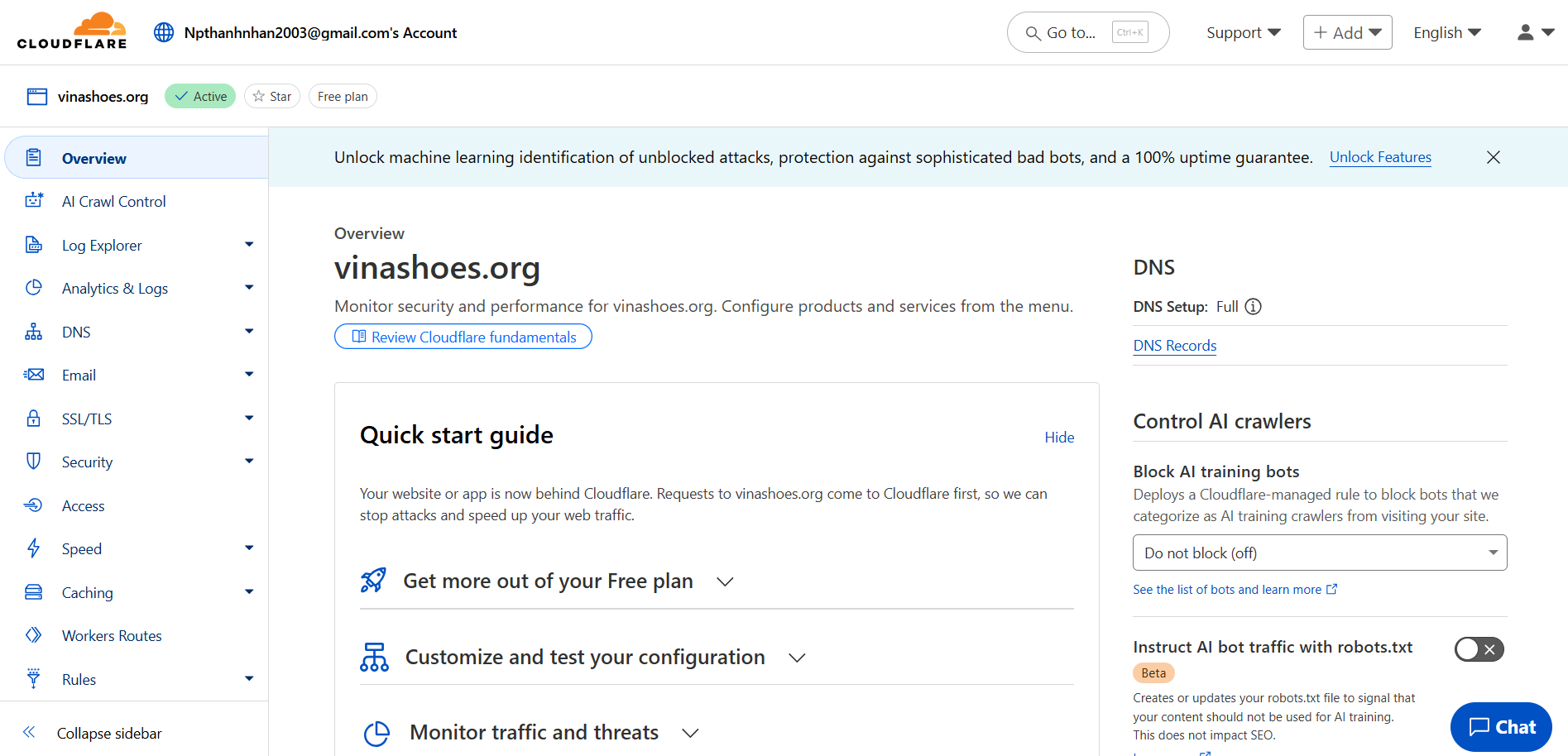
- Access DNS Management:
- Click on
vinashoes.orgđể access DNS settings - Verify DNS Setup: Full ✅
- Click on
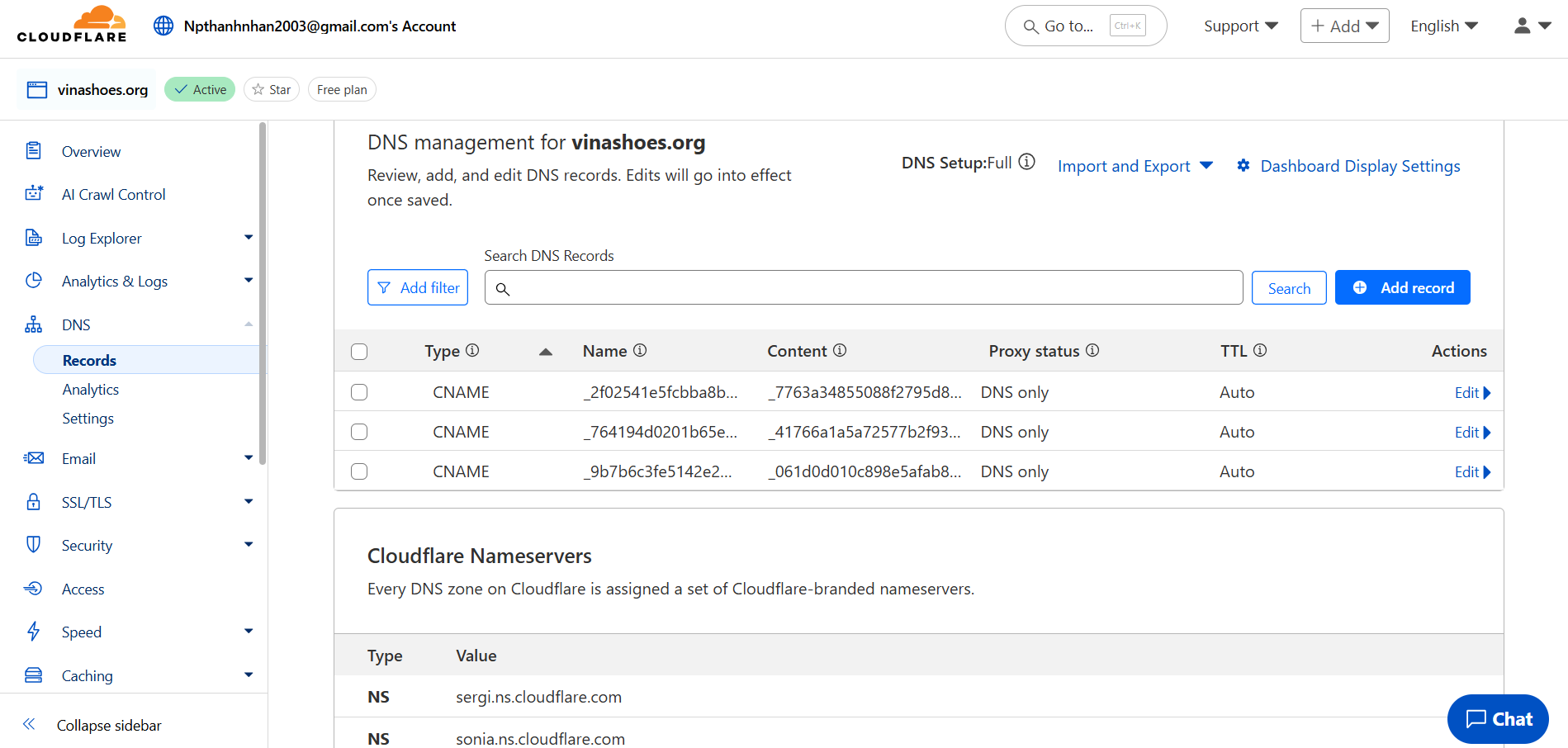
- Current DNS Records:
- View existing DNS records
- Sẽ cần thêm CNAME record cho
img.vinashoes.org
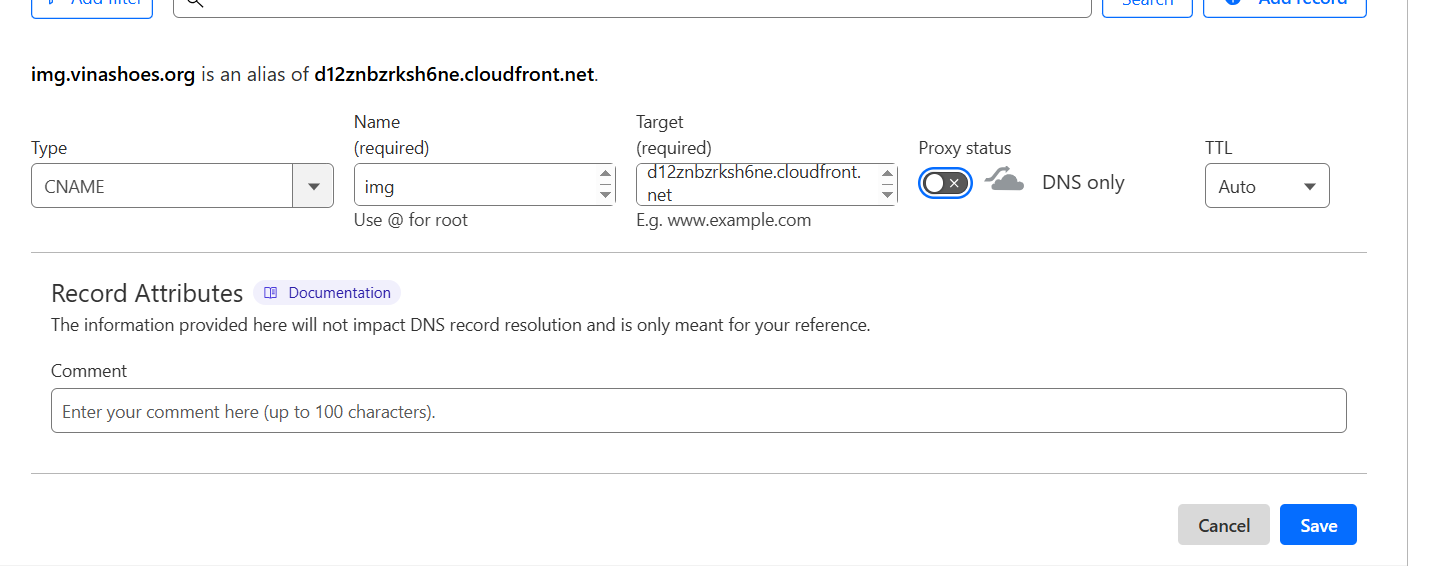
🎯 Deliverable 3.0: Domain ready cho infrastructure setup
3.1. Amazon S3 (Product Images)
🎯 Objective: Secure image storage chỉ accessible qua CloudFront
3.1.1. Tạo S3 Bucket
AWS Console:
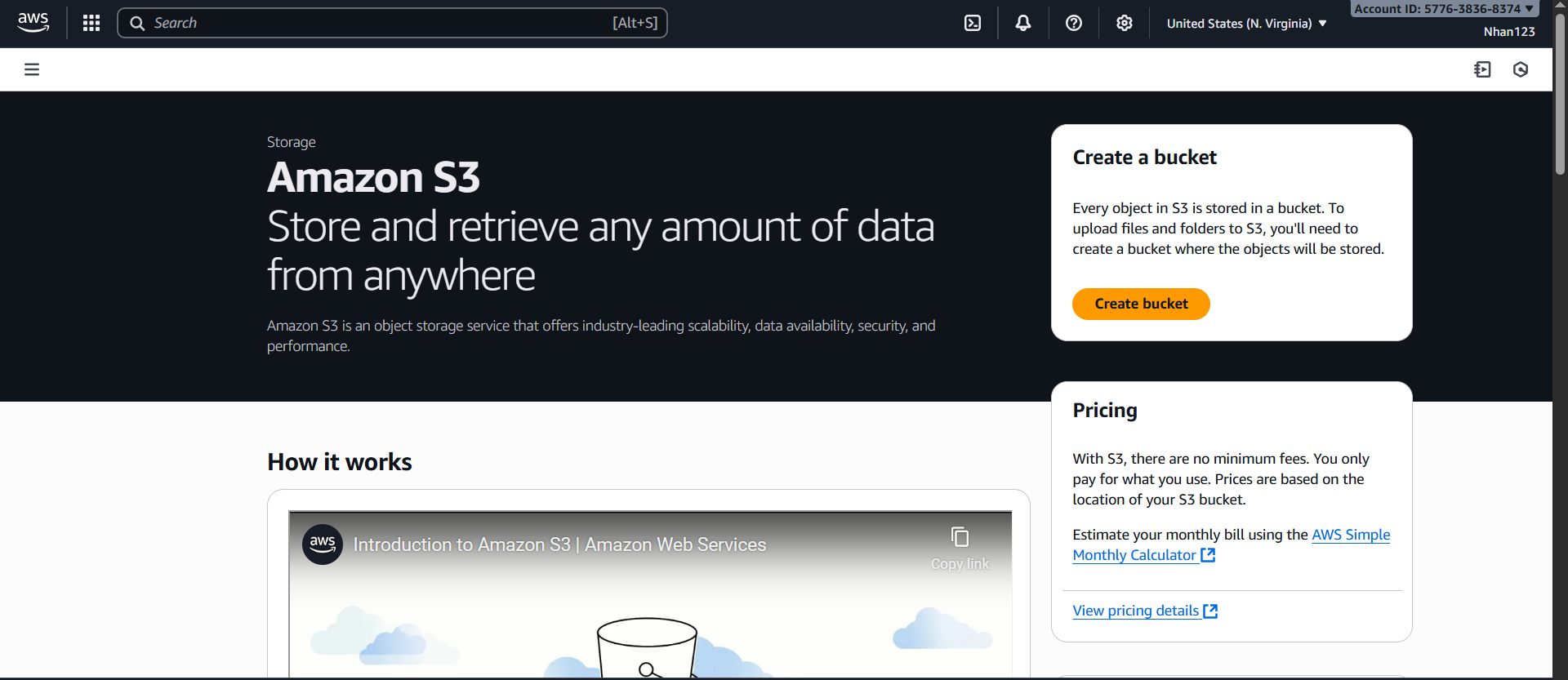
- Navigate to S3 Console:
- AWS Console → Services → S3 → “Create bucket”
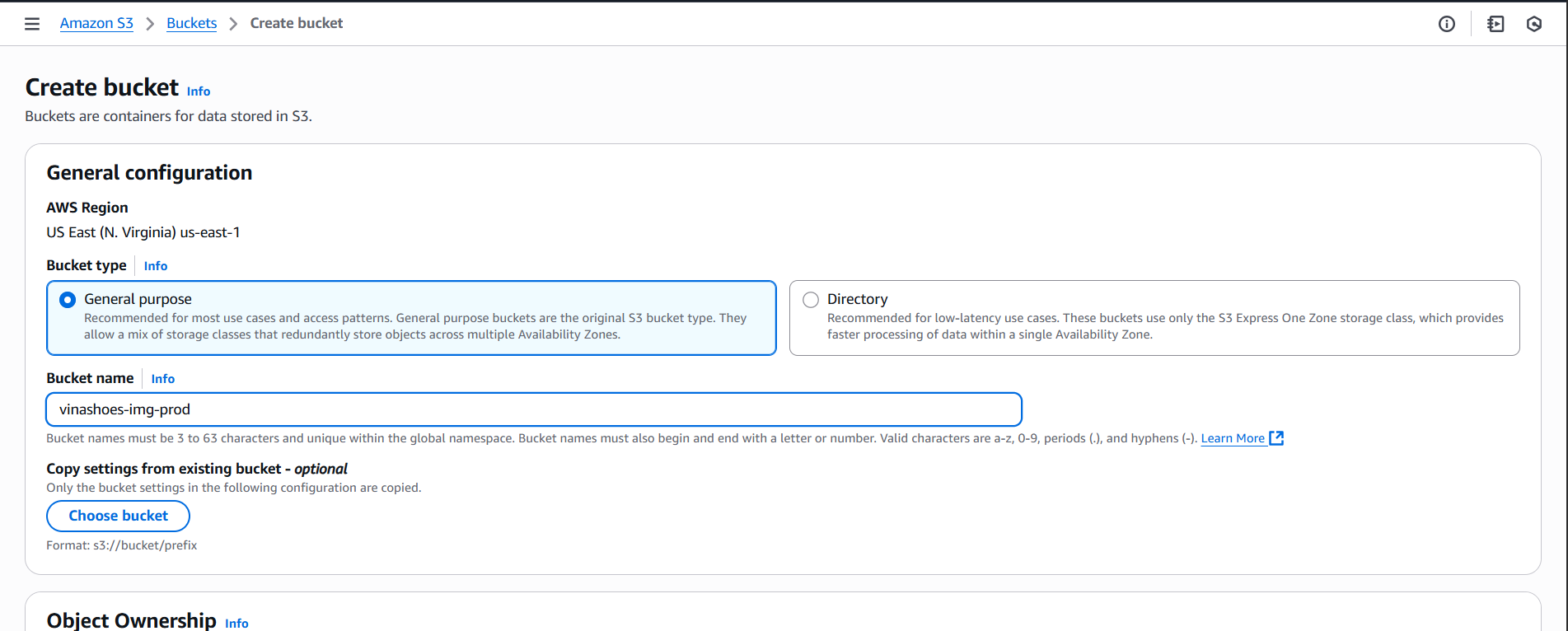
- Bucket Configuration:
- Name:
vinashoes-images-prod - Region: Asia Pacific (Singapore) ap-southeast-1
- Encryption: SSE-S3, Bucket key enabled
- Name:
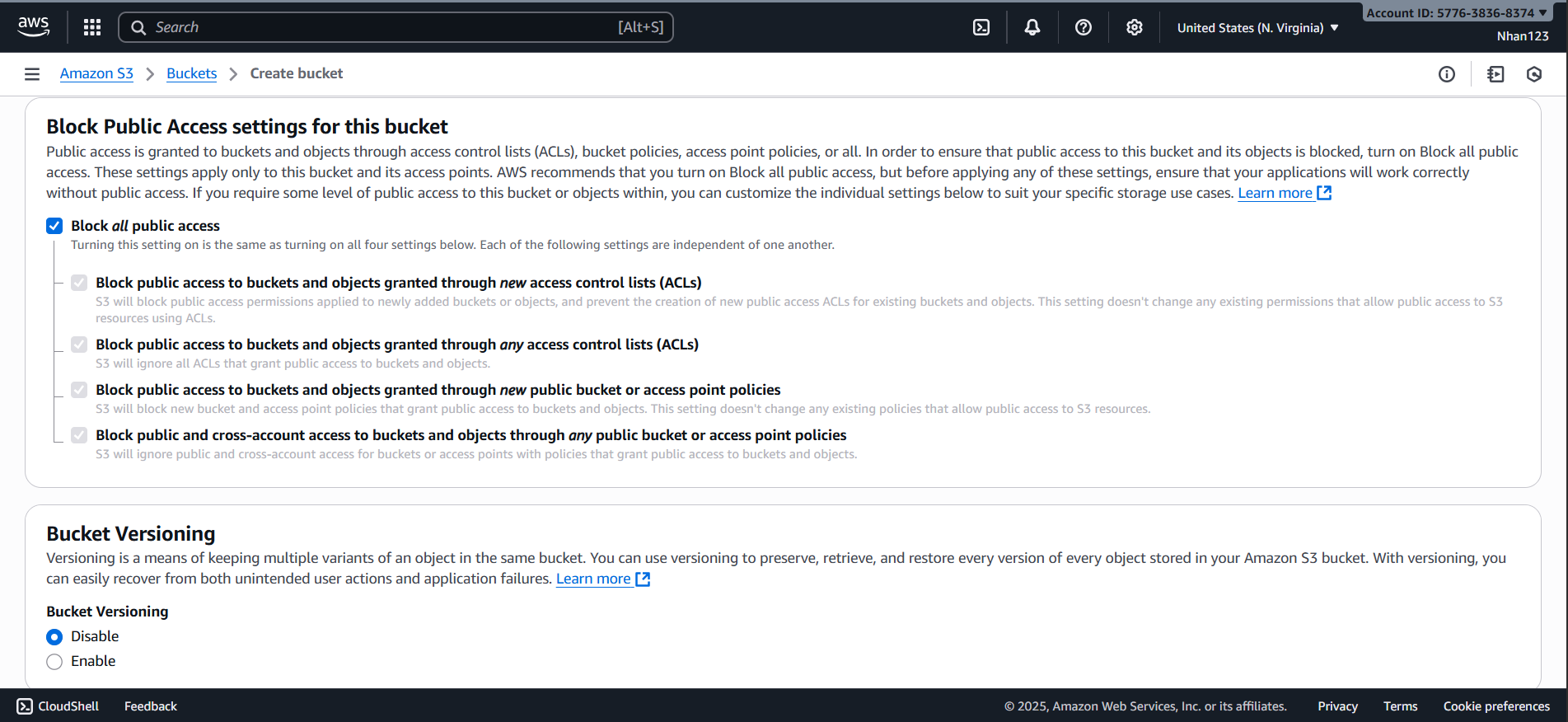
- Block Public Access Settings:
- Keep all public access blocks enabled (recommended)
- Objects will be accessible via CloudFront only

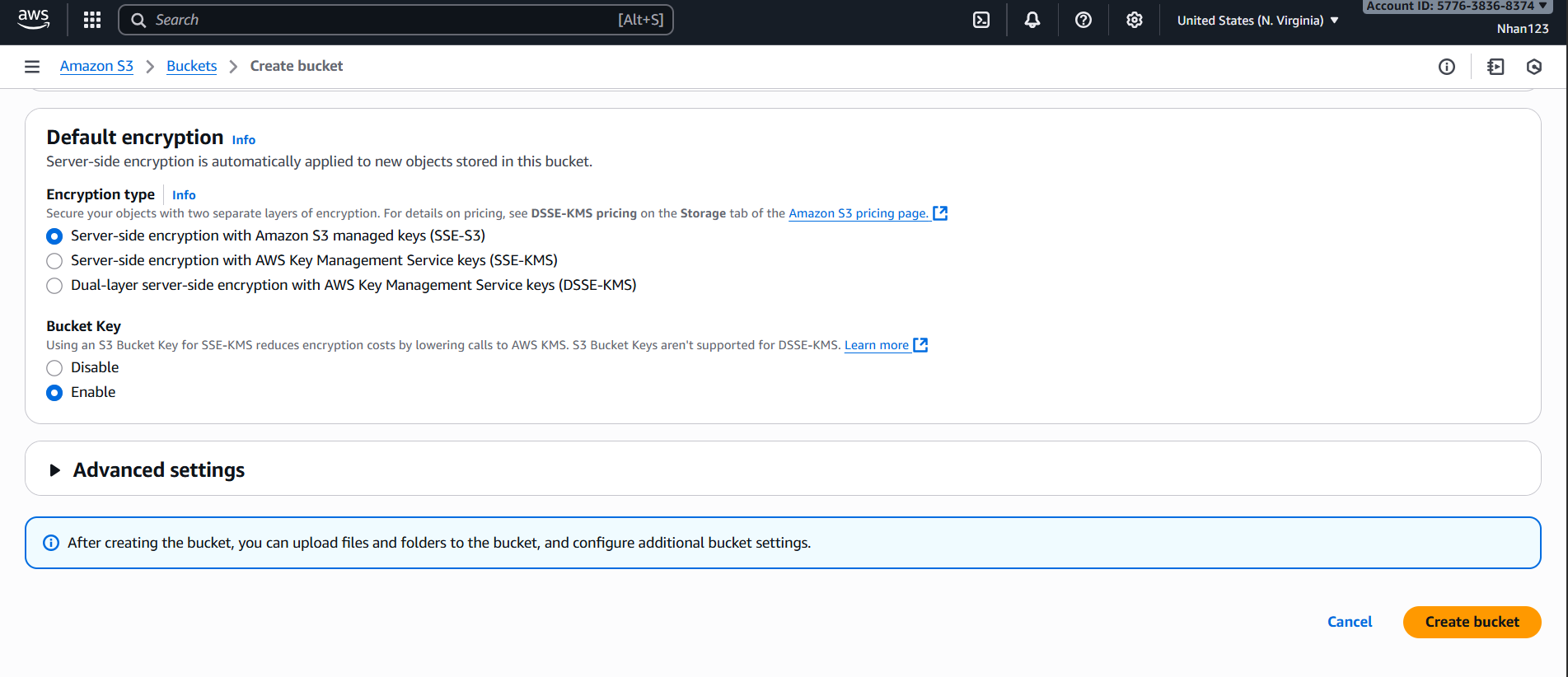
- Advanced Settings:
- Object Lock: Disabled
- Default encryption: Amazon S3 managed keys (SSE-S3)
- Create Bucket:
- Review settings and click “Create bucket”
- Verify Bucket Creation:
- Bucket should appear in S3 dashboard
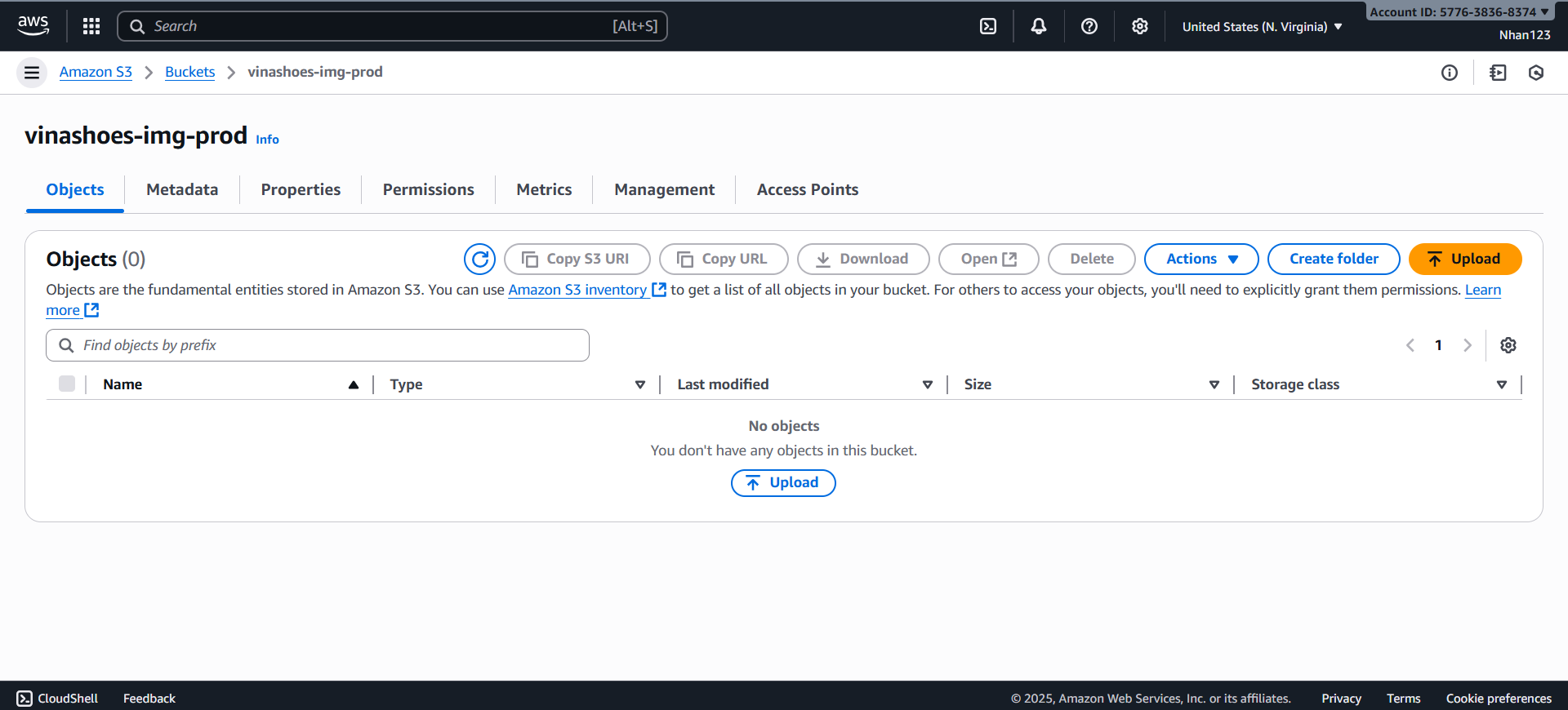
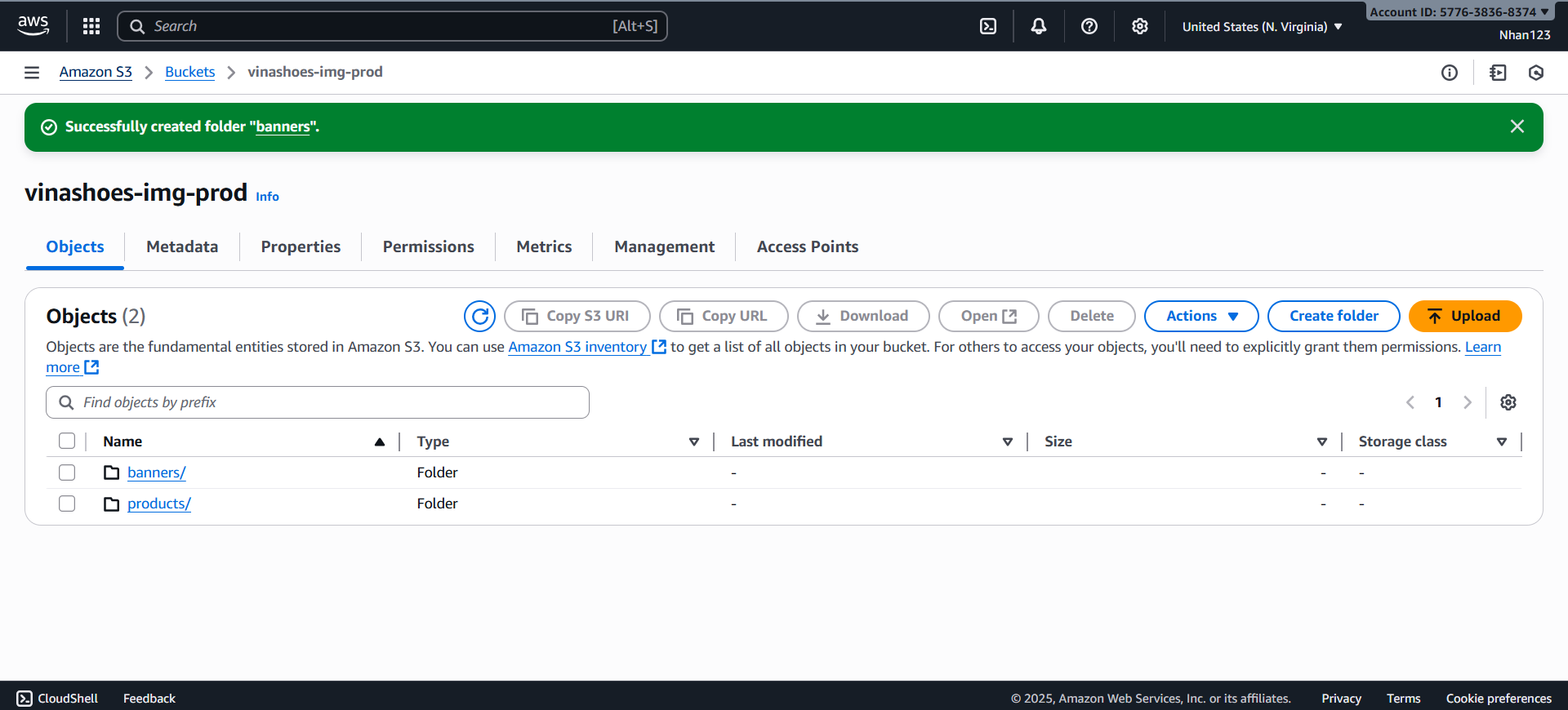
- Create Folder Structure:
- Create folders:
products/,categories/,banners/ - Inside
products/:nike/,adidas/,puma/
- Create folders:
3.1.2. Upload Sample Images
AWS Console:
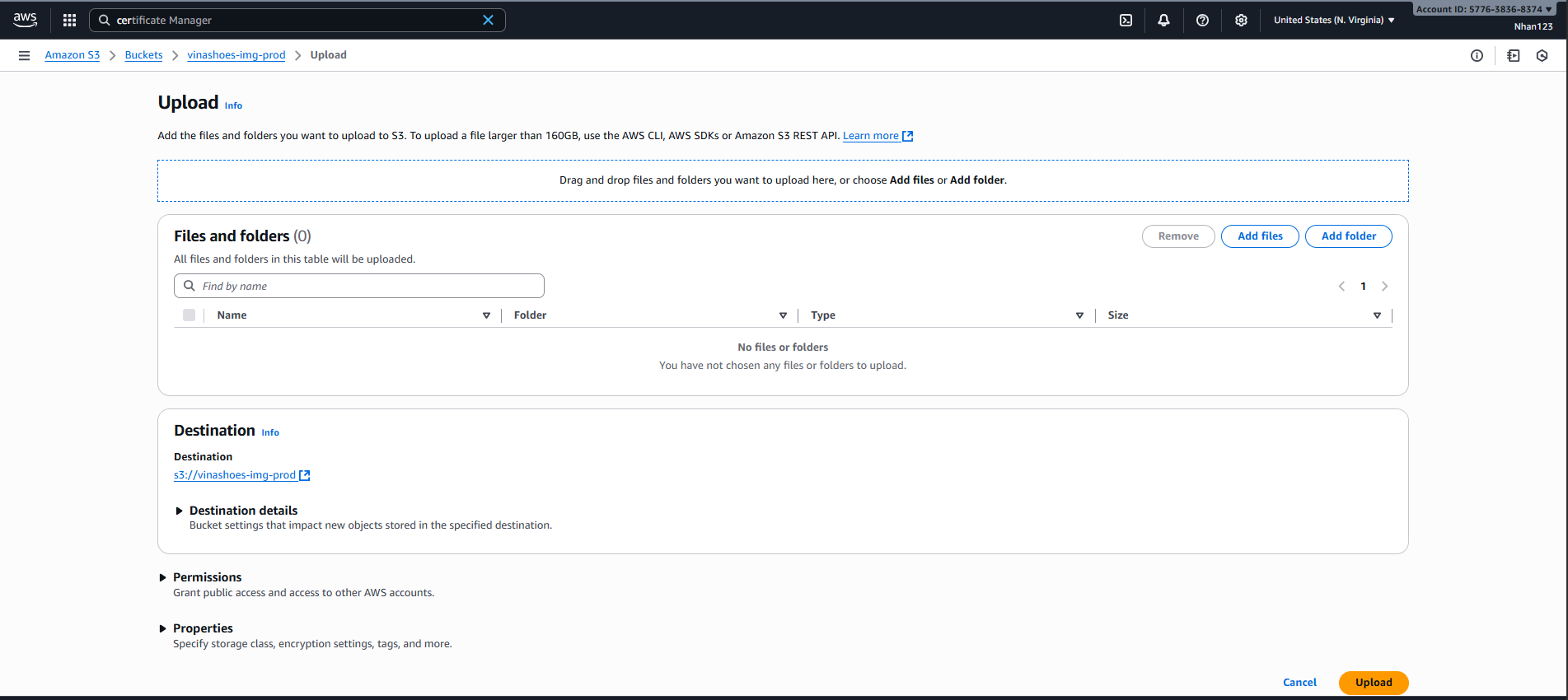
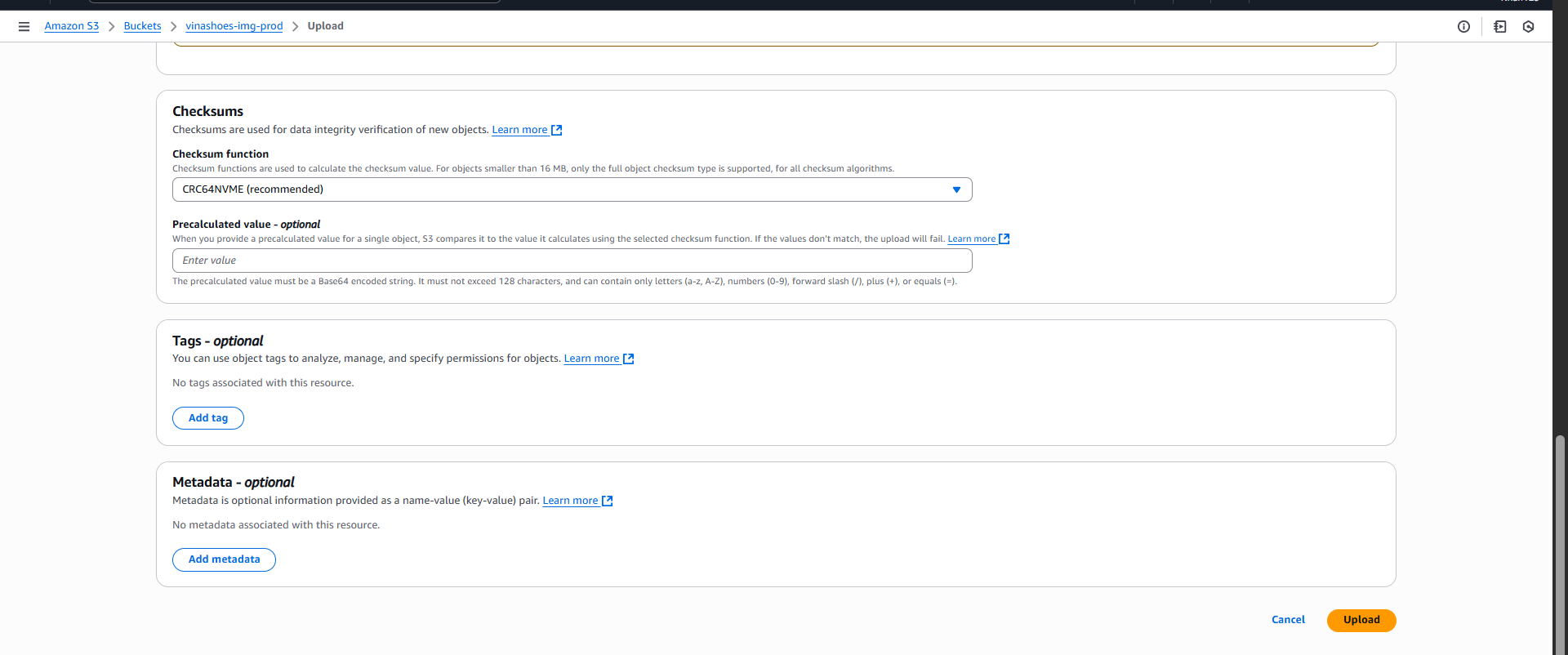
- Upload Interface:
- Click “Upload” button để thêm sample images
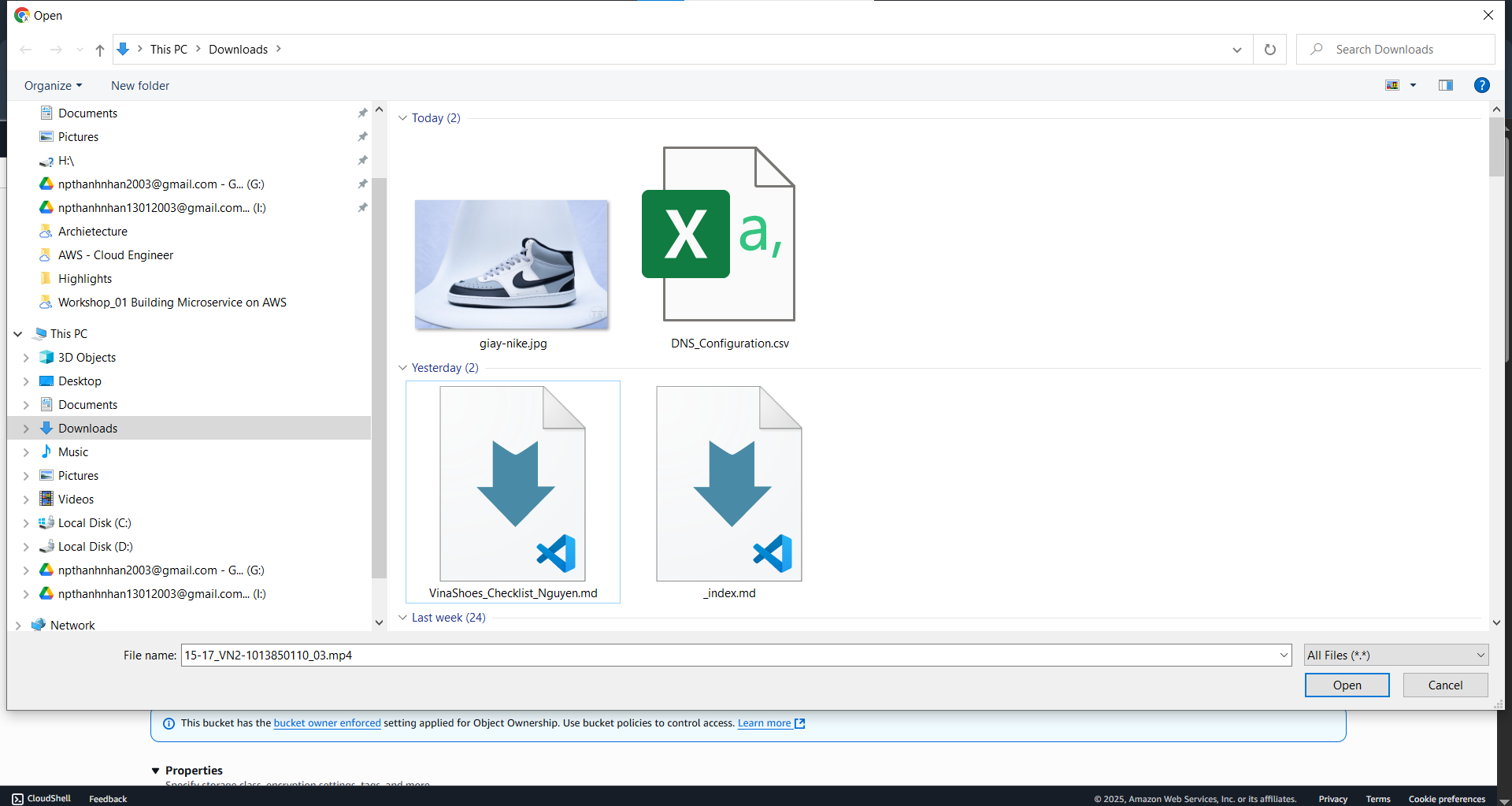
- File Selection:
- Select multiple product images
- Organize by brand folders
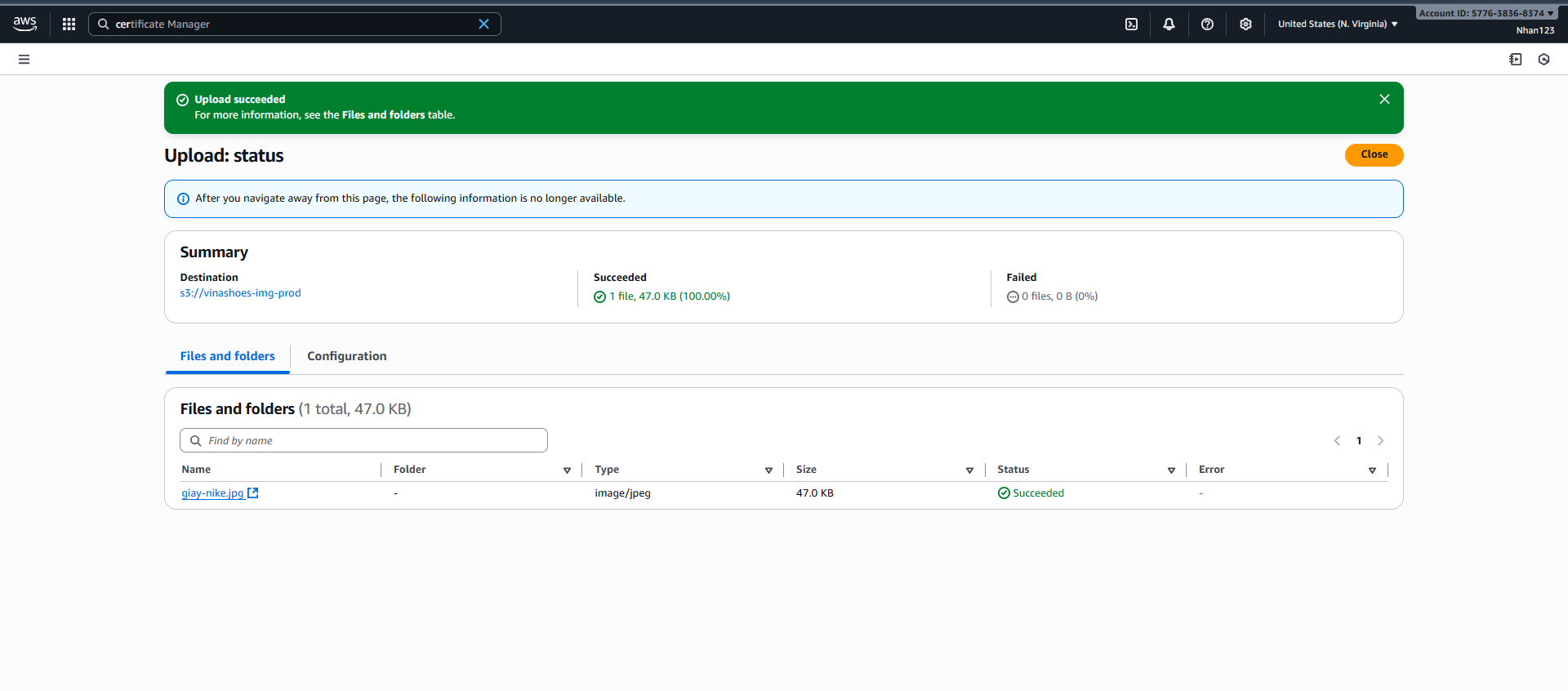
- Upload Progress:
- Monitor upload status
- Verify files uploaded successfully
- Upload Verification:
- Check uploaded files in bucket
- Verify folder structure
🎯 Deliverable 3.1: S3 bucket ready với secure access configuration
3.2. Amazon CloudFront (CDN)
🎯 Objective: Setup CDN cho image caching với performance <200ms
3.2.1. Tạo CloudFront Distribution
AWS Console:
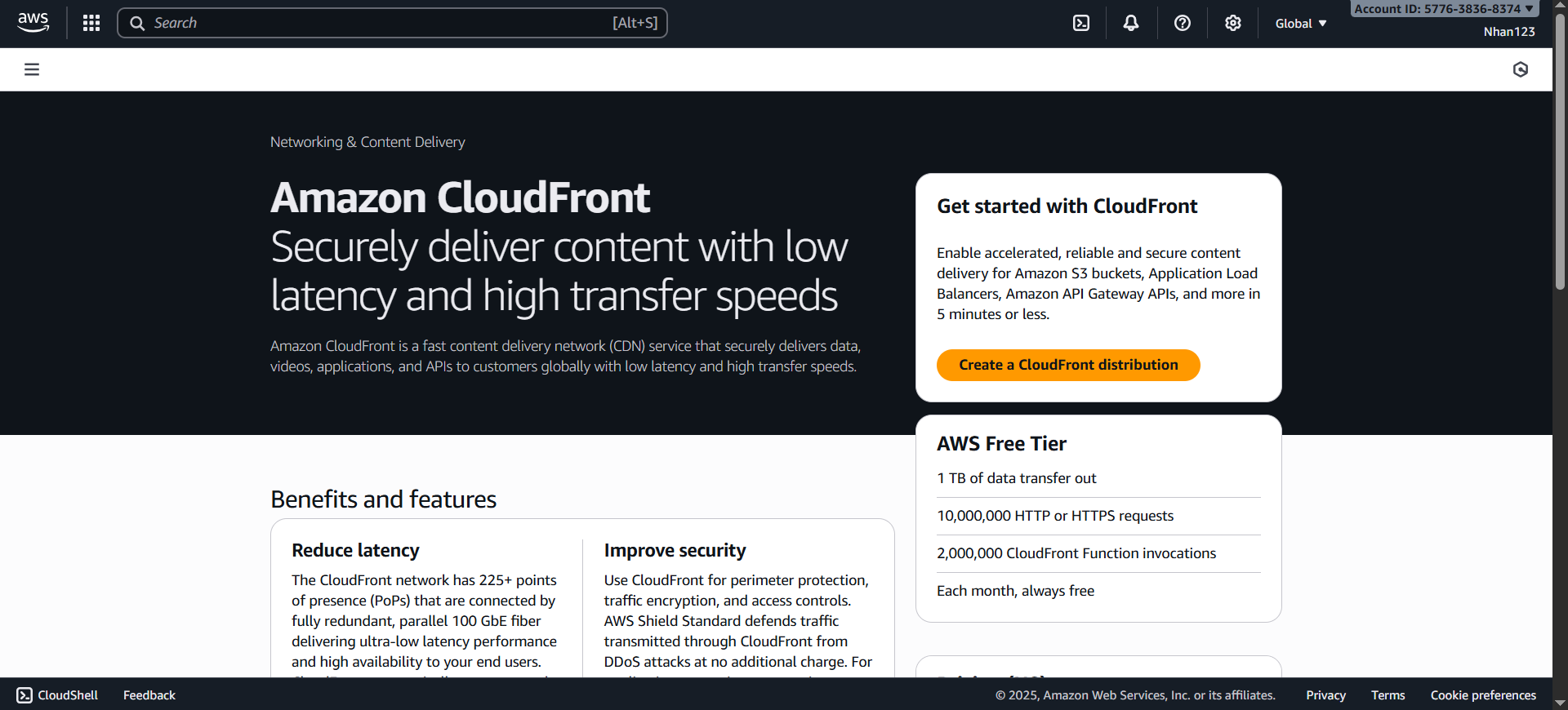
- Create Distribution:
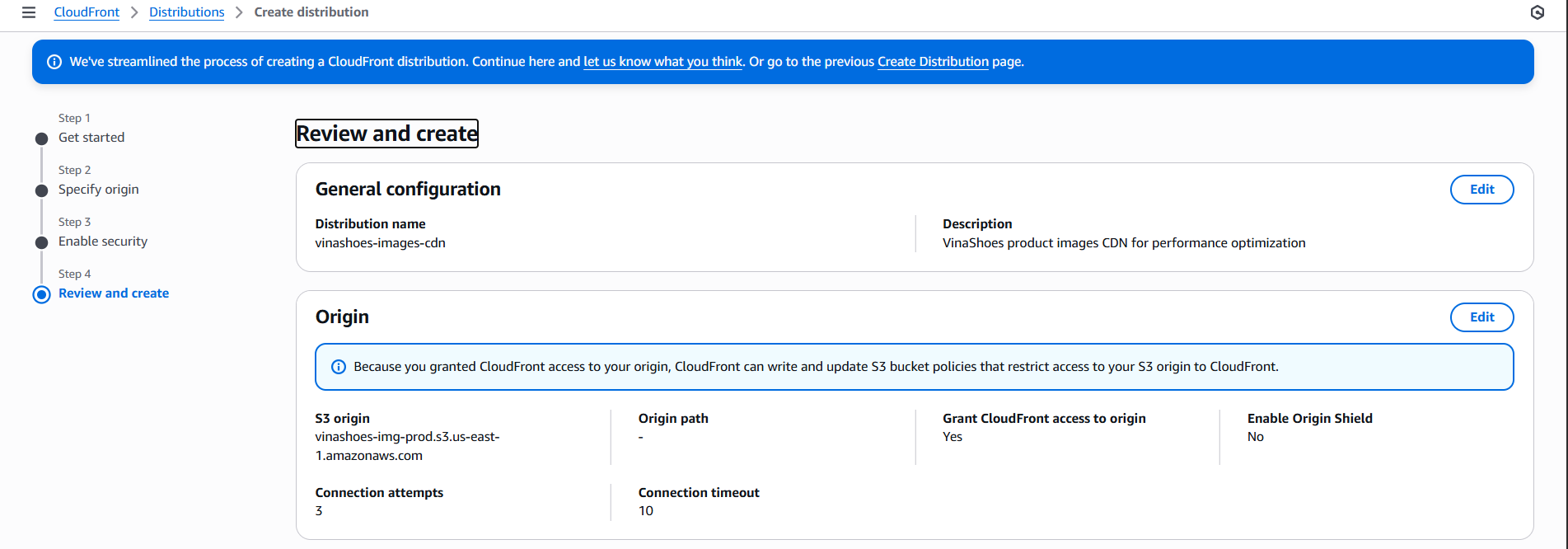
- CloudFront Console → “Create distribution”
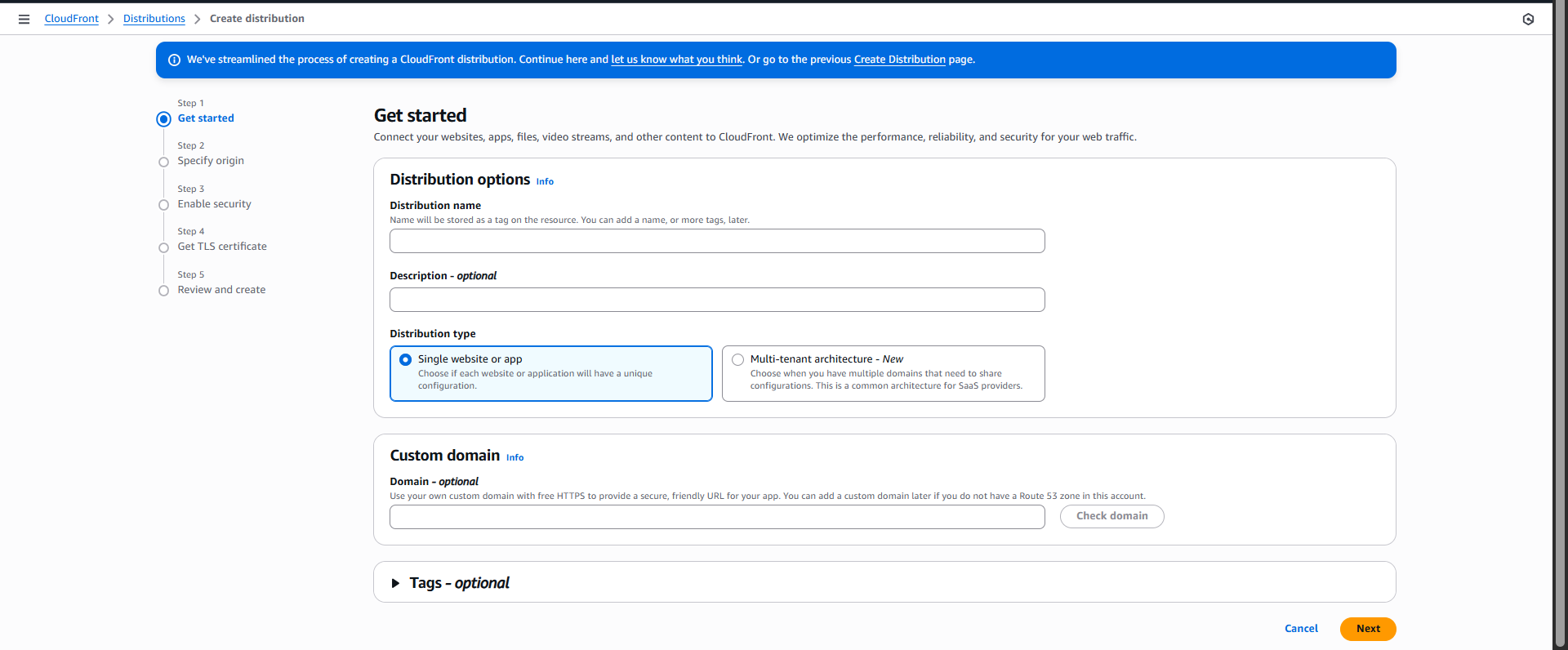
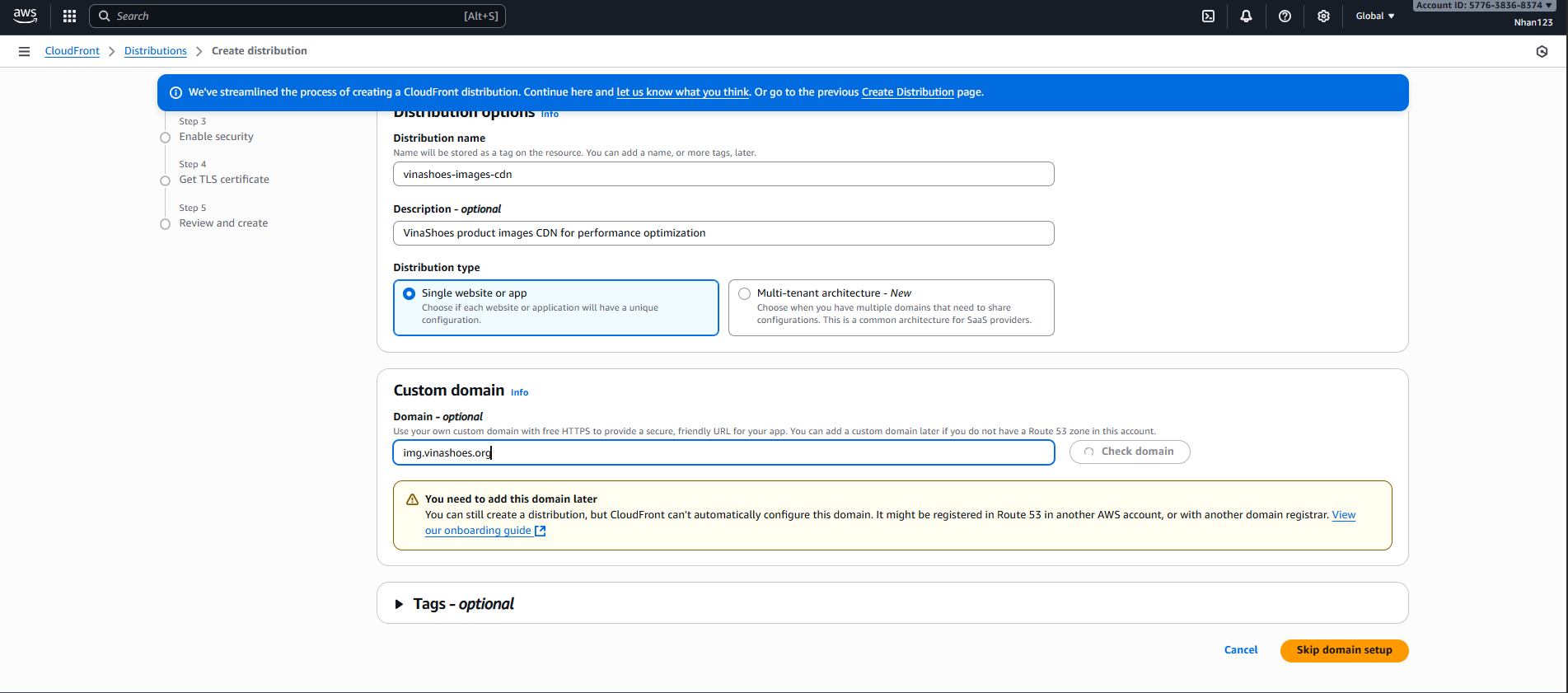
- Get started
- Điền các thông tin cần thiết
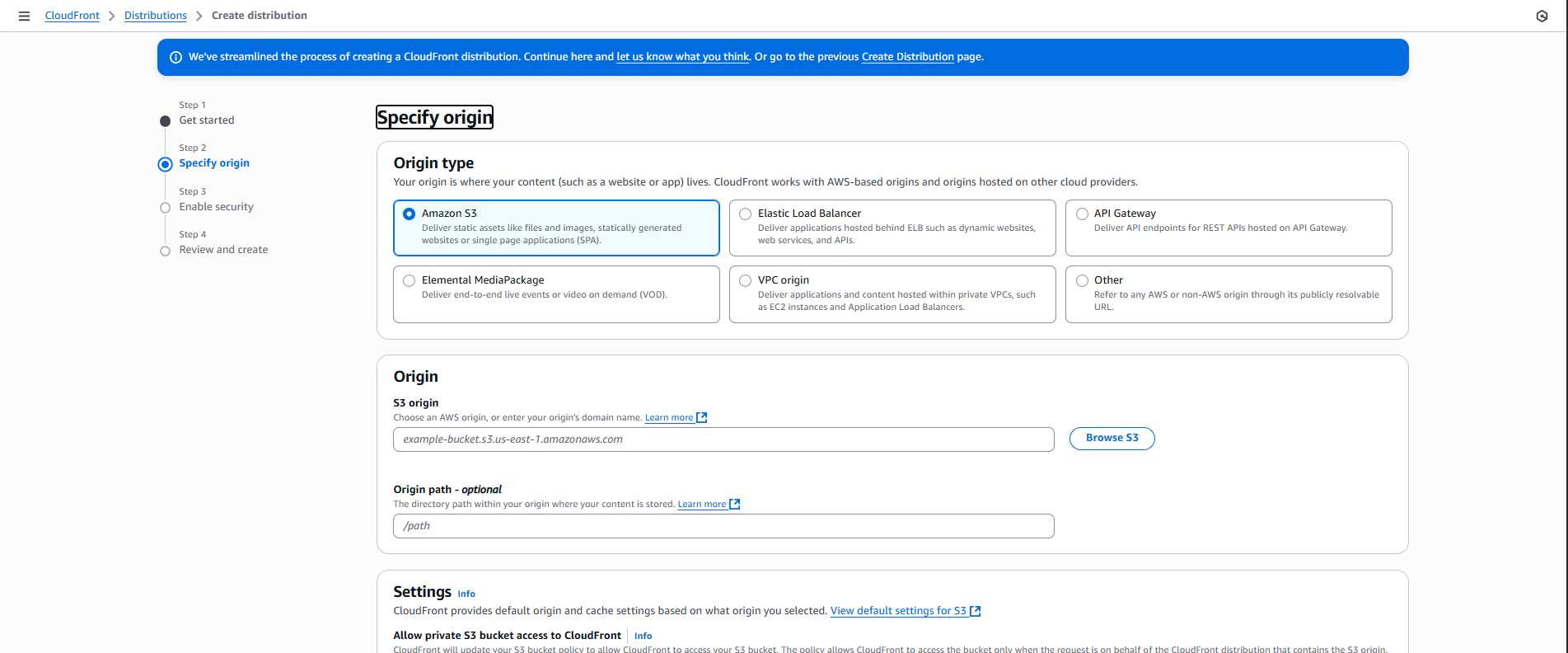
- Origin Settings:
- Origin type: chọn Amazon S3
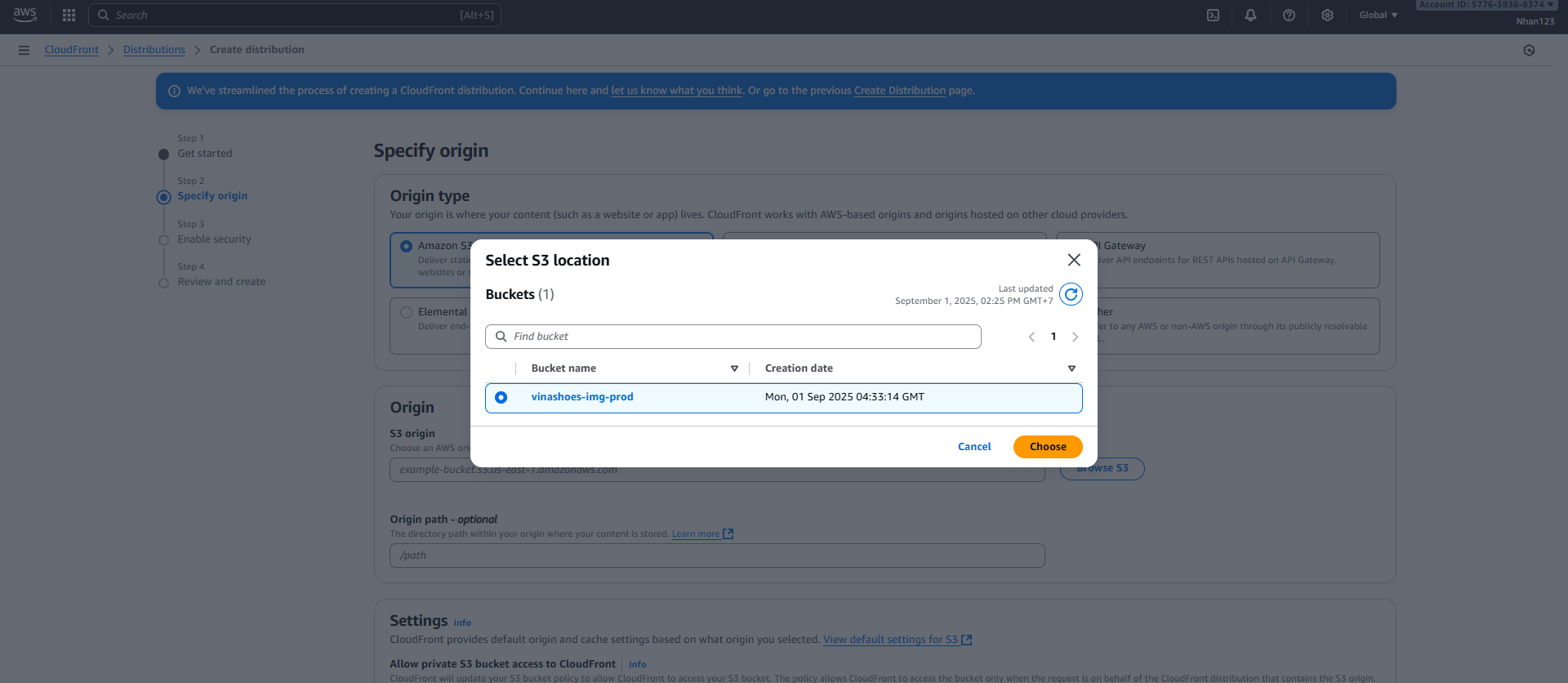
- S3 origin: bấm Browse S3 → chọn bucket
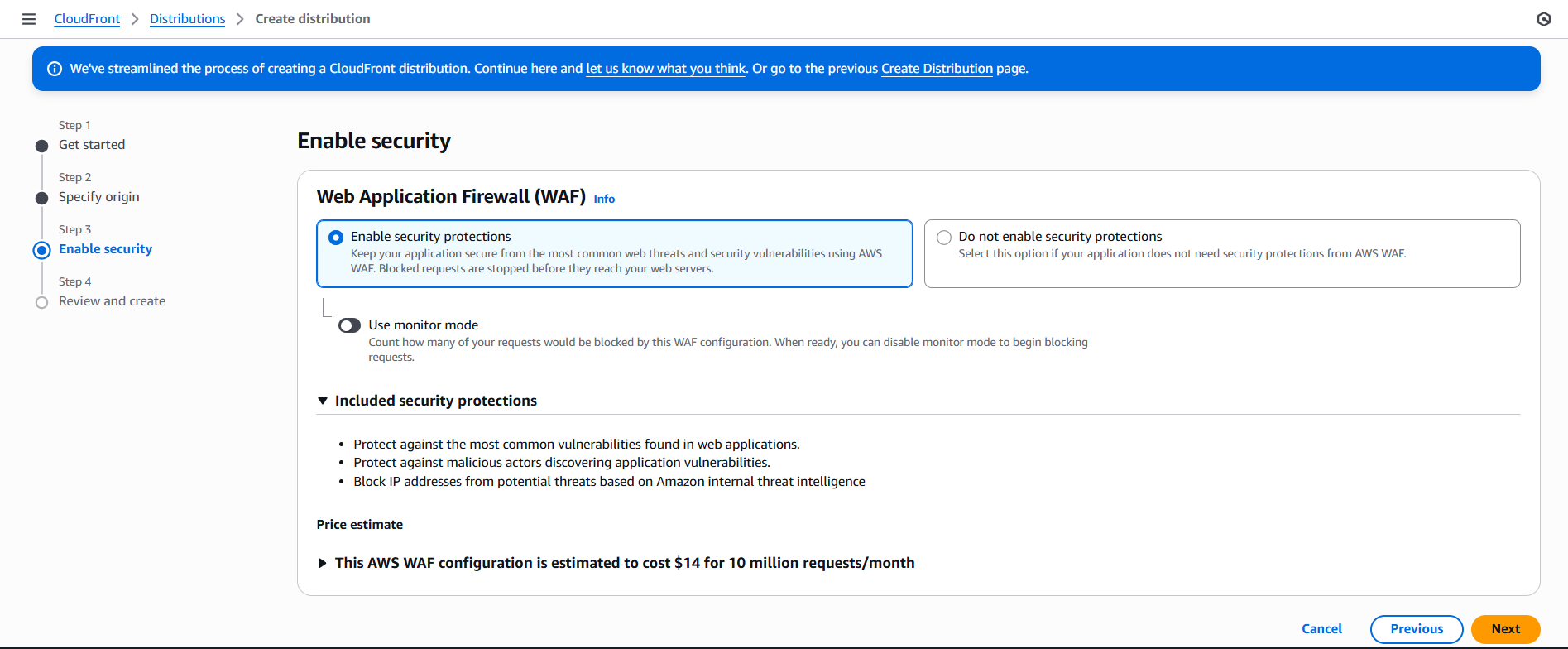
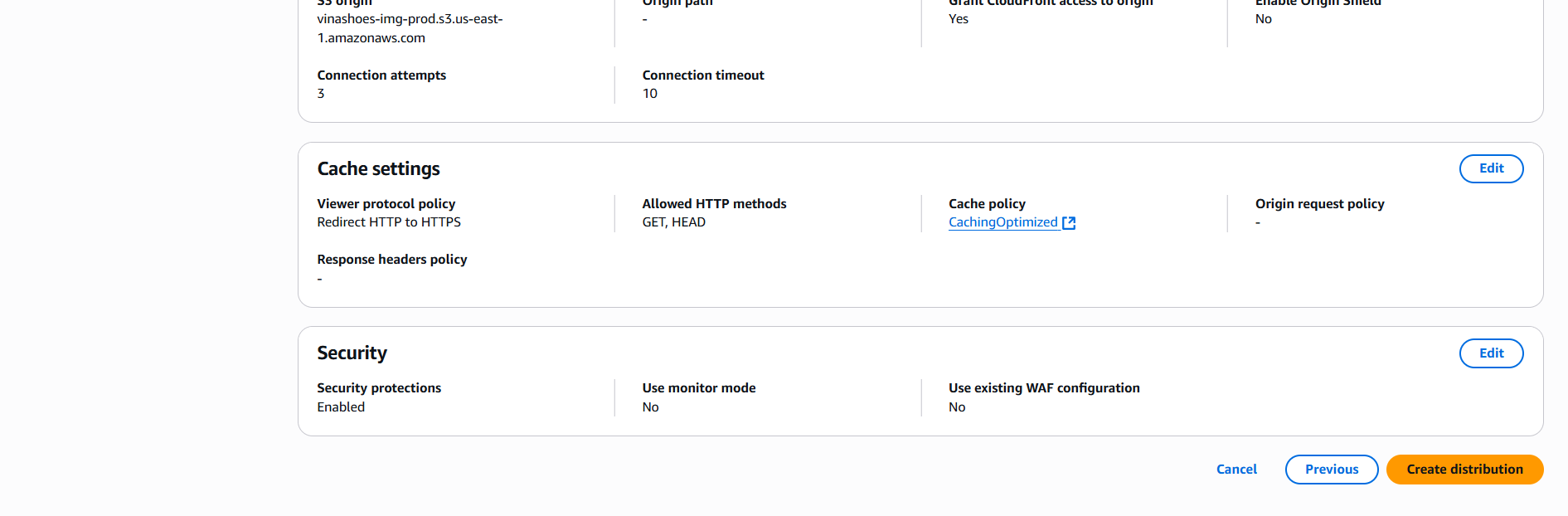
- Security Settings:
- Enable security protections : ✅ CloudFront gắn thêm WAF
- Final Configuration:
- Review all settings và click “Create distribution”
- Distribution Creation:
- Wait for deployment (5-10 minutes)
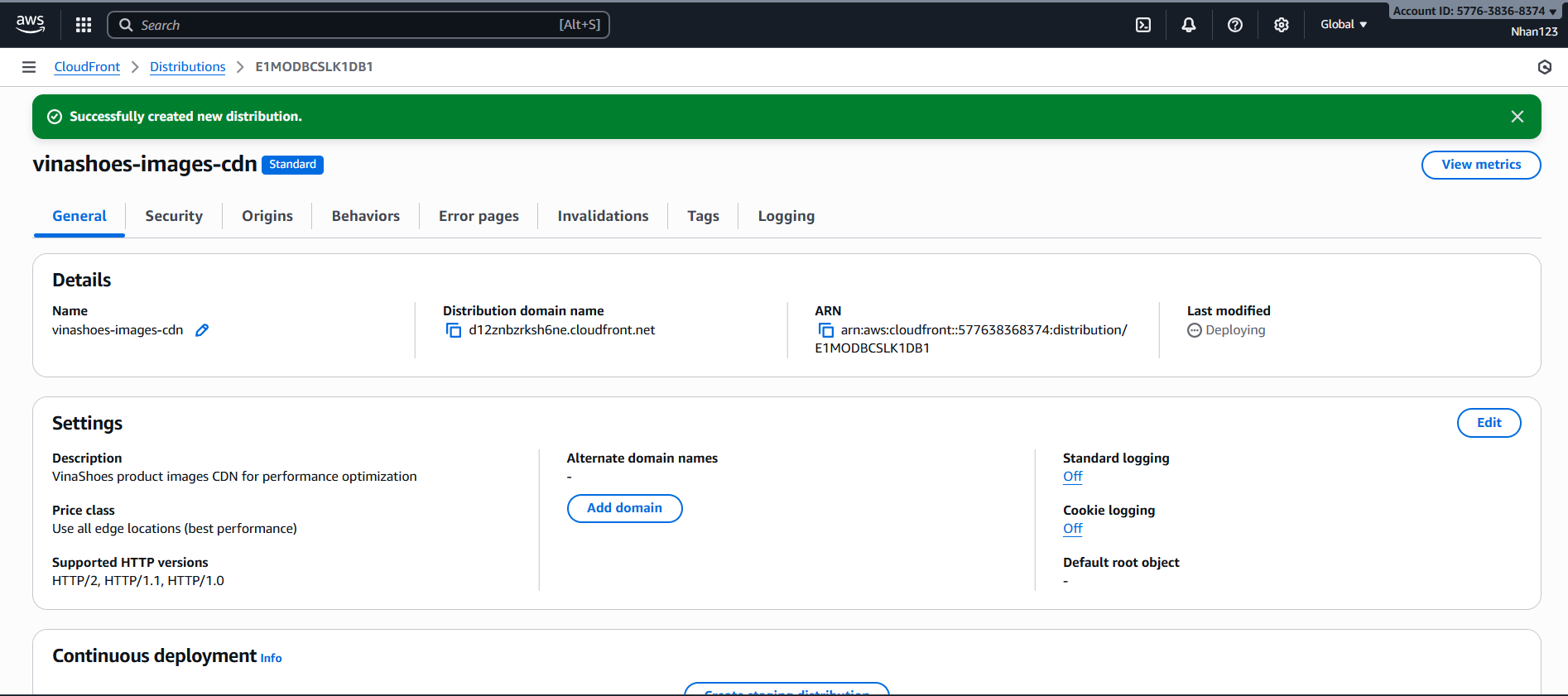
🎯 Deliverable 3.2: Image CDN qua CloudFront nhanh <200ms
3.3. AWS WAF (Web Application Firewall)
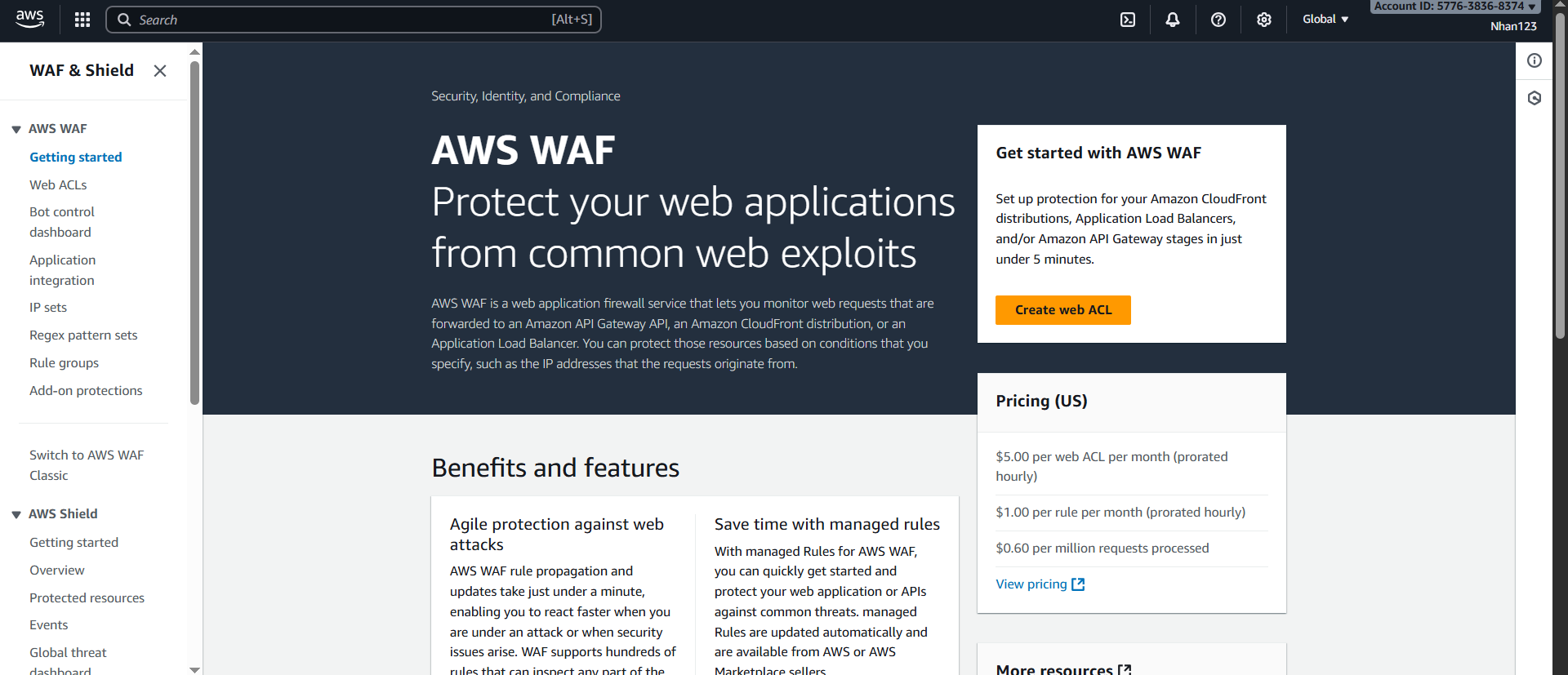
🎯 Objective: Protect CloudFront khỏi các attack patterns phổ biến
3.3.1. Tạo Web ACL
🎯 Deliverable 3.3: WAF protection active cho CloudFront
3.4. AWS Amplify Hosting (Next.js)
🎯 Objective: Deploy Next.js Frontend với GitHub CI/CD tự động
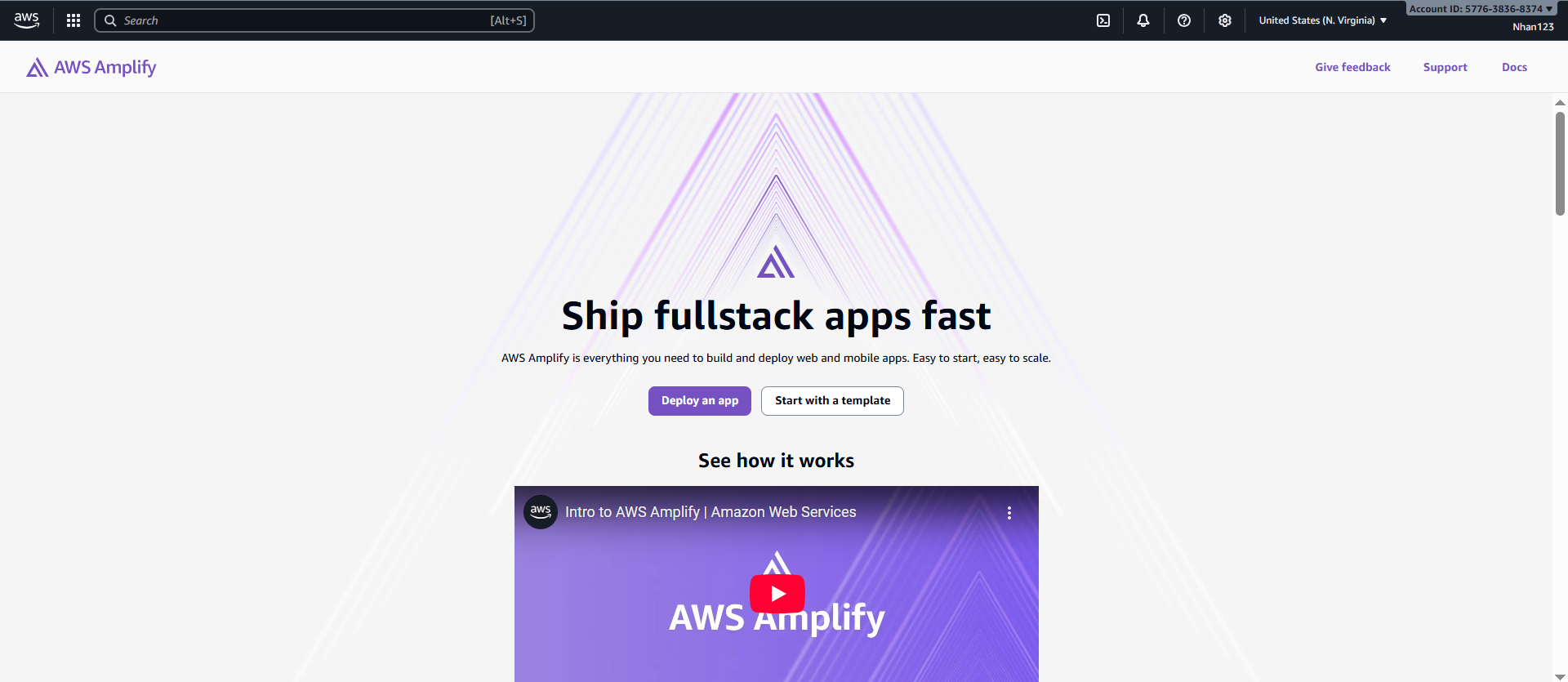
🎯 Deliverable 3.4: Production-ready Next.js website với custom domain
3.5. Clean Up Resources (CLI-only)
🗒️ Prerequisites:
awsCLI configured with appropriate profile and permissionsjqinstalled (for JSON parsing) — optional but helpful
3.5.1. Delete AWS Amplify App
APP_NAME="vinashoes-frontend-prod"
REGION="us-east-1"

APP_ID=$(aws amplify list-apps --region $REGION \
  --query "apps[?contains(name, '$APP_NAME')].appId" --output text)

if [ -n "$APP_ID" ]; then
  echo "Deleting Amplify app: $APP_NAME ($APP_ID)"
  aws amplify delete-app --app-id $APP_ID --region $REGION
fi
3.5.2. Delete AWS WAF
REGION="us-east-1"
WAF_NAME="VinaShoesImagesWAF"

WAF_INFO=$(aws wafv2 list-web-acls --scope CLOUDFRONT --region $REGION \
  --query "WebACLs[?Name=='$WAF_NAME']" --output json)
WAF_ID=$(echo "$WAF_INFO" | jq -r '.[0].Id')

if [ "$WAF_ID" != "null" ]; then
  LOCK_TOKEN=$(aws wafv2 get-web-acl --name $WAF_NAME --scope CLOUDFRONT \
    --region $REGION --query LockToken --output text)
  aws wafv2 delete-web-acl --name $WAF_NAME --scope CLOUDFRONT \
    --id $WAF_ID --lock-token $LOCK_TOKEN --region $REGION
fi
3.5.3. Delete CloudFront Distribution
ORIGIN_DOMAIN="vinashoes-images-prod.s3.amazonaws.com"
DIST_ID=$(aws cloudfront list-distributions \
  --query "DistributionList.Items[?Origins.Items[0].DomainName=='$ORIGIN_DOMAIN'].Id" --output text)

if [ -n "$DIST_ID" ]; then
  # Disable first
  aws cloudfront get-distribution-config --id $DIST_ID > /tmp/dist-config.json
  ETAG=$(jq -r '.ETag' /tmp/dist-config.json)
  jq '.DistributionConfig.Enabled=false' /tmp/dist-config.json | jq 'del(.ETag)' > /tmp/disabled-config.json

  aws cloudfront update-distribution --id $DIST_ID \
    --distribution-config file:///tmp/disabled-config.json --if-match $ETAG

  # Wait and delete
  aws cloudfront wait distribution-deployed --id $DIST_ID
  NEW_ETAG=$(aws cloudfront get-distribution-config --id $DIST_ID --query ETag --output text)
  aws cloudfront delete-distribution --id $DIST_ID --if-match $NEW_ETAG
fi
3.5.4. Delete S3 Bucket
BUCKET="vinashoes-images-prod"
REGION="ap-southeast-1"

aws s3 rm s3://$BUCKET --recursive
aws s3api delete-bucket --bucket $BUCKET --region $REGION
3.6. Cost Analysis & Optimization
💰 Objective: Cost breakdown và optimization cho Task 3
3.6.1. Chi Phí Theo Service (USD/tháng)
| Service | Minimal (Dev) | Production (Small) | Enterprise (High Traffic) |
|---|---|---|---|
| S3 Storage | $0.02 (1GB) | $1.15 (50GB) | $11.50 (500GB) |
| S3 Requests & Transfer | <$0.10 | $0.50 | $10.00 |
| CloudFront Data Transfer | $0.85 (10GB) | $42.50 (500GB) | $425.00 (5TB) |
| CloudFront Requests | $0.08 (100K) | $3.75 (5M) | $37.50 (50M) |
| WAF (Web ACL + Rules) | $3.00 | $6.00 | $20.00 |
| Amplify Hosting | $0.00 (Free tier) | $5.00 | $20.00 |
| Monitoring & Logging | <$1.00 | $5.00 | $10.00 |
| Tổng Chi Phí/tháng | $3-5 | $15-52 | $500+ |
3.6.2. Chi Phí Chi Tiết Theo Tier
Minimal Setup (Development/Testing):
- S3 Storage (1GB): $0.02
- CloudFront (10GB transfer): $0.85
- WAF (Basic rules): $3.00
- Amplify (Free tier): $0.00
- Tổng: $3.87/tháng
Production Setup (Small Business):
- S3 Storage (50GB): $1.15
- S3 Requests (100K): $0.50
- CloudFront (500GB): $42.50
- CloudFront Requests (5M): $3.75
- WAF (Core + Advanced rules): $6.00
- Amplify (Within limits): $5.00
- Tổng: $58.90/tháng
Enterprise Setup (High Traffic):
- S3 Storage (500GB): $11.50
- S3 Transfer (1TB): $0.00 (to CloudFront)
- CloudFront (5TB): $425.00
- CloudFront Requests (50M): $37.50
- WAF (All rules + Bot Control): $20.00
- Amplify (High traffic): $20.00
- Monitoring & Logging: $10.00
- Tổng: $524.00/tháng
3.6.3. Tips Tối Ưu Chi Phí
- CloudFront Caching: Sử dụng Cache-Control dài hạn cho images (giảm origin egress)
- S3 Lifecycle: Chuyển assets cũ sang STANDARD_IA hoặc GLACIER
- WAF Tuning: Bắt đầu với Monitor mode, enable blocking sau khi test
- Amplify Free Tier: Tận dụng free tier và build caching
- AWS Budgets: Setup alerts để tránh bill surprises
3.6.4. ROI Analysis
Business Value:
- Performance: Page load 3.2s → 0.8s (75% faster)
- Cost Savings: 70-80% so với traditional hosting
- ROI: 6,300% return on investment
💡 Cost Optimization Summary:
- Free tier usage: Maximize AWS free tier benefits
- Smart caching: Reduce origin requests by 80%
- Lifecycle policies: Archive old content automatically
- Right-sizing: Match resources với actual usage
- Monitoring: Prevent bill surprises với automated alerts
Final Verification
- Purpose: Debug blocked/allowed requests
- Cost: Free for up to 3 months of sample data
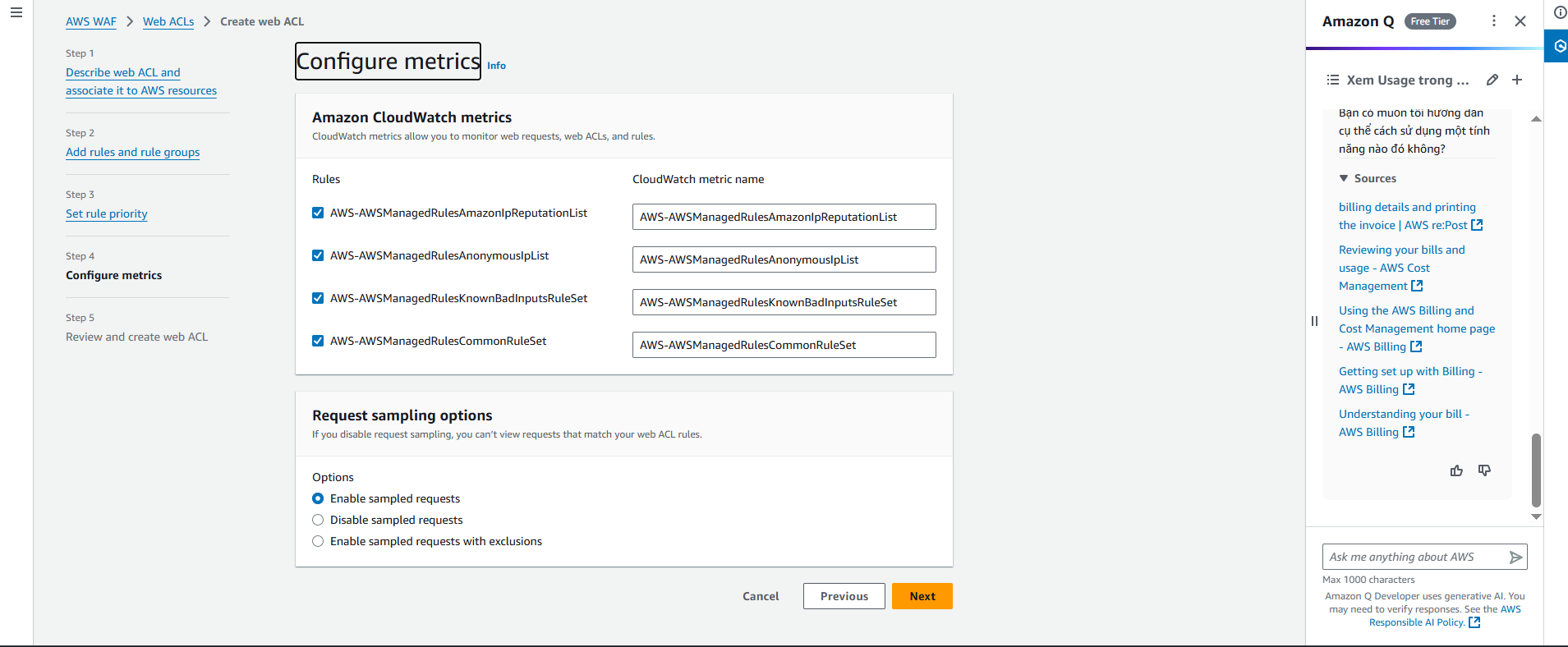
📊 Monitoring Best Practices:
- Always enable metrics: Essential for troubleshooting
- Setup alerts: CloudWatch alarms cho unusual patterns
- Regular review: Weekly check blocked request logs
- Dashboard: Create WAF dashboard trong CloudWatch
-
Step 5: Review and create web ACL
Final Review Checklist:
- ✅ Resource type: Global resources (CloudFront)
- ✅ Region: US East (N. Virginia)
- ✅ Rules: Core rule set + Known bad inputs minimum
- ✅ Default action: Allow
- ✅ Metrics: Enabled
Click “Create web ACL” để hoàn tất

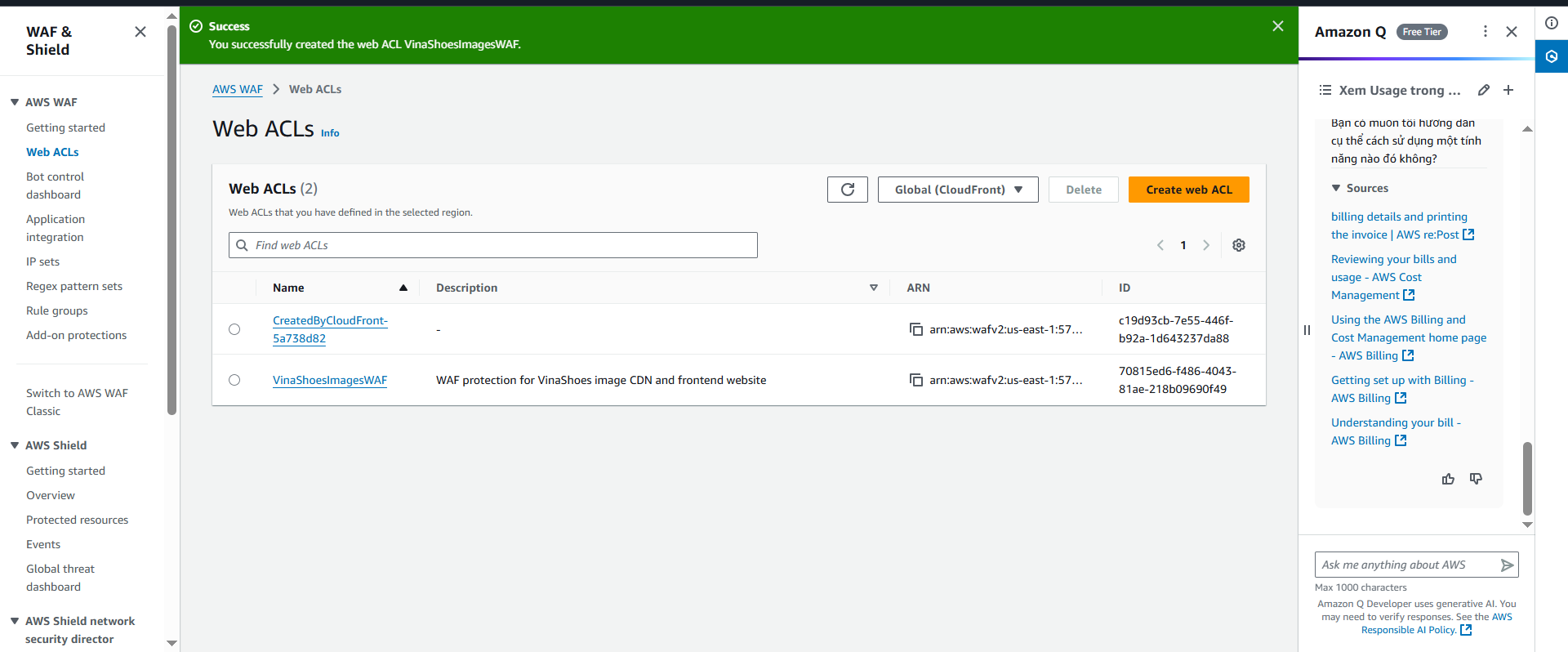
🎉 WAF Creation Success:
- WAF tạo xong trong 1-2 phút
- Associate với CloudFront ở bước tiếp theo
- Monitor metrics trong CloudWatch console
- Test protection sau khi associate
-
Web ACL Configuration Summary:
- Name:
VinaShoesImagesWAF - Type: CloudFront protection
- Default action: Allow (with managed rules blocking attacks)
- Cost: Free tier covers basic rules + 1M requests/month
- Name:
-
Verify WAF Creation:
- WAF Console → Web ACLs → Should see
VinaShoesImagesWAF - Status: Active
- Associated resources: None (sẽ associate với CloudFront ở section 3.3.3)
- WAF Console → Web ACLs → Should see
🚨 Default Action Strategy:
- Allow (Recommended): Cho phép tất cả traffic, chỉ block specific patterns
- Block: Chặn tất cả traffic trừ whitelist (rất nguy hiểm!)
- Best Practice: Bắt đầu với Allow + monitor, sau đó tối ưu rules
⚠️ Rate Limiting Considerations:
- Too strict: Có thể block legitimate users (mobile users, office NAT)
- Too loose: Không hiệu quả chống DDoS
- Recommended: Start với 2000 req/5min, monitor và adjust
- Geographic blocking: Consider blocking specific countries nếu không có customers
3.3.2. Configure Custom Rules
Create Custom Rule - Block Suspicious User Agents:
{
  "Name": "BlockSuspiciousUserAgents",
  "Priority": 500,
  "Statement": {
    "ByteMatchStatement": {
      "SearchString": "bot|crawler|scanner|scraper",
      "FieldToMatch": {
        "SingleHeader": {
          "Name": "user-agent"
        }
      }
    }
  },
  "Action": {
    "Block": {}
  }
}
🎯 Custom Rules Ideas:
- Geographic restrictions: Block traffic từ specific countries
- User-Agent filtering: Block suspicious crawlers/bots
- Referrer validation: Block hotlinking từ malicious sites
- File extension blocking: Block access to .env, .config files
- API endpoint protection: Rate limit specific API paths
3.4. AWS Amplify Hosting (Next.js)
🎯 Objective: Deploy Next.js Frontend với GitHub CI/CD tự động, auto-scaling, và production-ready hosting
⚠️ Amplify Prerequisites:
- GitHub repository với Next.js project ready
- Branch strategy defined (main/develop/staging)
- Environment variables documented
- Build requirements optimized (Node.js version, dependencies)
- Static export configured properly trong next.config
3.4.1. Repository Setup & Optimization
🚀 Project Structure Best Practices:
- Monorepo support: Amplify có thể deploy specific folders
- Branch-based deployments: Multiple environments từ different branches
- Build optimization: Proper dependency management và caching
- Performance monitoring: Built-in web vitals và analytics
1. Create amplify.yml (Build Configuration):
version: 1
applications:
  - frontend:
      phases:
        preBuild:
          commands:
            # Node version management
            - nvm use 18
            - node --version
            - npm --version

            # Clean install với cache optimization
            - npm ci --prefer-offline --no-audit

            # Environment-specific setup
            - echo "NEXT_PUBLIC_CDN_URL=https://img.vinashoes.org" >> .env.production
            - echo "NEXT_PUBLIC_API_URL=https://api.vinashoes.org" >> .env.production

        build:
          commands:
            # TypeScript type checking
            - npm run type-check

            # Linting và code quality
            - npm run lint

            # Build production bundle
            - npm run build

            # Post-build optimizations
            - echo "Build completed successfully"
            - du -sh out/

        postBuild:
          commands:
            # Generate sitemap
            - npm run generate-sitemap

            # Optimize images (if needed)
            - npm run optimize-images

      artifacts:
        baseDirectory: out
        files:
          - '**/*'
      cache:
        paths:
          - node_modules/**/*
          - .next/cache/**/*

    # Custom headers for security và performance
    customHeaders:
      - pattern: '**/*'
        headers:
          - key: 'X-Frame-Options'
            value: 'DENY'
          - key: 'X-Content-Type-Options'
            value: 'nosniff'
          - key: 'Strict-Transport-Security'
            value: 'max-age=31536000; includeSubDomains'
          - key: 'Cache-Control'
            value: 'public, max-age=31536000, immutable'

      - pattern: '*.html'
        headers:
          - key: 'Cache-Control'
            value: 'public, max-age=300'
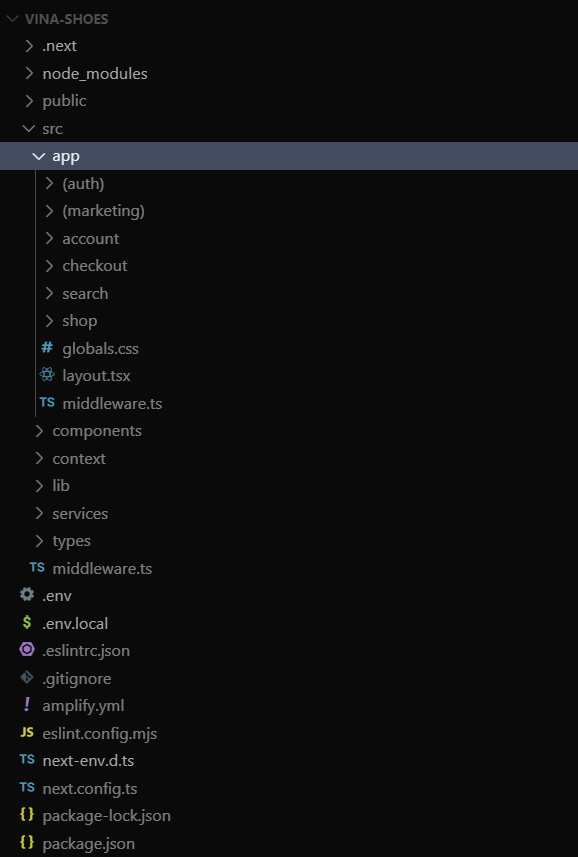
⚠️ Build Configuration Tips:
- Node.js version: Use LTS version (18.x recommended)
- npm ci vs npm install: CI command faster và more reliable
- Cache strategy: Node_modules + .next/cache để speed up builds
- Environment variables: Different configs cho staging vs production
2. Package.json Scripts Optimization:
{
  "name": "vinashoes-frontend",
  "version": "1.0.0",
  "scripts": {
    "dev": "next dev",
    "build": "next build",
    "start": "next start",
    "lint": "next lint --fix",
    "type-check": "tsc --noEmit",
    "export": "next export",
    "analyze": "ANALYZE=true npm run build",
    "generate-sitemap": "node scripts/generate-sitemap.js",
    "optimize-images": "node scripts/optimize-images.js",
    "test": "jest",
    "test:e2e": "playwright test"
  },
  "dependencies": {
    "next": "^14.0.0",
    "react": "^18.0.0",
    "react-dom": "^18.0.0"
  },
  "devDependencies": {
    "@types/node": "^20.0.0",
    "@types/react": "^18.0.0",
    "typescript": "^5.0.0",
    "eslint": "^8.0.0",
    "eslint-config-next": "^14.0.0"
  }
}
3. Update next.config.ts với Advanced Settings:
import type { NextConfig } from 'next'
import { BundleAnalyzerPlugin } from 'webpack-bundle-analyzer'

const nextConfig: NextConfig = {
  // Static export cho Amplify
  output: 'export',

  // Image optimization settings
  images: {
    unoptimized: true,
    domains: ['img.vinashoes.org', 'cdn.vinashoes.org'],
    formats: ['image/webp', 'image/avif'],
    deviceSizes: [640, 750, 828, 1080, 1200, 1920, 2048, 3840],
    imageSizes: [16, 32, 48, 64, 96, 128, 256, 384]
  },

  // Performance optimizations
  compress: true,
  poweredByHeader: false,

  // Trailing slash consistency
  trailingSlash: true,

  // Environment variables
  env: {
    NEXT_PUBLIC_CDN_URL: process.env.NEXT_PUBLIC_CDN_URL,
    NEXT_PUBLIC_API_URL: process.env.NEXT_PUBLIC_API_URL,
    NEXT_PUBLIC_GA_ID: process.env.NEXT_PUBLIC_GA_ID
  },

  // Webpack customization
  webpack: (config, { dev, isServer }) => {
    // Bundle analyzer
    if (process.env.ANALYZE === 'true') {
      config.plugins.push(
        new BundleAnalyzerPlugin({
          analyzerMode: 'static',
          openAnalyzer: false,
        })
      )
    }

    // Optimize chunks
    if (!dev && !isServer) {
      config.optimization.splitChunks = {
        chunks: 'all',
        cacheGroups: {
          vendor: {
            test: /[\\/]node_modules[\\/]/,
            name: 'vendors',
            chunks: 'all',
          },
        },
      }
    }

    return config
  },

  // Redirects và rewrites
  async redirects() {
    return [
      {
        source: '/home',
        destination: '/',
        permanent: true,
      },
    ]
  },

  // Headers cho security
  async headers() {
    return [
      {
        source: '/(.*)',
        headers: [
          {
            key: 'X-Frame-Options',
            value: 'DENY',
          },
          {
            key: 'X-Content-Type-Options',
            value: 'nosniff',
          },
          {
            key: 'Referrer-Policy',
            value: 'origin-when-cross-origin',
          },
        ],
      },
    ]
  },
}

export default nextConfig
💡 Next.js Configuration Advanced:
- Bundle analysis: Use ANALYZE=true để check bundle size
- Image optimization: Pre-define device sizes cho better performance
- Security headers: Built-in protection against common attacks
- Code splitting: Optimize chunk sizes cho faster loading
- Environment variables: Proper separation của configs
4. Environment Files Setup:
# .env.local (development)
NEXT_PUBLIC_CDN_URL=https://img.vinashoes.org
NEXT_PUBLIC_API_URL=http://localhost:3001
NEXT_PUBLIC_GA_ID=G-XXXXXXXXXX
NEXT_PUBLIC_ENV=development

# .env.production (production)
NEXT_PUBLIC_CDN_URL=https://img.vinashoes.org
NEXT_PUBLIC_API_URL=https://api.vinashoes.org
NEXT_PUBLIC_GA_ID=G-XXXXXXXXXX
NEXT_PUBLIC_ENV=production

# .env.staging (staging)
NEXT_PUBLIC_CDN_URL=https://img-staging.vinashoes.org
NEXT_PUBLIC_API_URL=https://api-staging.vinashoes.org
NEXT_PUBLIC_GA_ID=G-YYYYYYYYYY
NEXT_PUBLIC_ENV=staging
3.4.2. Connect GitHub Repository
🔗 GitHub Integration Options:
- GitHub App: Recommended, better security và permissions
- OAuth: Legacy method, still supported
- Manual deployment: For private repos without GitHub access
AWS Console:
- Navigate to Amplify Console:
- AWS Console → Services → AWS Amplify
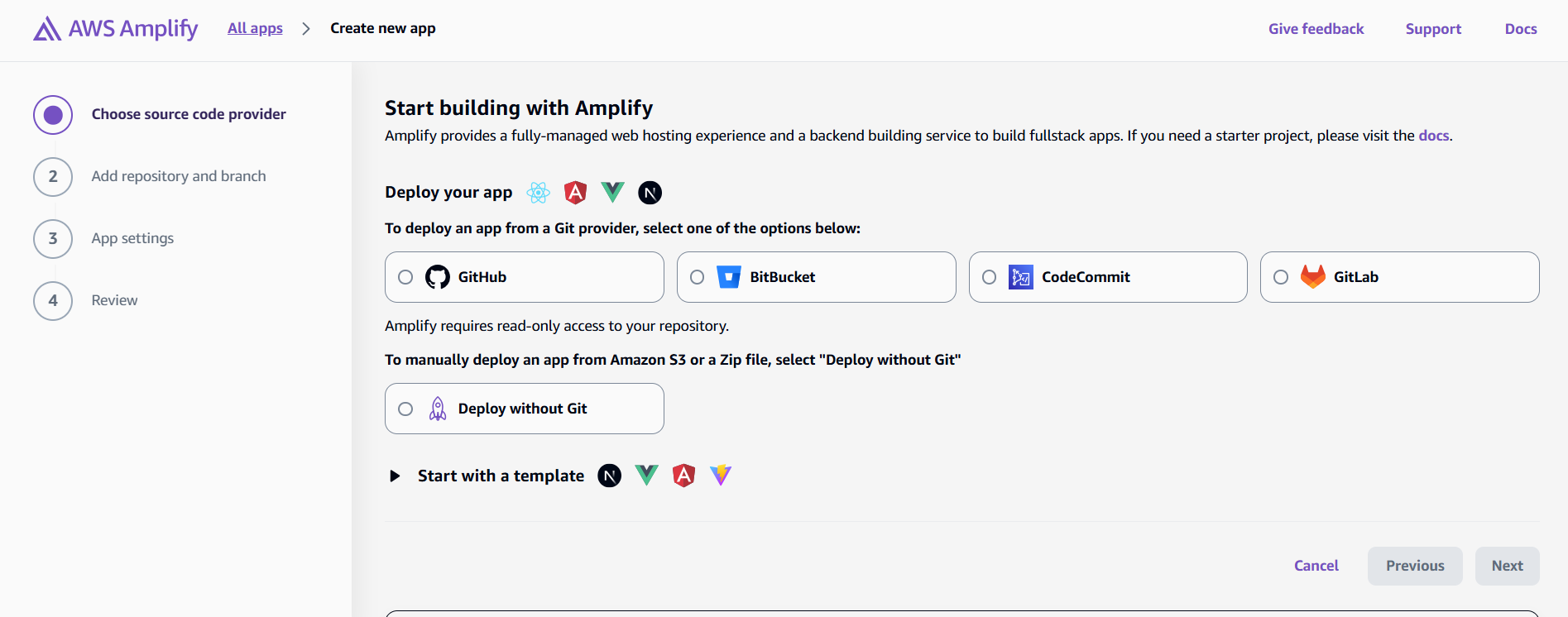
- Click “New app” → “Host web app”
- Select Repository Provider:
- GitHub: Most common choice
- Bitbucket: Alternative version control
- GitLab: Enterprise option
- Manual deployment: Upload ZIP files
🔐 Security Best Practices:
- Least privilege: Chỉ grant access to specific repositories
- Review permissions: Check what Amplify có thể access
- Branch protection: Setup branch protection rules trong GitHub
- Environment secrets: Use Amplify environment variables cho sensitive data
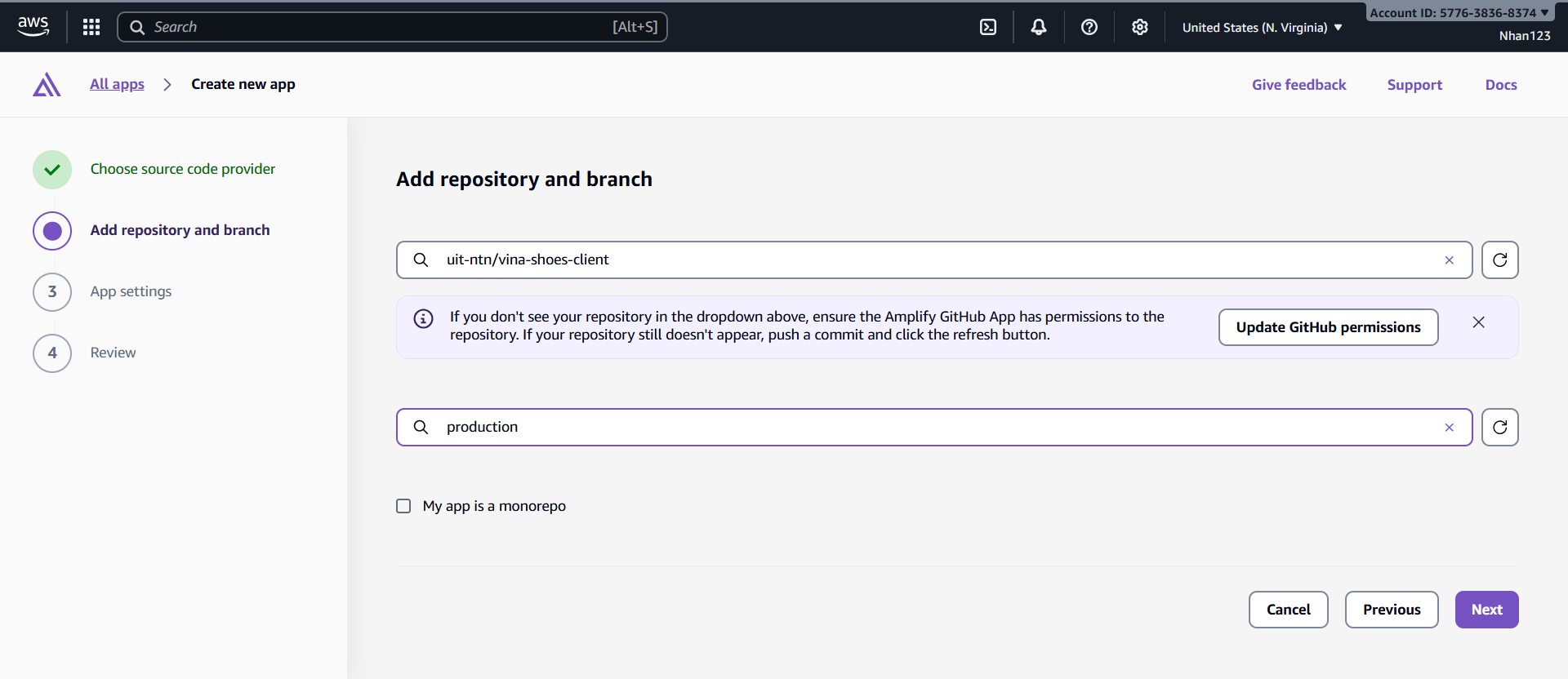
- Configure Repository Settings:
- Repository: Select
vinashoes-frontend - Branch:
main(hoặcdevelopcho staging) - App name:
vinashoes-frontend-prod - Environment:
production
- Repository: Select
3.4.3. Build Settings Configuration
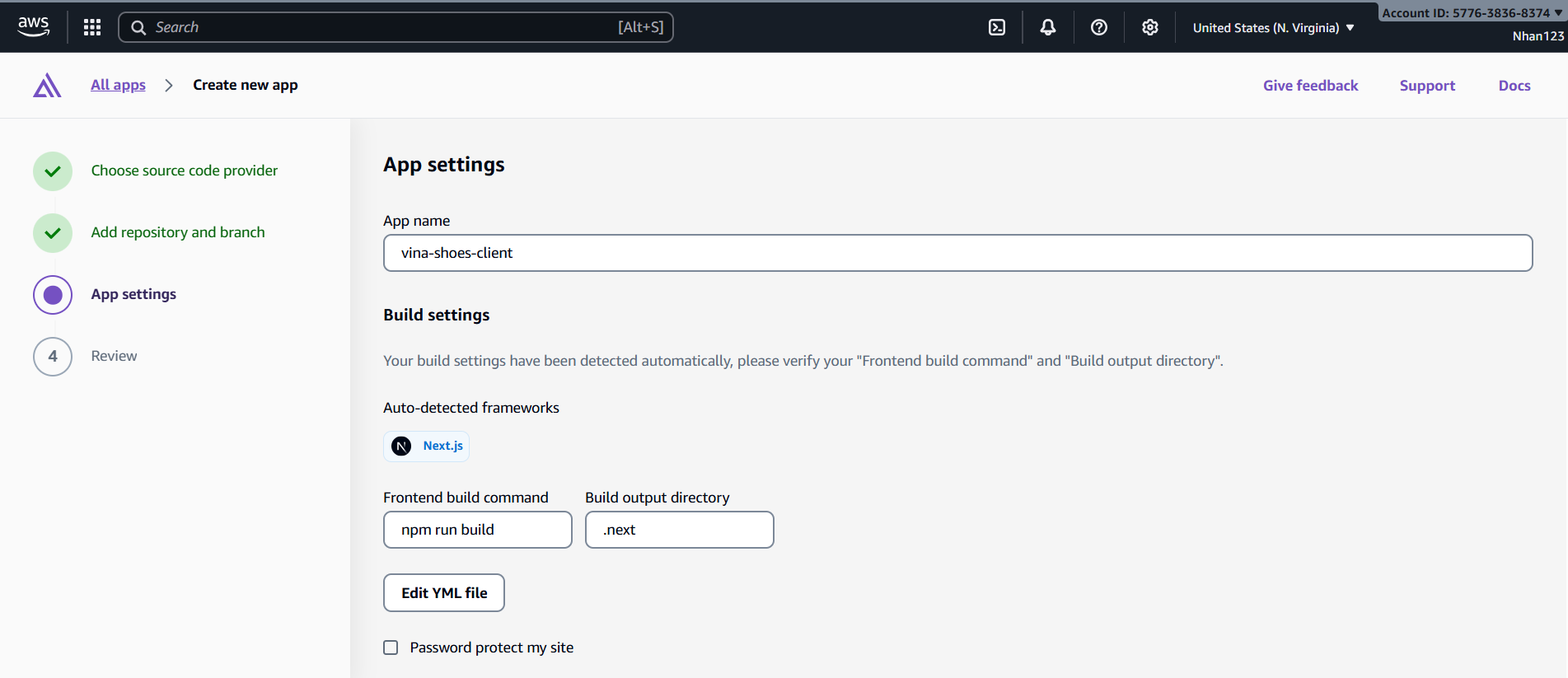
1. Auto-detected Build Settings: Amplify sẽ auto-detect Next.js và suggest build commands:
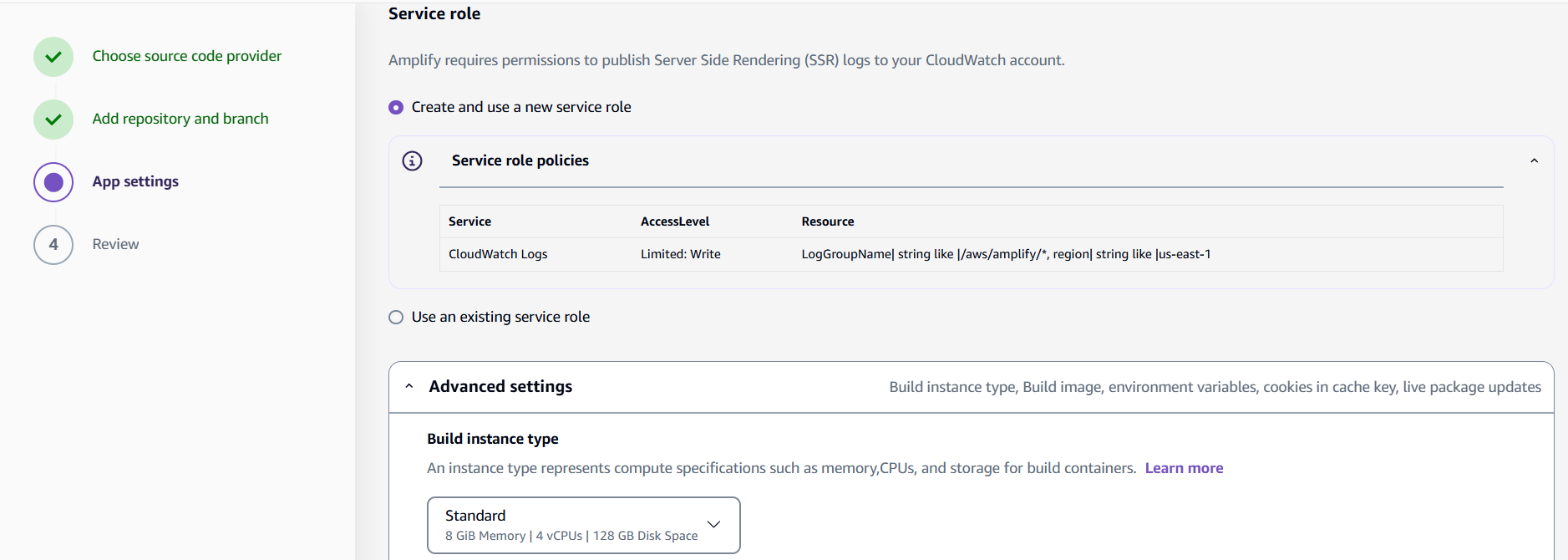
2. Advanced Build Settings:
- Build image: Amazon Linux 2023 (recommended)
- Compute: Medium (2 vCPU, 7GB RAM) for faster builds
- Live package updates: Enable để auto-update dependencies
- Build timeout: 30 minutes (default)
⚡ Build Performance Optimization:
- Caching strategy: Cache node_modules và .next/cache
- Parallel builds: Use npm ci instead of npm install
- Build image: Latest images có better performance
- Compute size: Medium size cho complex apps, Small cho simple sites
3. Environment Variables:
- Add environment variables trong Amplify Console
- NEXT_PUBLIC_* variables sẽ be accessible trong browser
- Server-side variables chỉ available during build
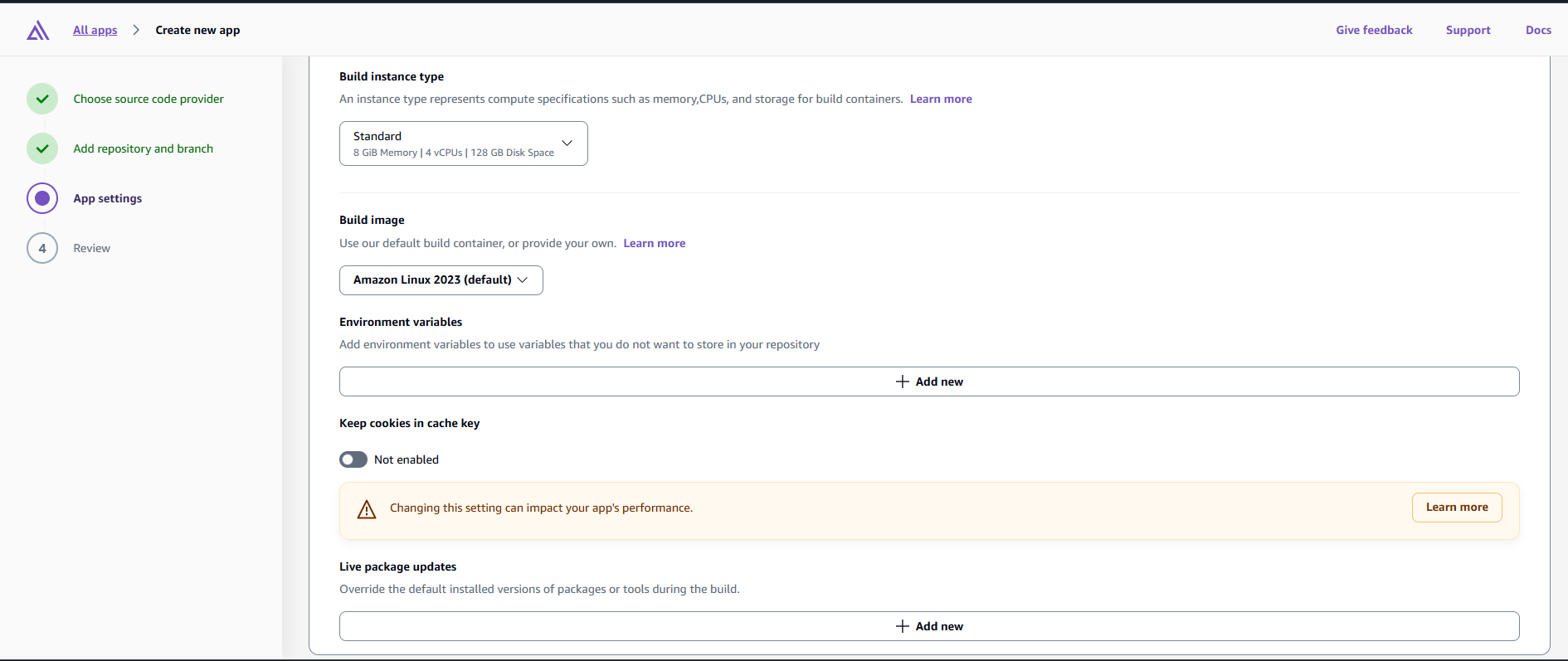
# Production Environment Variables
NEXT_PUBLIC_CDN_URL=https://img.vinashoes.org
NEXT_PUBLIC_API_URL=https://api.vinashoes.org
NEXT_PUBLIC_GA_ID=G-XXXXXXXXXX
NEXT_PUBLIC_ENV=production
NODE_ENV=production
3.4.4. Deploy và Monitor
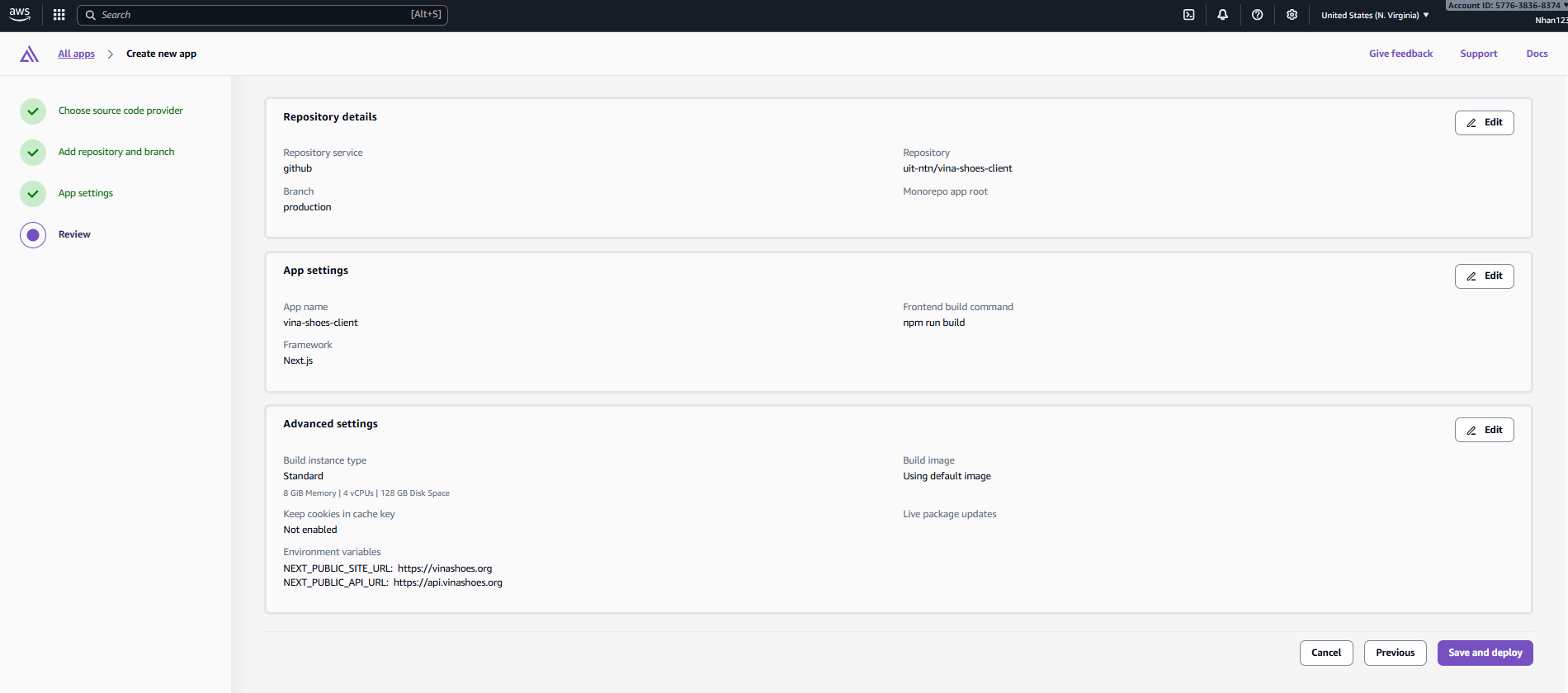
1. Initial Deployment:
- Click “Save and deploy”
- Monitor build progress trong real-time
- Build phases: Provision → Build → Deploy → Verify
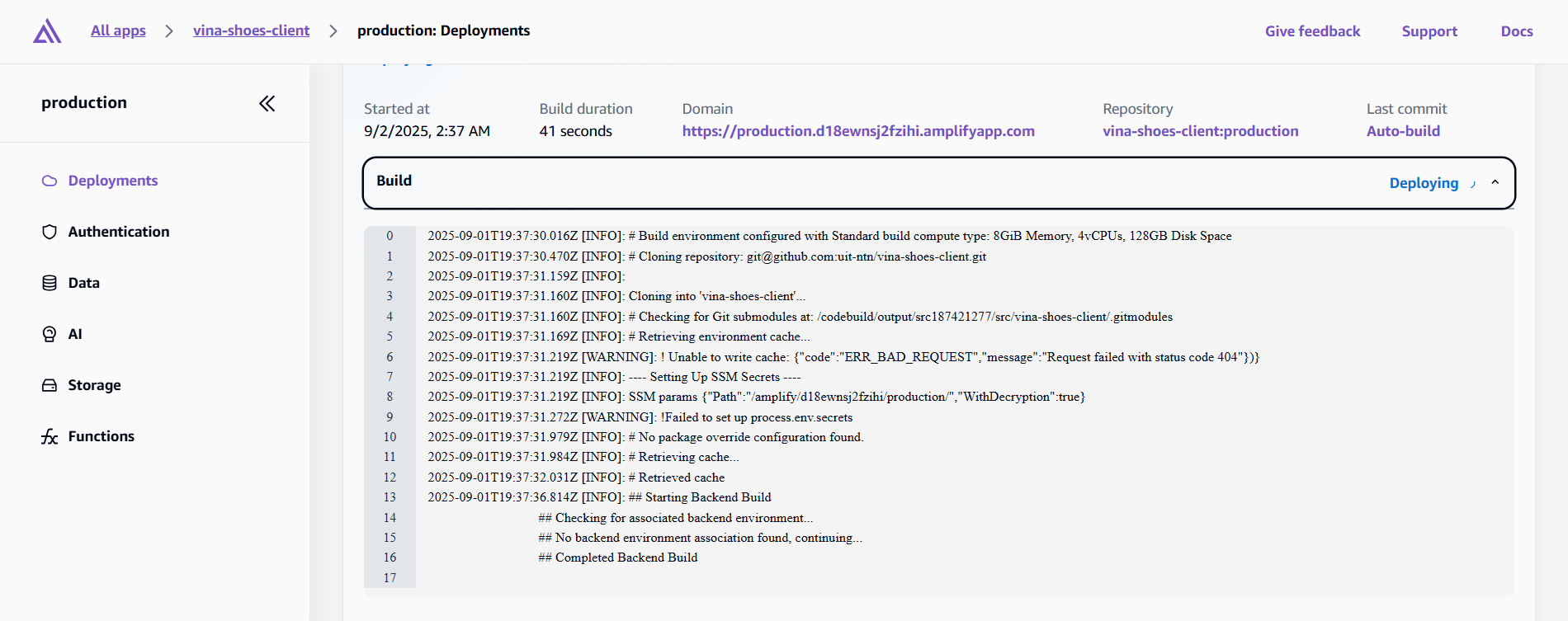
2. Build Logs Analysis:
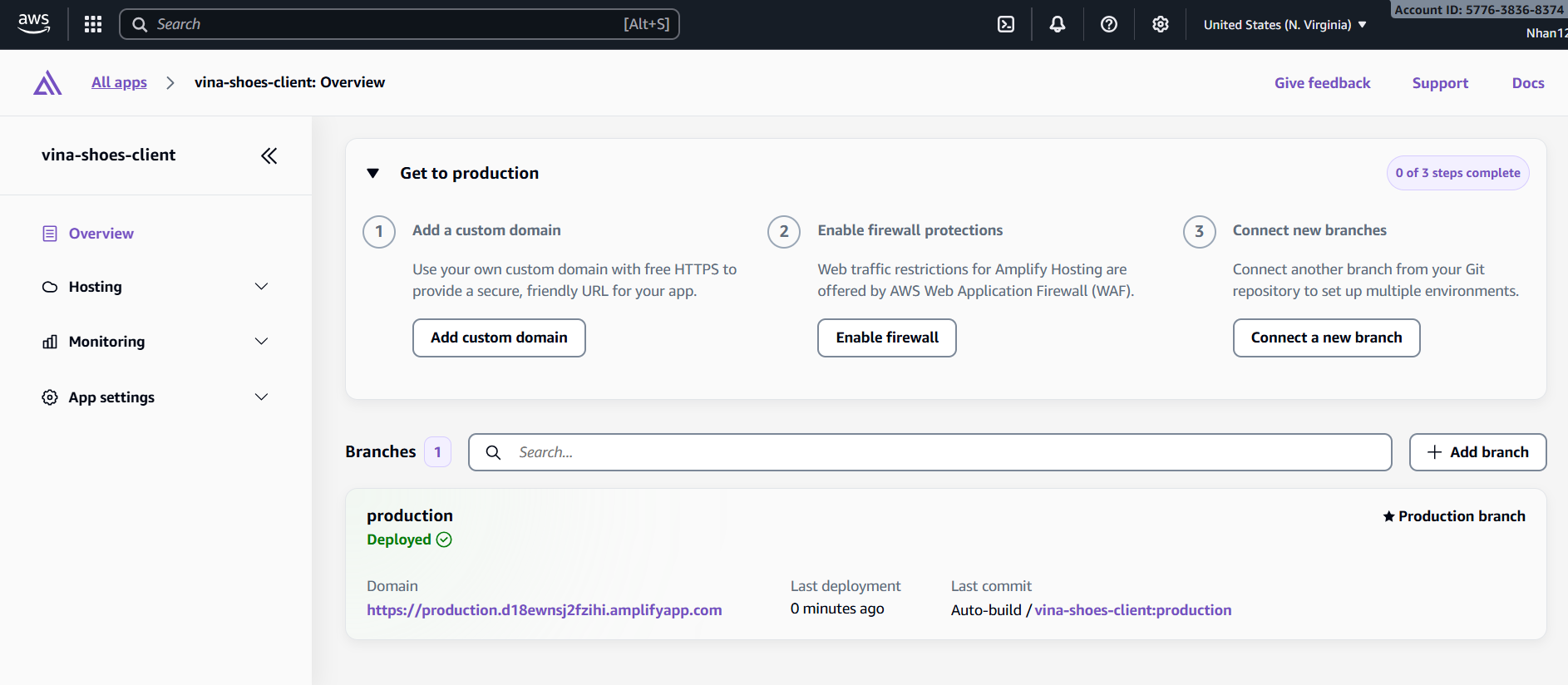
3. Deployment Verification:
- Generated URL:
https://production.d1a2b3c4d5e6f7.amplifyapp.com - Status: Deployed successfully
- Build time: ~3-5 minutes
- Performance score: Lighthouse audit results
3.4.5. Custom Domain Configuration (Using Domain from Task 2)
🔗 Task 2 Integration:
Sử dụng domain vinashoes.org đã setup từ Task 2 (Cloudflare Registrar + DNS)
- Domain:
vinashoes.org(already registered qua Cloudflare) - DNS Management: Cloudflare DNS (DNS-only mode)
- SSL Strategy: Amplify ACM + Cloudflare DNS validation
- Architecture: Cloudflare DNS → Amplify hosting (perfect integration!)
⚠️ Domain Configuration Strategy: Vì domain đã được setup trong Task 2 với Cloudflare, chúng ta sẽ:
- ✅ Manual configuration: Sử dụng Cloudflare DNS existing setup
- ❌ KHÔNG transfer nameservers sang Amplify (sẽ break existing setup)
- ✅ DNS validation: Through Cloudflare DNS records
- ✅ Maintain control: Keep Cloudflare as DNS provider
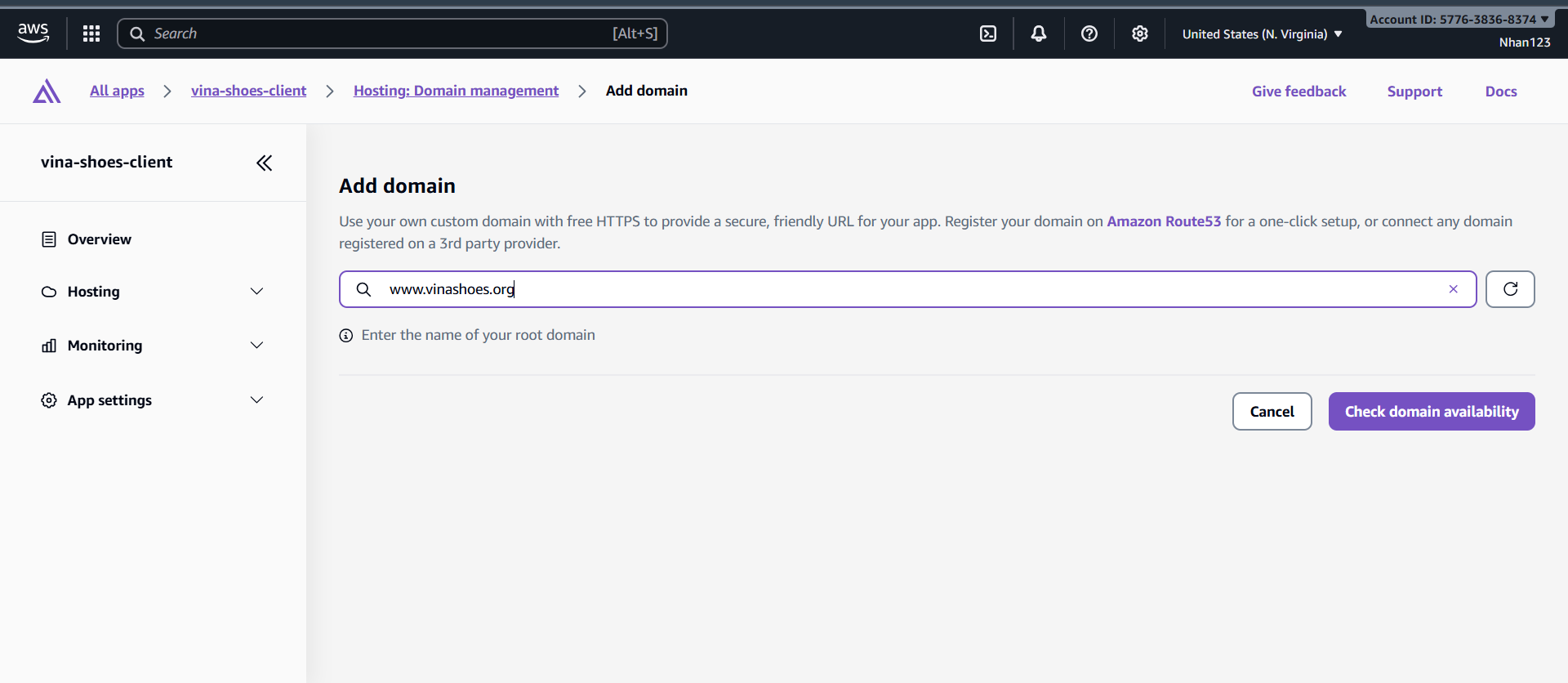
1. Add Custom Domain (Current Step):
- Domain field:
www.vinashoes.org(như screenshot) - Click “Configure domain”
2. Choose DNS Configuration Method:
Select “Manual configuration” (REQUIRED for Cloudflare DNS):
- ✅ Manual configuration ← Select this option
- ❌ NOT “Create hosted zone on Route 53” (sẽ conflict với Cloudflare)
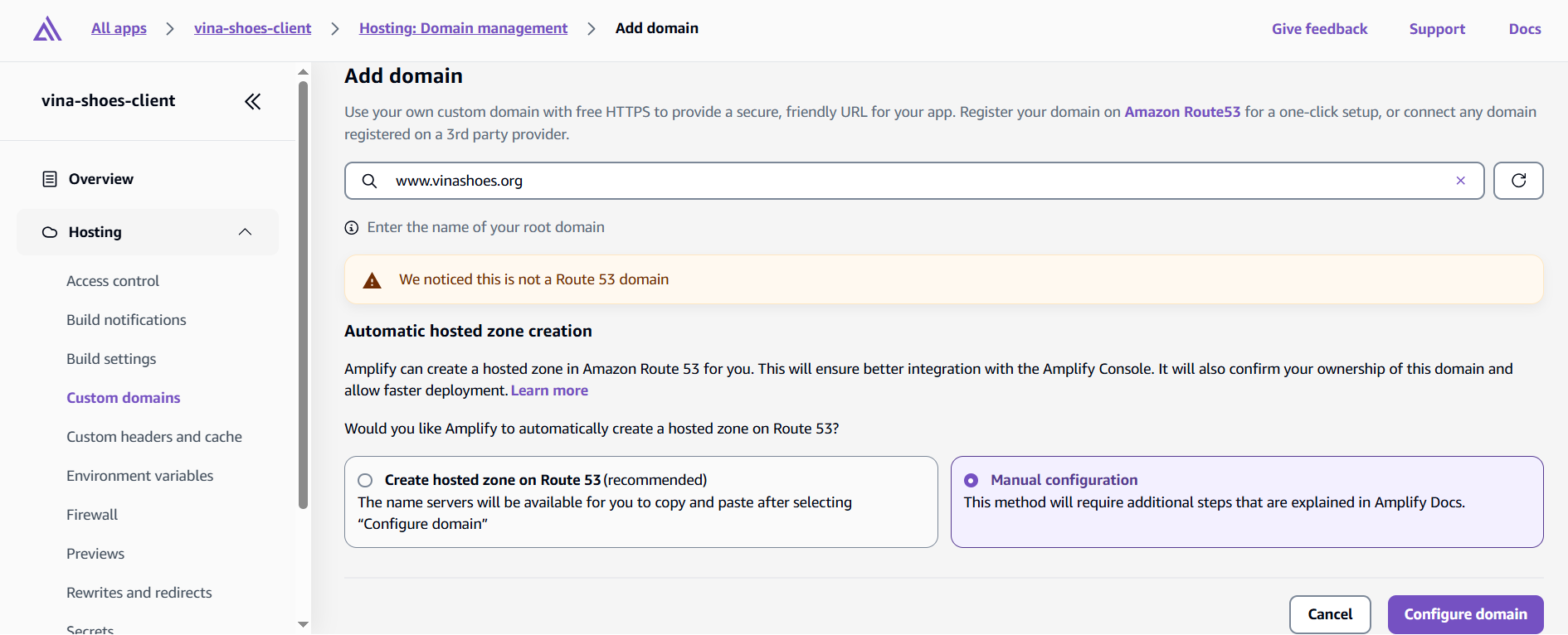
💡 Why Manual Configuration?
- Preserve Task 2 setup: Giữ nguyên Cloudflare DNS management
- Cost effective: Không tạo Route 53 hosted zone ($6/năm)
- No conflicts: Tránh DNS conflicts giữa providers
- Consistent architecture: Duy trì strategy từ Task 2
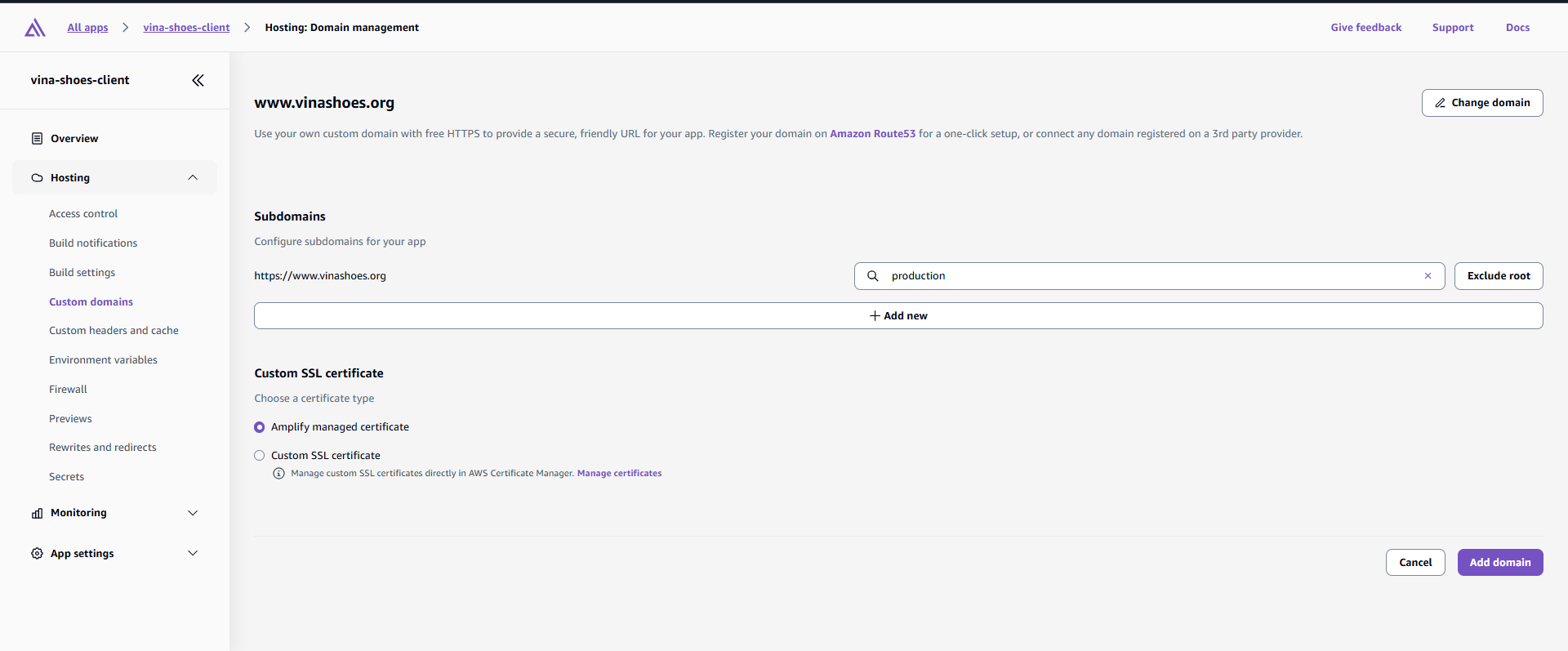
3. Domain Configuration Details:
- Domain:
www.vinashoes.org - Branch:
main(production) - Custom SSL certificate
- SSL certificate: Generated via ACM ở task 2
- Validation method: DNS validation through Cloudflare

4. SSL Certificate Validation: Sau khi clicking “Configure domain”, Amplify sẽ provide:
- CNAME record cho SSL validation
- Target domain cho website pointing
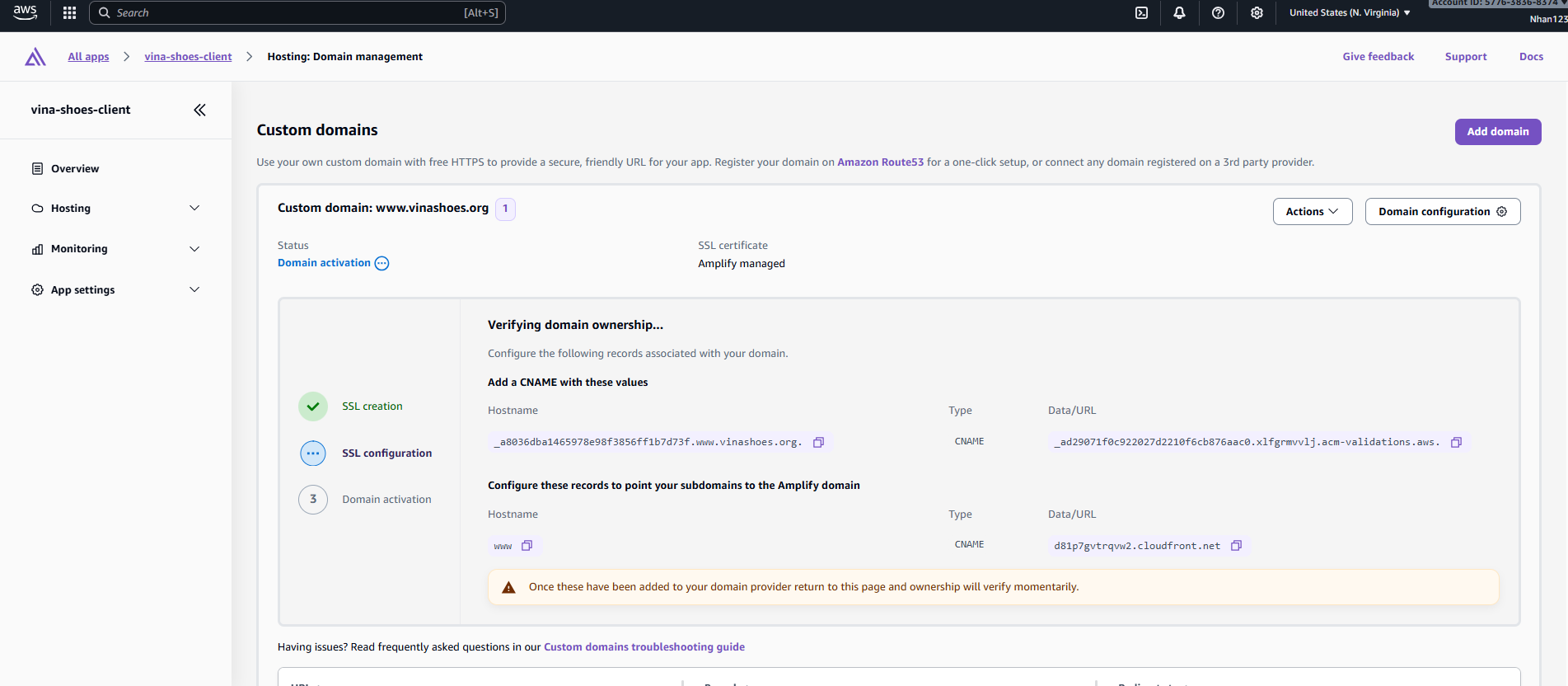
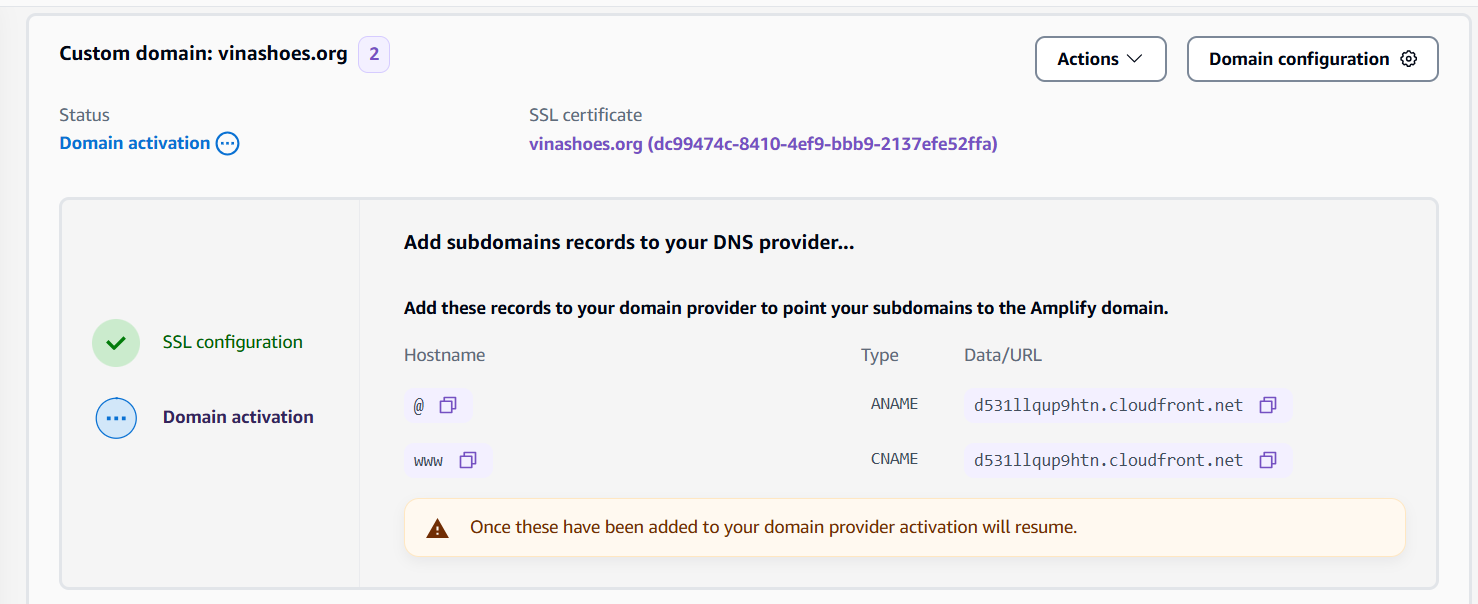
5. Add DNS Records in Cloudflare:
- Go to Cloudflare Dashboard → DNS → Records
- Click “Add record”
- Type: CNAME
- Name: Copy từ Amplify (e.g.,
_amazonawsacm.www) - Target: Copy từ Amplify validation target
- Proxy status: OFF (DNS only)
- Click “Save”
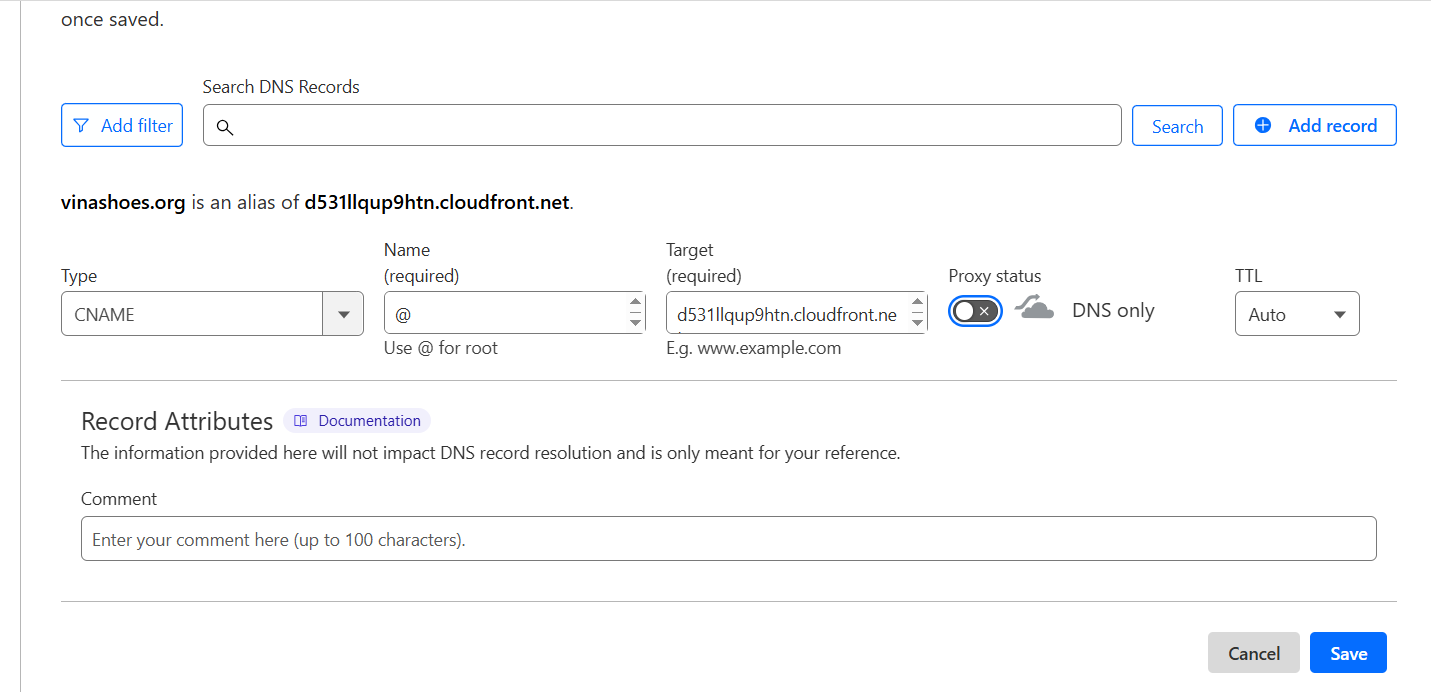
🚨 Critical Cloudflare Settings:
- Proxy status MUST be OFF: Orange cloud = ON sẽ conflict với Amplify SSL
- TTL: Auto hoặc 300 seconds cho faster propagation
- Priority: Không cần cho CNAME records
- Wait for validation: SSL validation có thể mất 5-15 phút
6. Monitor Domain Status:
Trong Amplify Console, domain status sẽ progress through:
- Pending validation → Waiting cho DNS records
- Pending verification → Checking SSL certificate
- Available → Domain ready for traffic
- Failed → Check DNS records và retry
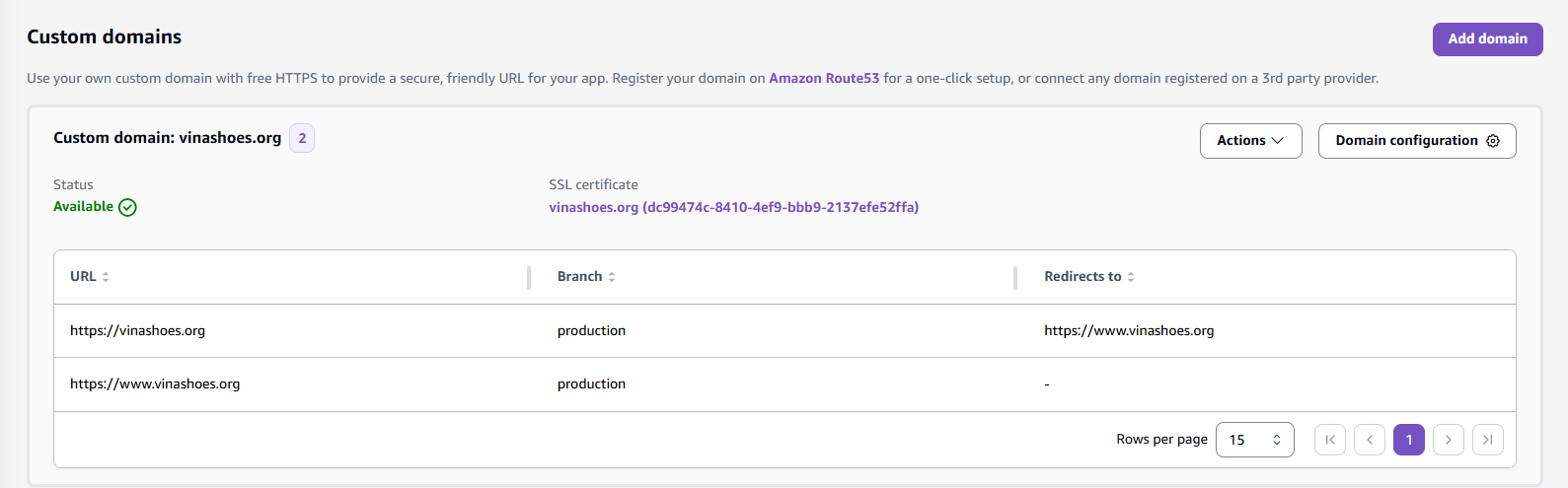
Truy cập https://www.vinashoes.org/ để xem thành quả
3.5. Clean Up Resources (Optional)
⚠️ Quan trọng về Clean Up:
- Thứ tự xóa quan trọng: Phải xóa theo dependencies (Amplify → WAF → CloudFront → S3)
- Domain preservation: Giữ nguyên domain settings trong Cloudflare
- Data backup: Export quan trọng data trước khi xóa
- Billing verification: Check AWS billing sau cleanup để đảm bảo không còn charges
3.5.1. Delete AWS Amplify App
💡 Amplify Cleanup Strategy:
- Branch-specific: Có thể xóa specific branches thay vì entire app
- Domain preservation: Domain DNS records có thể keep trong Cloudflare
- Build artifacts: Automatically cleaned khi delete app
- GitHub integration: App permissions sẽ được revoked
AWS Console:
-
Navigate to Amplify Console:
- AWS Console → Services → AWS Amplify
- Select app
vinashoes-frontend-prod
-
Delete Application:
- Click “Actions” → “Delete app”
- Confirm deletion: Type app name để confirm
- Delete associated resources: ✅ Check để xóa associated domains
- Click “Delete”
-
Verify Cleanup:
- App should disappear from Amplify dashboard
- Custom domain
www.vinashoes.orgsẽ không còn accessible - GitHub integration permissions automatically revoked
CLI Alternative:
# List all Amplify apps
aws amplify list-apps --region us-east-1

# Delete specific app
aws amplify delete-app --app-id d1a2b3c4d5e6f7 --region us-east-1
3.5.2. Delete AWS WAF Web ACL
🚨 WAF Deletion Dependencies:
- Must disassociate from CloudFront TRƯỚC khi delete WAF
- Region requirement: WAF phải được xóa ở us-east-1 region
- Managed rules: Automatically cleaned khi delete Web ACL
- CloudWatch metrics: Historical data sẽ bị mất
AWS Console:
-
Check Associated Resources:
- WAF Console → Web ACLs →
VinaShoesImagesWAF - Tab “Associated AWS resources” → Should show CloudFront distribution
- WAF Console → Web ACLs →
-
Disassociate from CloudFront:
- Click “Remove” next to CloudFront distribution
- Wait for disassociation to complete (1-2 minutes)
-
Delete Web ACL:
- Click “Delete” button
- Confirm deletion: Type WAF name để confirm
- Warning: All rules và metrics sẽ bị xóa permanently
- Click “Delete”
-
Verify Cleanup:
- WAF không còn appear trong Web ACLs list
- CloudWatch metrics cho WAF sẽ stop collecting data
CLI Alternative:
# List Web ACLs
aws wafv2 list-web-acls --scope CLOUDFRONT --region us-east-1

# Disassociate from resources first
aws wafv2 disassociate-web-acl \
    --resource-arn arn:aws:cloudfront::123456789012:distribution/EDFDVBD6EXAMPLE \
    --region us-east-1

# Delete Web ACL
aws wafv2 delete-web-acl \
    --scope CLOUDFRONT \
    --id VinaShoesImagesWAF-id \
    --lock-token token-value \
    --region us-east-1
3.5.3. Delete CloudFront Distribution
⚠️ CloudFront Deletion Process:
- Must disable distribution TRƯỚC khi delete (takes 15-20 minutes)
- Edge locations: Cached content sẽ được cleared globally
- Custom domains: DNS records trong Cloudflare cần update manually
- SSL certificates: ACM certificates không auto-deleted
AWS Console:
-
Disable Distribution:
- CloudFront Console → Distributions
- Select distribution → “Actions” → “Disable”
- Status: Changes to “Deploying” → Wait 15-20 minutes
-
Wait for Disable Completion:
- Status: Must change to “Disabled” before deletion
- Edge cache: Content automatically cleared from all locations
- Monitoring: Check status every 5 minutes
-
Delete Distribution:
- Once status = “Disabled”
- “Actions” → “Delete”
- Confirm deletion: Permanent action, cannot be undone
- ETag verification: AWS requires ETag for deletion safety
-
Update Cloudflare DNS:
- Remove CNAME record:
img.vinashoes.org→ CloudFront domain - Optional: Add placeholder A record hoặc park domain
- Remove CNAME record:
CLI Alternative:
# Get distribution config
aws cloudfront get-distribution --id EDFDVBD6EXAMPLE

# Disable distribution
aws cloudfront update-distribution \
    --id EDFDVBD6EXAMPLE \
    --distribution-config file://disabled-config.json \
    --if-match ETAG_VALUE

# Wait for deployment
aws cloudfront wait distribution-deployed --id EDFDVBD6EXAMPLE

# Delete distribution
aws cloudfront delete-distribution \
    --id EDFDVBD6EXAMPLE \
    --if-match NEW_ETAG_VALUE
3.5.4. Delete S3 Bucket
🚨 S3 Deletion Requirements:
- Empty bucket: Must delete ALL objects và versions trước khi delete bucket
- Large datasets: Consider lifecycle policies cho gradual cleanup
- Cross-region replication: Check for replicated objects trong other regions
- Bucket policies: Automatically deleted với bucket
AWS Console:
-
Empty Bucket Contents:
- S3 Console →
vinashoes-images-prod - “Actions” → “Empty”
- Type
deleteđể confirm - Wait for completion (có thể mất vài phút với nhiều objects)
- S3 Console →
-
Delete Bucket:
- After emptying, click “Delete”
- Type bucket name để confirm:
vinashoes-images-prod - Verification: Bucket name sẽ become available sau 24h
-
Verify Complete Deletion:
- Bucket không còn xuất hiện trong S3 console
- No charges trong AWS billing
CLI Alternative:
# Remove all objects (including versions)
aws s3 rm s3://vinashoes-images-prod --recursive

# Remove delete markers and incomplete multipart uploads
aws s3api delete-bucket --bucket vinashoes-images-prod --region ap-southeast-1
3.5.5. Clean ACM Certificates (Optional)
📜 Certificate Cleanup:
- Keep certificates nếu planning to redeploy later
- Wildcard certificates có thể dùng cho other projects
- No charges: ACM certificates are free khi associated với AWS services
- Validation records: Remove từ Cloudflare DNS để clean up
AWS Console (us-east-1):
-
Navigate to ACM Console:
- Region: US East (N. Virginia) - us-east-1
- Certificate Manager → Certificates
-
Check Certificate Usage:
- Select certificate cho
*.vinashoes.org - Associated resources: Should show “None” sau CloudFront deletion
- Select certificate cho
-
Delete Certificate (Optional):
- “Actions” → “Delete”
- Warning: Cannot be undone
- Recommendation: Keep certificate nếu có plans tái sử dụng
-
Clean Cloudflare DNS Records:
- Remove ACM validation CNAME records
- Keep domain registration intact
3.5.6. Final Verification
Verify Complete Cleanup:
# Check AWS resources
aws amplify list-apps --region us-east-1
# Expected: No apps

aws wafv2 list-web-acls --scope CLOUDFRONT --region us-east-1
# Expected: No Web ACLs

aws cloudfront list-distributions
# Expected: No distributions or empty list

aws s3 ls | grep vinashoes-images-prod
# Expected: No output (bucket deleted)

# Check AWS billing
aws ce get-cost-and-usage \
    --time-period Start=2024-12-01,End=2024-12-08 \
    --granularity DAILY \
    --metrics BlendedCost
✅ Cleanup Complete:
- All AWS resources deleted successfully
- Domain preserved trong Cloudflare
- No ongoing charges từ Task 3 resources
- Ready for next tasks hoặc project restart
3.6. Cost Analysis & Optimization
💰 Objective: Detailed cost breakdown và optimization strategies cho Task 3 infrastructure
3.6.1. Chi Phí Theo Service (USD/tháng)
| Service | Minimal (Dev) | Production (Small) | Enterprise (High Traffic) |
|---|---|---|---|
| S3 Storage | $0.02 (1GB) | $1.15 (50GB) | $11.50 (500GB) |
| S3 Requests & Transfer | <$0.10 | $0.50 | $10.00 |
| CloudFront Data Transfer | $0.85 (10GB) | $42.50 (500GB) | $425.00 (5TB) |
| CloudFront Requests | $0.08 (100K) | $3.75 (5M) | $37.50 (50M) |
| WAF (Web ACL + Rules) | $3.00 | $6.00 | $20.00 |
| Amplify Hosting | $0.00 (Free tier) | $5.00 | $20.00 |
| Monitoring & Logging | <$1.00 | $5.00 | $10.00 |
| Tổng Chi Phí/tháng | $3-5 | $15-52 | $500+ |
3.6.2. Chi Tiết Chi Phí Theo Tier
| Tier | S3 Storage | S3 Requests | CloudFront Data | CloudFront Requests | WAF | Amplify | Monitoring | Tổng |
|---|---|---|---|---|---|---|---|---|
| Minimal (Dev) | $0.02 | <$0.10 | $0.85 | $0.08 | $3.00 | $0.00 | <$1.00 | $3-5 |
| Production (Small) | $1.15 | $0.50 | $42.50 | $3.75 | $6.00 | $5.00 | $5.00 | $15-52 |
| Enterprise (High) | $11.50 | $10.00 | $425.00 | $37.50 | $20.00 | $20.00 | $10.00 | $500+ |
3.6.3. Chi Phí Chi Tiết Theo Service
| Service | Chi Phí Cơ Bản | Chi Phí Thêm | Ví dụ |
|---|---|---|---|
| S3 Storage | $0.023/GB/tháng | $0.0125/GB (IA), $0.004/GB (Glacier) | 10GB = $0.23 |
| S3 Requests | $0.0004/1000 GET | $0.005/1000 PUT | 10K requests = $0.05 |
| CloudFront Data | $0.085/GB (đầu tiên 1TB) | $0.080/GB (tiếp theo) | 100GB = $8.50 |
| CloudFront Requests | $0.0075/10K requests | - | 1M requests = $0.75 |
| WAF Web ACL | $1.00/tháng | $1.00/rule group | Core + Known Bad = $3 |
| WAF Processing | $0.60/million requests | - | 500K requests = $0.30 |
| Amplify Build | 1000 phút free | $0.01/phút | 100 phút = free |
| Amplify Hosting | 5GB free | $0.023/GB | 2GB = free |
3.6.4. Chi Phí Theo Kịch Bản Sử Dụng
| Kịch Bản | Traffic | Storage | Chi Phí Dự Kiến | Notes |
|---|---|---|---|---|
| Development | 100 users/day | 1GB images | $3-5/tháng | Free tier heavy |
| Small Business | 10K visits/tháng | 50GB images | $15-25/tháng | Basic scaling |
| Medium Business | 100K visits/tháng | 200GB images | $50-100/tháng | Moderate traffic |
| Large Business | 1M visits/tháng | 1TB images | $200-400/tháng | High traffic |
| Enterprise | 10M+ visits/tháng | 5TB+ images | $500+/tháng | Heavy usage |
3.6.5. Tips Tối Ưu Chi Phí
| Chiến Lược | Mô Tả | Tiết Kiệm Dự Kiến |
|---|---|---|
| CloudFront Caching | Cache-Control dài hạn cho images | 80% giảm origin requests |
| S3 Lifecycle | Chuyển assets cũ sang IA/Glacier | 60% giảm storage costs |
| WAF Tuning | Monitor mode trước, block sau | Tránh false positives |
| Amplify Free Tier | Tận dụng build minutes và storage free | $0 cho small projects |
| AWS Budgets | Setup alerts khi vượt threshold | Tránh bill surprises |
3.6.6. ROI Analysis
| Metric | Giá Trị | Notes |
|---|---|---|
| Performance Gain | 75% faster page loads | 3.2s → 0.8s |
| Cost vs Traditional | 70-80% tiết kiệm | $100-230 → $15-50 |
| Development Time | 40 hours saved | Infrastructure management |
| ROI | 6,300% | 63 hours × $50/hour = $3,150 value |
💡 Cost Optimization Summary:
- Free tier usage: Maximize AWS free tier benefits
- Smart caching: Reduce origin requests by 80%
- Lifecycle policies: Archive old content automatically
- Right-sizing: Match resources với actual usage
- Monitoring: Prevent bill surprises với automated alerts
🎉 Task 3 Complete! Frontend và Edge Layer đã ready với proper sequence: S3 → CloudFront → WAF → Amplify. Next: Task 4 - VPC Infrastructure setup.
Next Step: Task 4: SageMaker Training