DNS với Cloudflare (AWS Certificate Manager)
Mục tiêu Task 2
Chuẩn bị DNS foundation cho VinaShoes E-commerce:
- Đăng ký domain vinashoes.org từ Cloudflare Registrar (auto-renew + WHOIS privacy)
- Setup DNS strategy với Cloudflare DNS (DNS-Only mode)
- Request ACM certificates cho Frontend (us-east-1) và Backend (ap-southeast-1)
- Xác định redirect plan (www → apex, HTTP → HTTPS)
- Testing & validation DNS và certificates
📋 Scope Task 2: Infrastructure Preparation ONLY Task này chỉ chuẩn bị SSL certificates và DNS infrastructure. KHÔNG deploy apps:
- ❌ Không tạo DNS records pointing tới endpoints (chưa có endpoints)
- ❌ Không deploy Frontend/Backend (đó là Task 3/4)
- ❌ Không transfer domain sang Route 53 (domain < 60 ngày)
- ✅ Chỉ chuẩn bị certificates và DNS strategy
Kiến trúc DNS
⚠️ Tại sao KHÔNG transfer sang Route 53?
- ICANN 60-day lock: Domain mới đăng ký không thể transfer trong 60 ngày đầu
- Cloudflare Registrar restrictions: Không cho phép thay đổi nameservers
- Cost inefficient: Transfer cost $12 + Route 53 hosting $6/năm = $18 vs Cloudflare $7.5/năm
- Complexity: Transfer process phức tạp, rủi ro downtime
- Performance: Cloudflare DNS global network nhanh hơn Route 53
🎯 Quyết định Architecture: Sử dụng Cloudflare DNS (DNS-only mode)
Approach thực tế: Cloudflare DNS-only + AWS services = Perfect integration!
Domain Registration: Cloudflare Registrar ($7.5/năm)
         ↓
DNS Management: Cloudflare DNS (Free, DNS-only mode)
         ├── vinashoes.org → (Task 3: Frontend deployment)
         ├── www.vinashoes.org → (Task 3: Redirect setup)
         ├── api.vinashoes.org → (Task 4: Backend API)
         ├── assets.vinashoes.org → (Task 5: Assets CDN)
         └── ACM validation records → (Task 2: Certificate validation)

DNS Records Plan (sẽ tạo sau khi có endpoints):
├── A/CNAME: @ → (Task 3 sẽ provide CloudFront domain)
├── CNAME: www → (Task 3 sẽ provide CloudFront domain)
├── CNAME: api → (Task 4 sẽ provide API Gateway domain)
├── CNAME: assets → (Task 5 sẽ provide S3/CloudFront domain)
└── CNAME: _validation → ACM validation targets (Task 2)

Certificates (Task 2):
├── Frontend: us-east-1 (for future CloudFront)
└── Backend: ap-southeast-1 (for future API Gateway)
Lợi ích approach này:
- ✅ Immediately available - không đợi 60 ngày ICANN transfer
- ✅ Cost effective - chỉ $7.5/năm vs $18/năm với Route 53
- ✅ No CDN conflicts - Cloudflare DNS-only, ready cho AWS CDN services
- ✅ AWS integration - ACM validation, custom domains sẽ work perfect
- ✅ Performance - Cloudflare DNS fastest global resolution
- ✅ Reliability - Cloudflare 100% uptime SLA
1. Đăng ký Domain từ Cloudflare
1.1. Tại sao chọn Cloudflare Registrar?
Domain Registration Benefits:
- ✅ At-cost pricing: $7.5/năm cho .org (không markup)
- ✅ Free WHOIS privacy: Protection tự động, không phí
- ✅ Auto-renew reliable: Không lo quên gia hạn
- ✅ Cloudflare DNS integration: Native support, không config phức tạp
💡 So sánh với Route 53 Transfer:
| Feature | Cloudflare | Route 53 Transfer |
|---|---|---|
| Domain cost | $7.5/năm | $12/năm |
| DNS hosting | Free | $6/năm |
| Transfer process | ❌ (60-day lock) | Complex + downtime risk |
| Total cost | $7.5 | $18 |
Tại sao KHÔNG transfer:
- 🔴 ICANN 60-day restriction + Cloudflare nameserver limitations
- 💸 Cost tăng 96% ($7.5 → $18/năm)
- ⚡ Cloudflare DNS performance tốt hơn Route 53
- 🎯 Cloudflare DNS-only mode tích hợp AWS perfect
Quyết định: Cloudflare DNS-Only = optimal!
1.2. Process đăng ký domain
Console Steps:
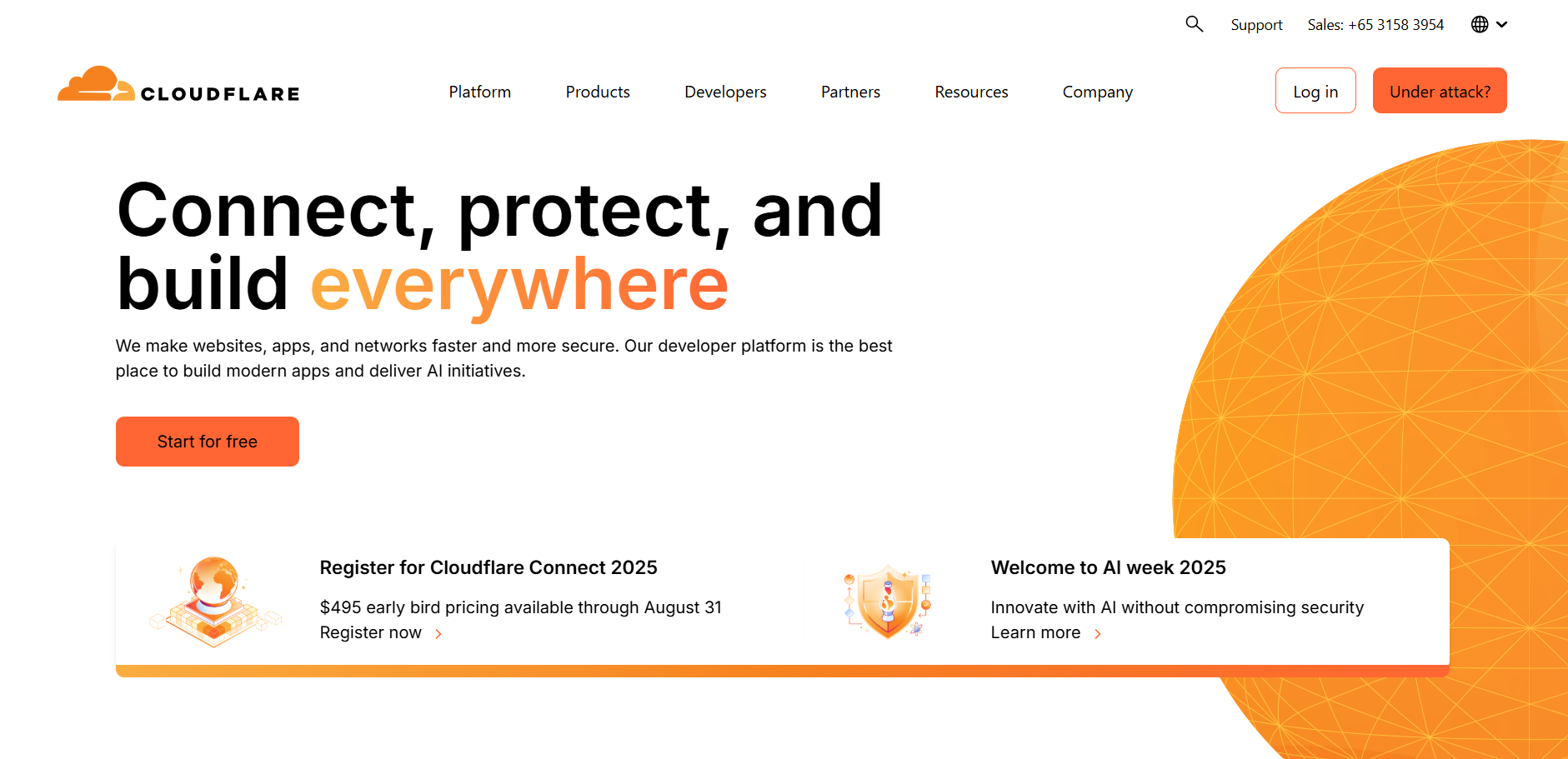
Bước 1: Đăng ký/Đăng nhập Cloudflare Account
Account Setup Process:
- Access Cloudflare Website:
- Truy cập cloudflare.com
- Click “Sign up” nếu chưa có account
- Hoặc “Log in” nếu đã có account
- Create New Account (if needed):
- Enter email address
- Create strong password
- Accept terms of service
- Click “Sign up”

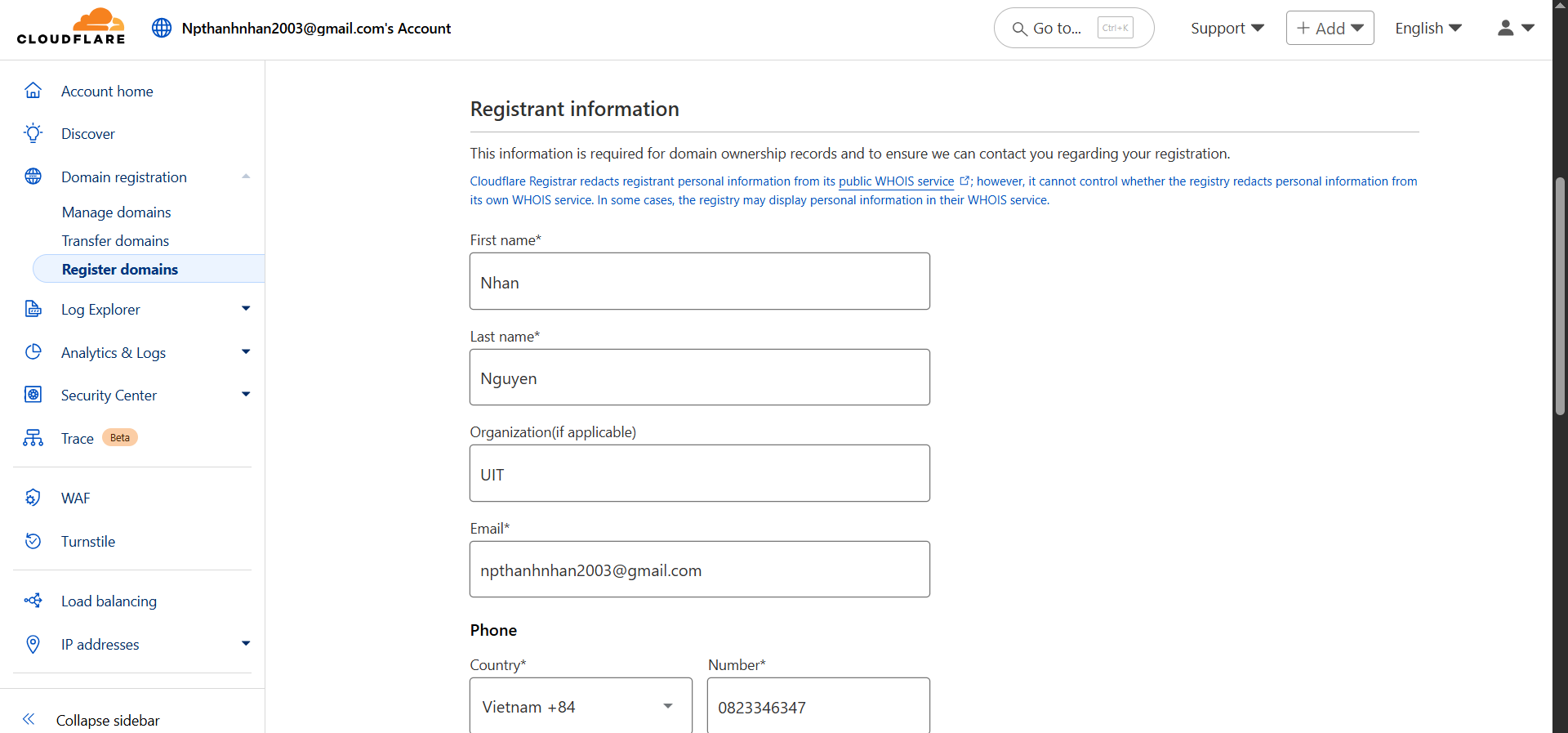
Bước 2: Truy cập Domain Registration
Console Navigation:
- Navigate to Domain Registration:
- From dashboard sidebar → “Domain Registration”
- Hoặc click “Register Domain” button
- Hoặc trực tiếp: https://dash.cloudflare.com/sign-up/domain

- Domain Registration Interface:
- Verify access to domain registration portal
- Check available features and pricing
- Prepare for domain search
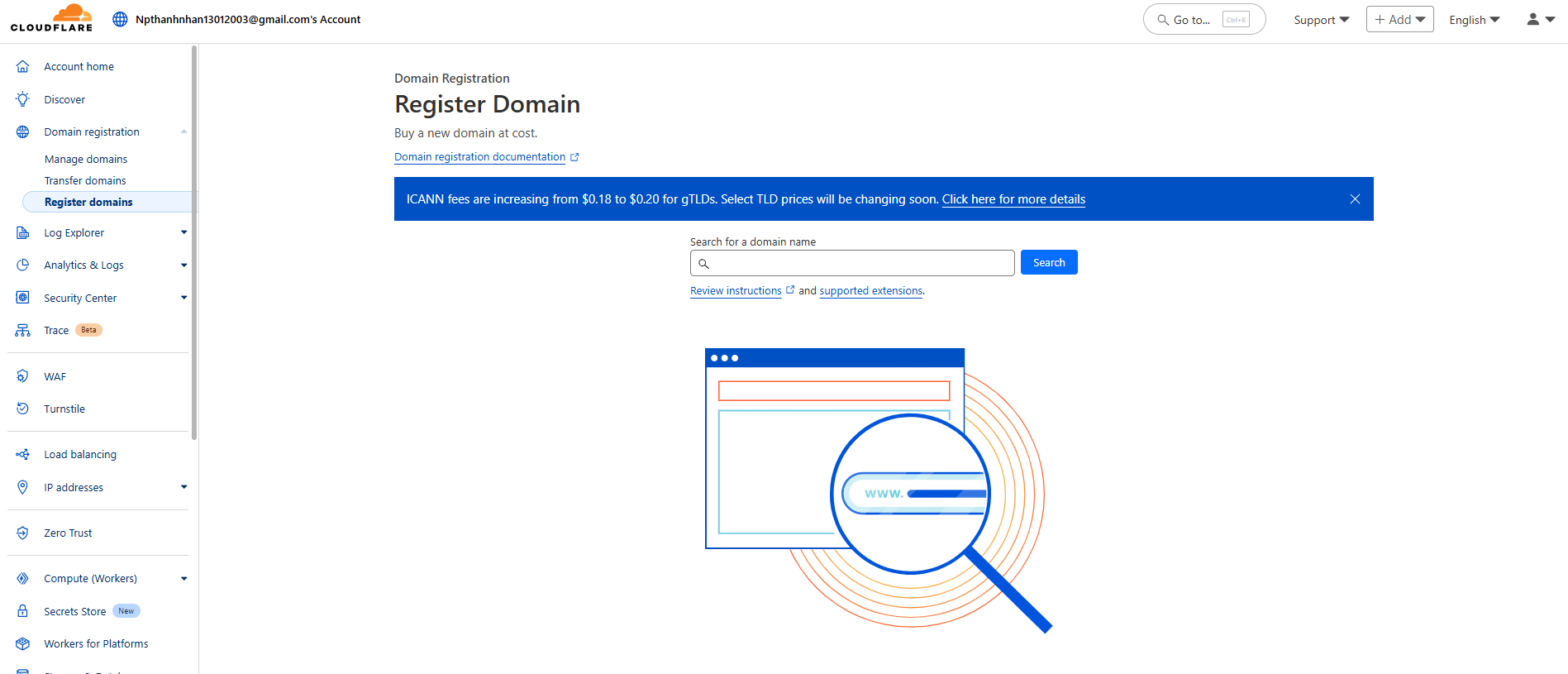
Bước 3: Search domain vinashoes.org
Domain Search Process:
- Enter Domain Name:
- Nhập
vinashoes.orgtrong search box - Click “Search” để check availability
- Nhập
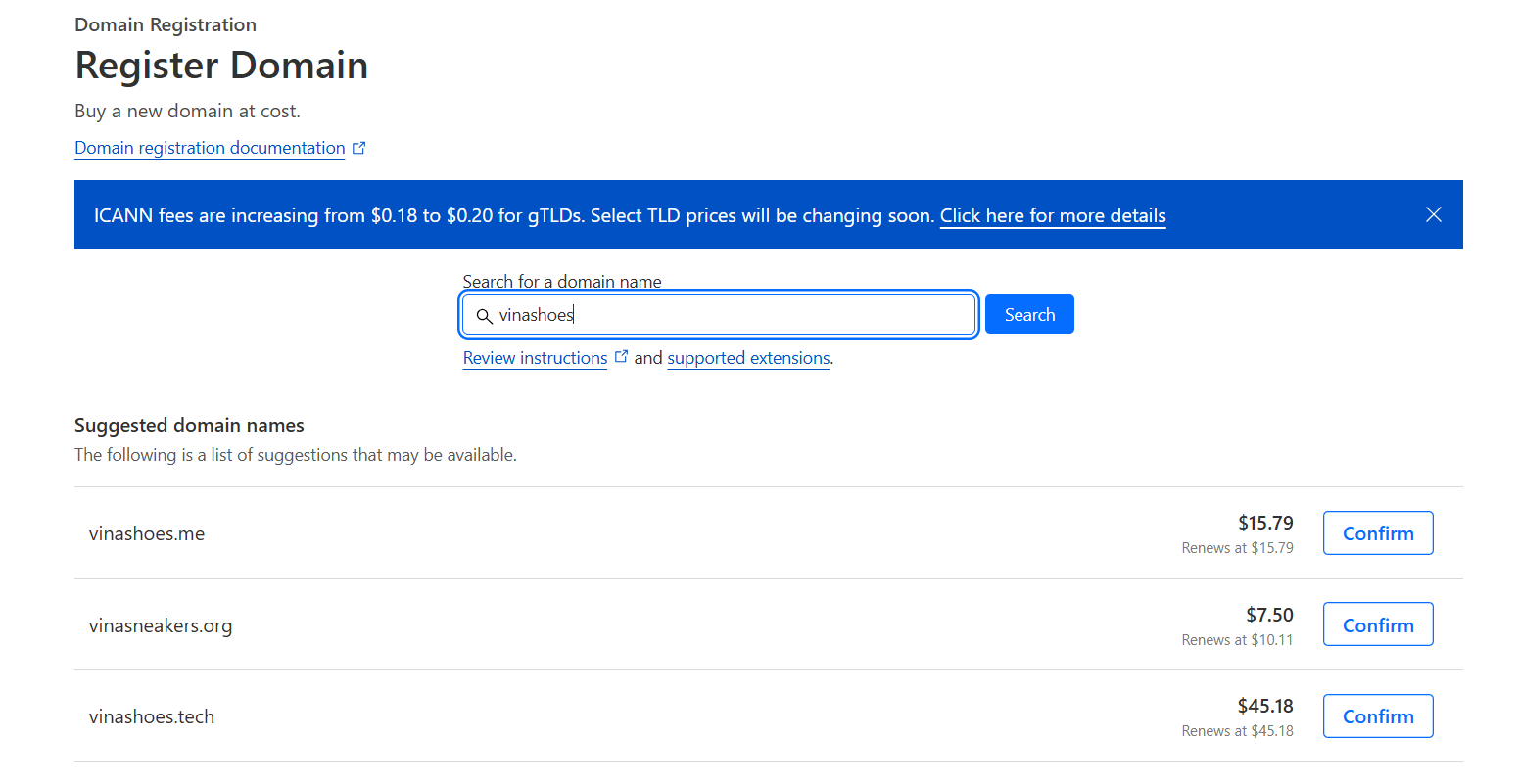
- Check Availability:
- Verify domain available
- Check price: $7.5/năm cho .org domain
- View alternative suggestions if needed
- Confirm
- Click “Confirm” nếu available
- Review pricing details
- Proceed to configuration

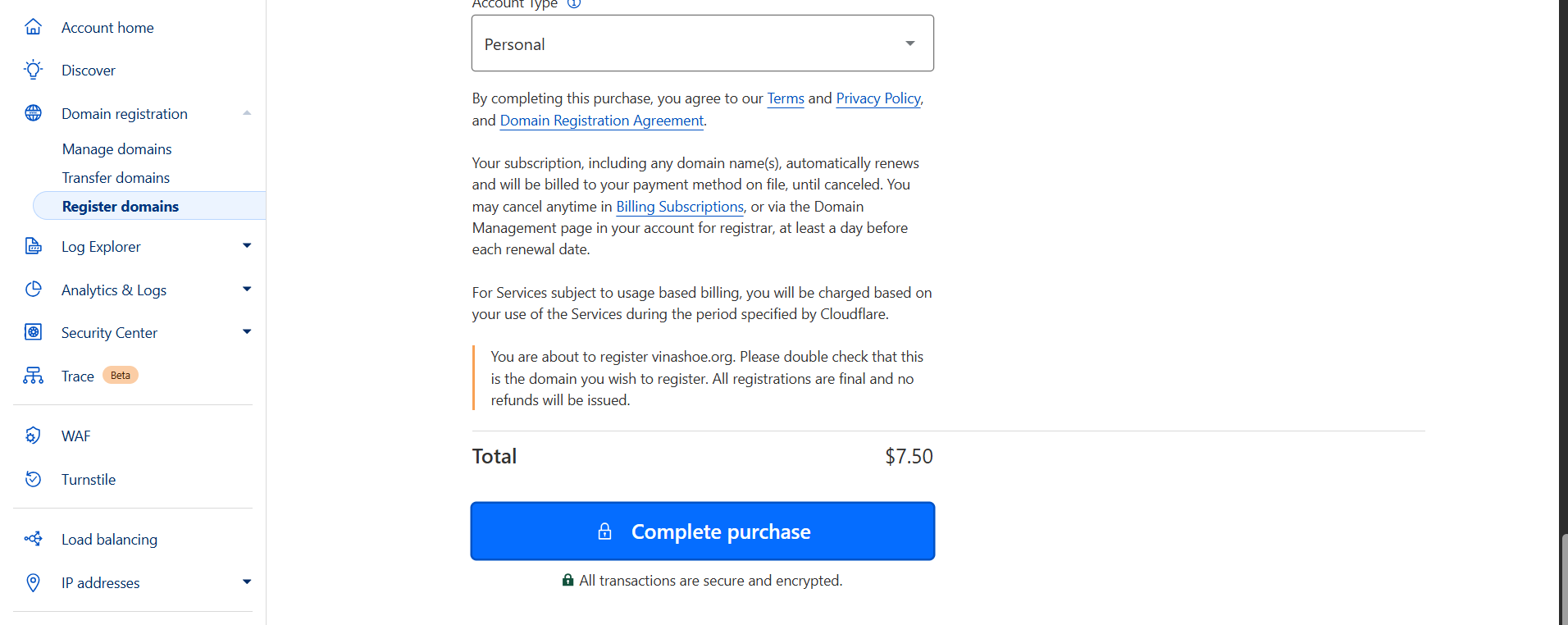
Bước 4: Complete registration
Payment Process:
-
Enter Payment Details:
- Credit card hoặc PayPal
- Billing information
- Tax calculations if applicable
-
Complete Purchase:
- Final review của order
- Click “Complete Purchase”
- Wait for confirmation
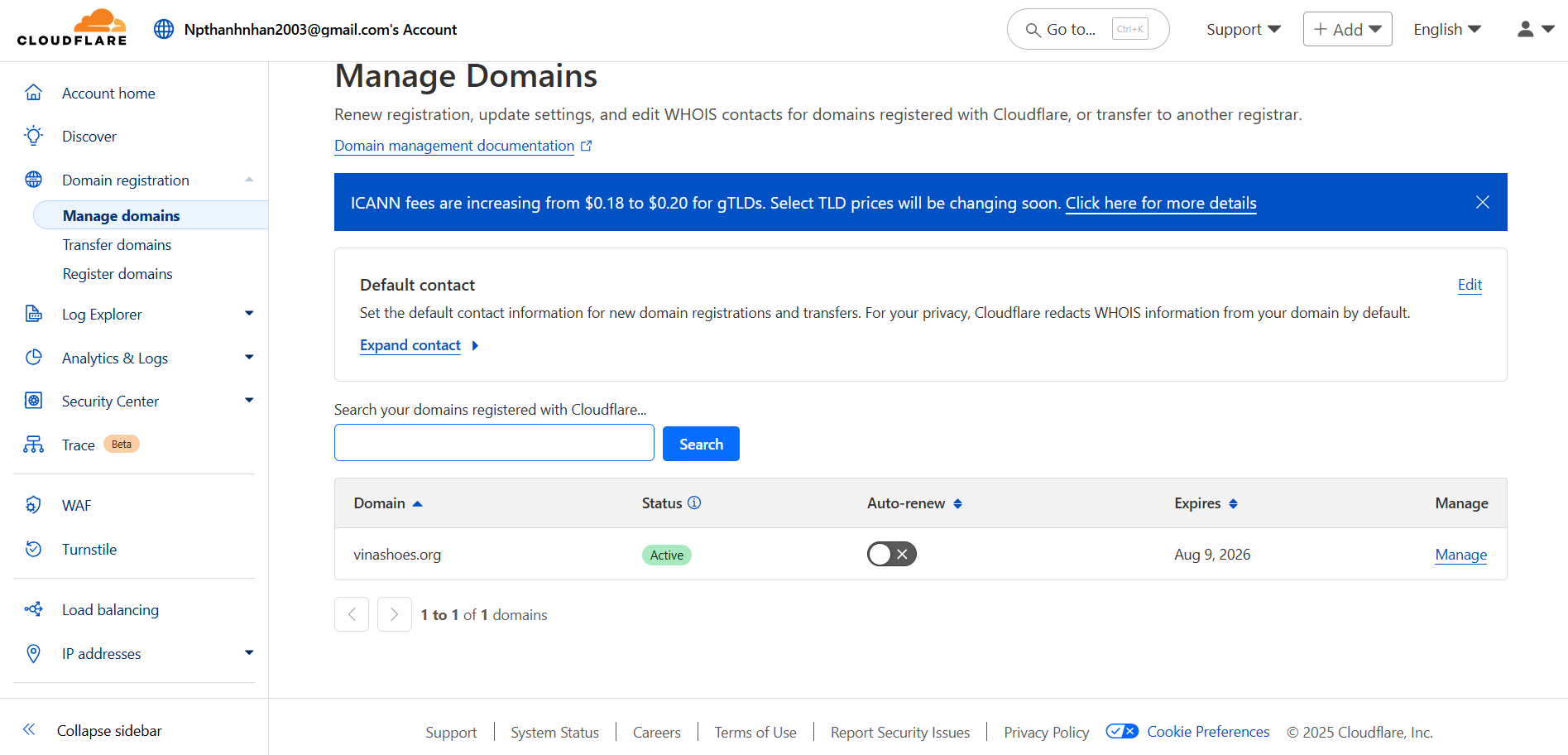
- Registration Confirmation:
- Domain active trong 15 phút
- Email confirmation
- DNS management ready
2. Setup DNS Strategy: Cloudflare DNS-Only
2.1. Tại sao chọn Cloudflare DNS-Only?
🎯 DNS Strategy Decision: Cloudflare DNS (DNS-Only mode)
Cloudflare DNS thay vì Route 53 vì:
- ✅ Available immediately: Domain có transfer lock 60 ngày theo ICANN policy
- ✅ Cost effective: Free DNS vs Route 53 $6/năm
- ✅ Performance: Cloudflare DNS fastest globally
- ✅ AWS compatibility: DNS-only works perfect với AWS services
- ✅ No CDN conflict: Cloudflare proxy OFF → AWS services receive direct traffic
Route 53 tương lai: Có thể evaluate transfer option sau 60 ngày.
2.2. DNS-Only vs Proxied Mode
DNS-Only Mode (Required cho AWS):
Client → Cloudflare DNS resolution → AWS Services (future)
- ✅ Chỉ resolve DNS, không proxy traffic
- ✅ AWS services sẽ receive direct traffic
- ✅ ACM certificates work properly
- ✅ No conflicts với AWS CDN services
Proxied Mode (KHÔNG dùng cho AWS):
Client → Cloudflare CDN → AWS (conflicts)
- ❌ Double CDN = performance issues
- ❌ SSL certificate conflicts
- ❌ AWS services không receive original IP
- ❌ Complications với custom domains
⚠️ Critical Setting
ALWAYS set DNS records to DNS-only (gray cloud) cho AWS integration:
- A records → DNS-only
- CNAME records → DNS-only
- Proxy OFF cho tất cả AWS services (future)
So sánh chi tiết các options:
| Feature | Cloudflare Proxy | Cloudflare DNS-Only | Route 53 |
|---|---|---|---|
| Cost | Free | Free | $6/năm hosting |
| Setup Time | Immediate | Immediate | 60+ days (transfer) |
| AWS Integration | ❌ Conflicts | ✅ Perfect | ✅ Native |
| Double CDN Issue | ❌ Yes (problem) | ✅ No | ✅ No |
| Global Performance | Good | ✅ Excellent | Good |
| Certificate Validation | ❌ Blocked | ✅ Works | ✅ Works |
| Custom Domain Support | ❌ Blocked | ✅ Ready | ✅ Native |
| Complexity | Low | Low | High (transfer) |
🏆 Winner: Cloudflare DNS-Only
- Cloudflare: Fastest DNS resolution globally (1.1.1.1 network)
- AWS: Best-in-class services ready for integration
- No conflicts, no complexity, maximum compatibility!
2.3. DNS Records Strategy (Implementation trong Task 3/4/5)
DNS Records Plan cho Future Tasks:
Task 2 chỉ chuẩn bị DNS strategy, KHÔNG tạo actual records:
- Frontend Records (Task 3):
vinashoes.org,www.vinashoes.org→ CloudFront domain - Backend Records (Task 4):
api.vinashoes.org→ API Gateway domain - Assets Records (Task 5):
assets.vinashoes.org→ CloudFront domain - ACM Validation Records (Section 3):
_validation-xyz.vinashoes.org→ ACM targets
Current DNS Status:
Domain: vinashoes.org (registered, DNS ready)
Nameservers: Cloudflare (xxx.ns.cloudflare.com)
DNS Management: Active, ready for future records
Target Mode: DNS-Only (proxy OFF when created)
Tại sao KHÔNG tạo DNS records trong Task 2? Chưa có endpoints từ AWS services. Task 3/4/5 sẽ deploy apps → có domains → tạo DNS records.
3. Xin ACM Certificates
3.1. Frontend Certificate (us-east-1)
Lý do us-east-1: CloudFront chỉ accept certificates từ us-east-1.
Bước 1: Truy cập ACM Console (us-east-1)
Console Navigation:
- Access AWS Console:
- Đăng nhập AWS Console
- Quan trọng: Chuyển region sang us-east-1 (N. Virginia)
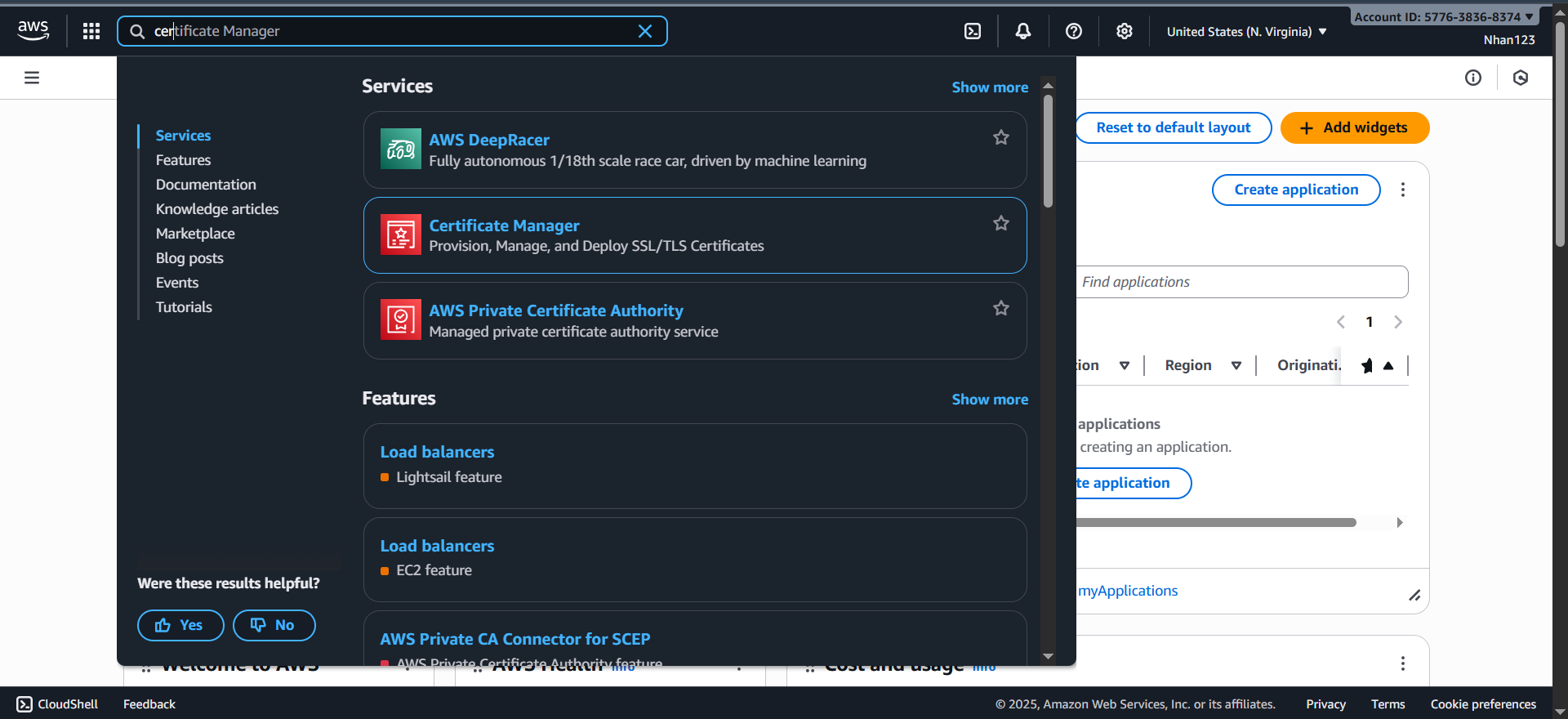
- Search “Certificate Manager” → Click vào service

- Access Certificate Manager:
- From AWS Console search bar
- Type “Certificate Manager”
- Click on AWS Certificate Manager service
Bước 2: Request Certificate
Certificate Request Process:
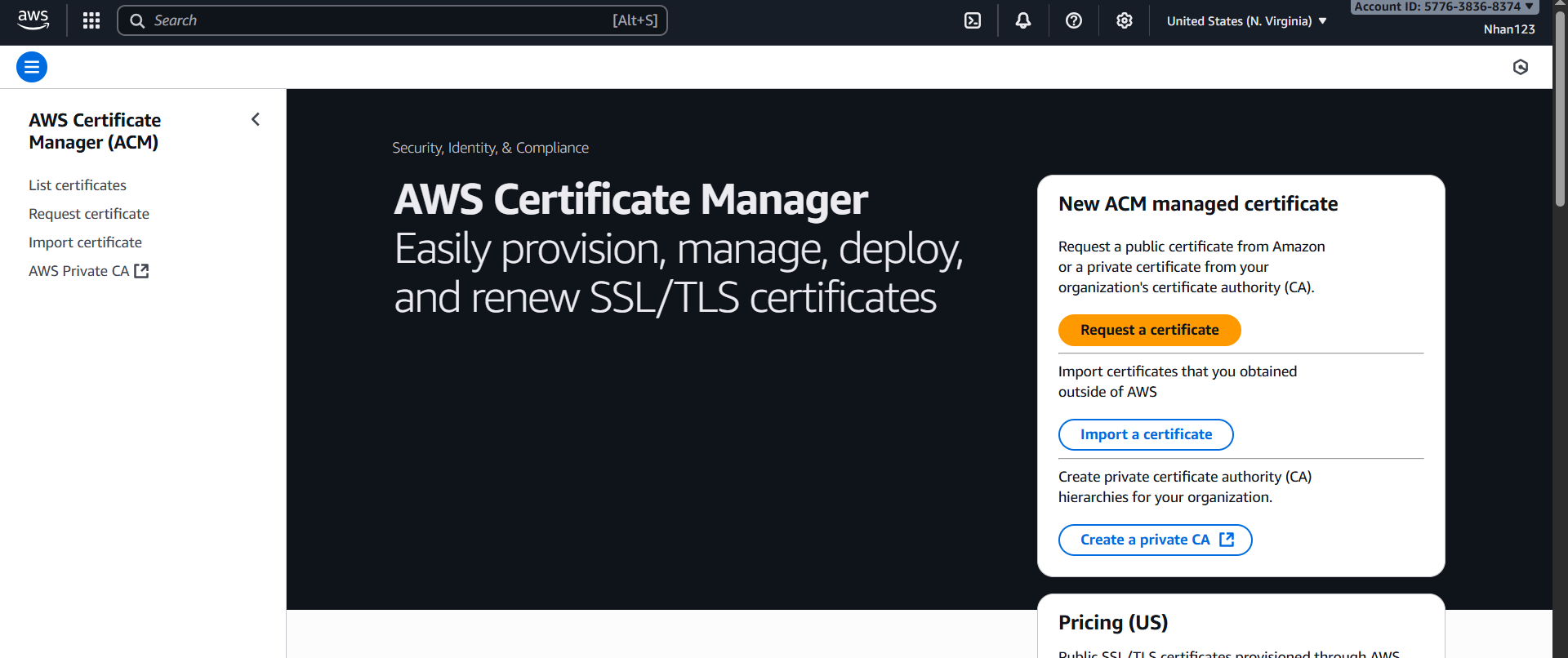
- Start Certificate Request:
- Click “Request certificate” button
- Choose certificate type
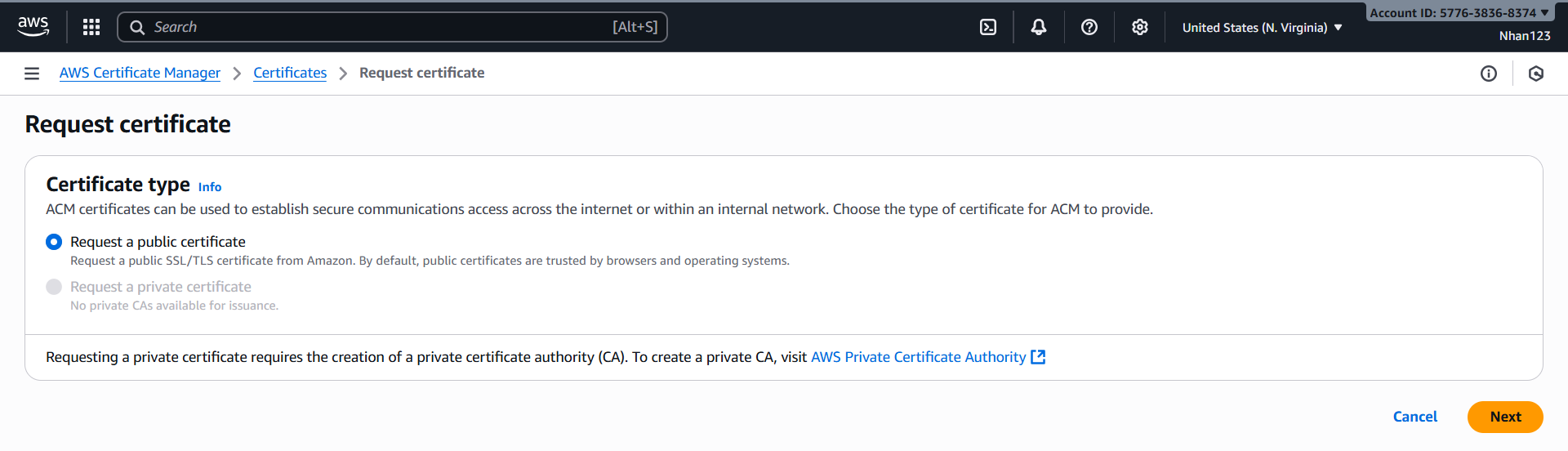
- Certificate Type Selection:
- ☑️ Request a public certificate (đã chọn sẵn)
- ☐ Request a private certificate (disabled - không có private CA)
- Click “Next”
Bước 3: Domain names configuration
Domain Configuration:
- Primary Domain Entry:
- Fully qualified domain name: Nhập
www.vinashoes.org(domain chính) - Click “Add another name to this certificate” để thêm domains
- Fully qualified domain name: Nhập
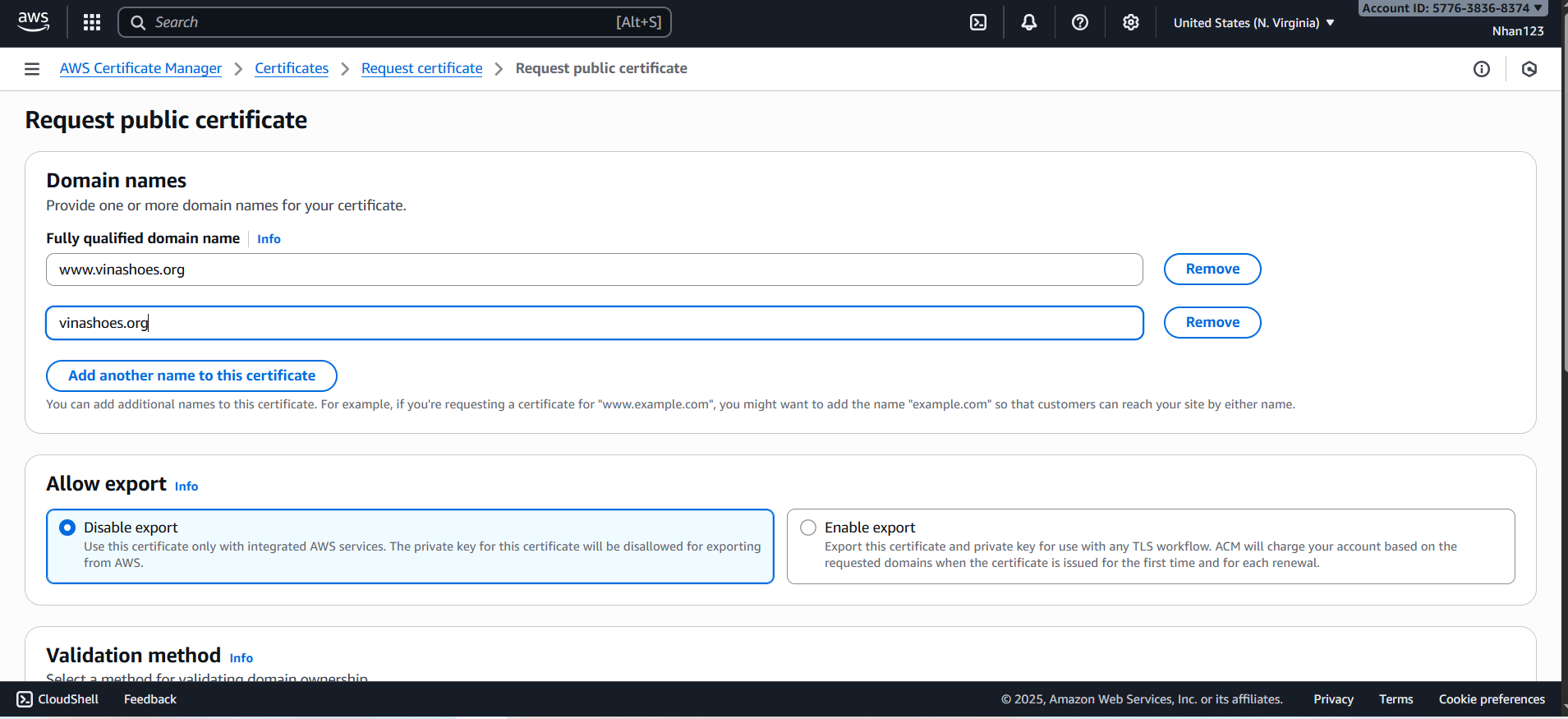
- Add
vinashoes.org(apex domain) - Each domain sẽ có separate input field
Bước 4: Allow export configuration
Export Settings:
- Certificate Export Options:
- ☑️ Disable export (recommended cho CloudFront)
- ☐ Enable export (cho external TLS workflows)
- Description: “Use this certificate only with integrated AWS services”

Bước 5: Validation method
Validation Method Selection:
- Choose Validation Type:
- ☑️ DNS validation - recommended (đã chọn)
- ☐ Email validation
- Description: “Choose this option if you are authorized to modify the DNS configuration”

Bước 6: Key algorithm
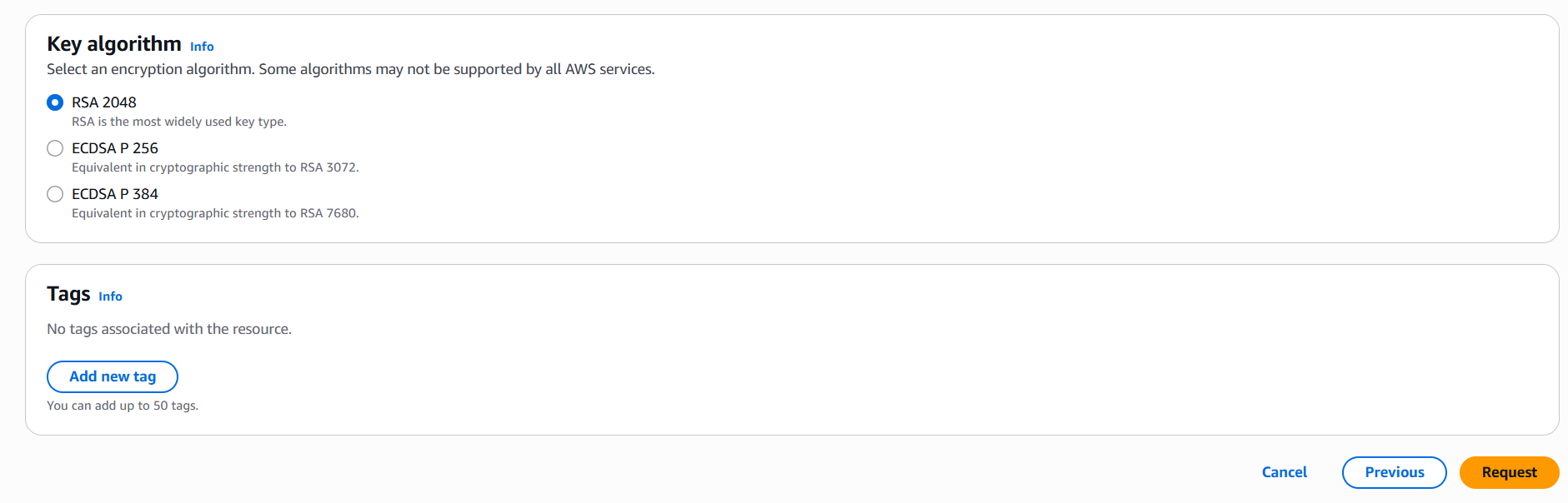
Algorithm Configuration:
- Key Algorithm Selection:
- ☑️ RSA 2048 (recommended, đã chọn sẵn)
- ☐ ECDSA P 256 (Equivalent in cryptographic strength to RSA 3072)
- ☐ ECDSA P 384 (Equivalent in cryptographic strength to RSA 7680)
- Description: “RSA is the most widely used key type”
Bước 7: Tags configuration
Tags Configuration:
- Optional Tags:
- Click “Add new tag” nếu muốn thêm tags
- No tags associated with the resource (default)
- You can add up to 50 tags
- Example tags:
- Key:
Project, Value:VinaShoes - Key:
Environment, Value:Production
- Key:

Bước 8: Review và Request
- Submit Request:
- Click “Request” (orange button) để submit
- Certificate creation processing
- Alternative: Click “Previous” để quay lại chỉnh sửa
- Request Result:
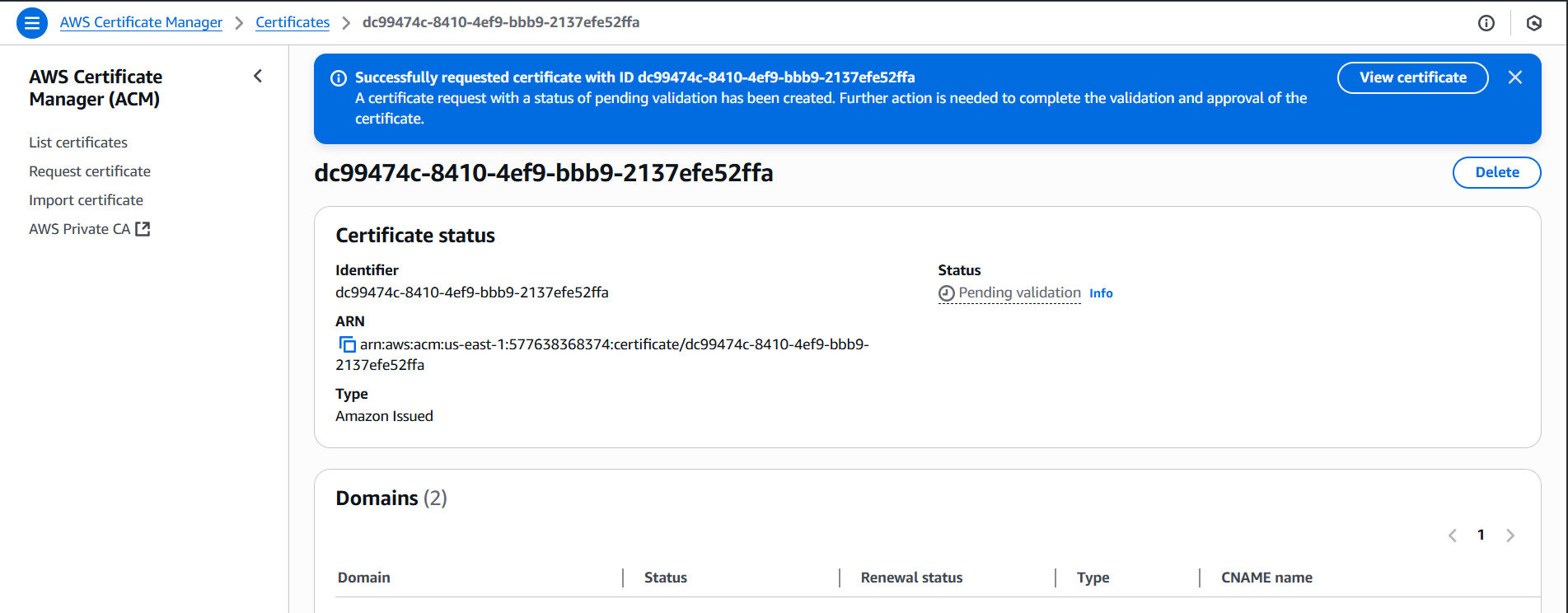
- Certificate được tạo với status “Pending validation”
- Copy certificate ARN for reference
- Proceed to DNS validation
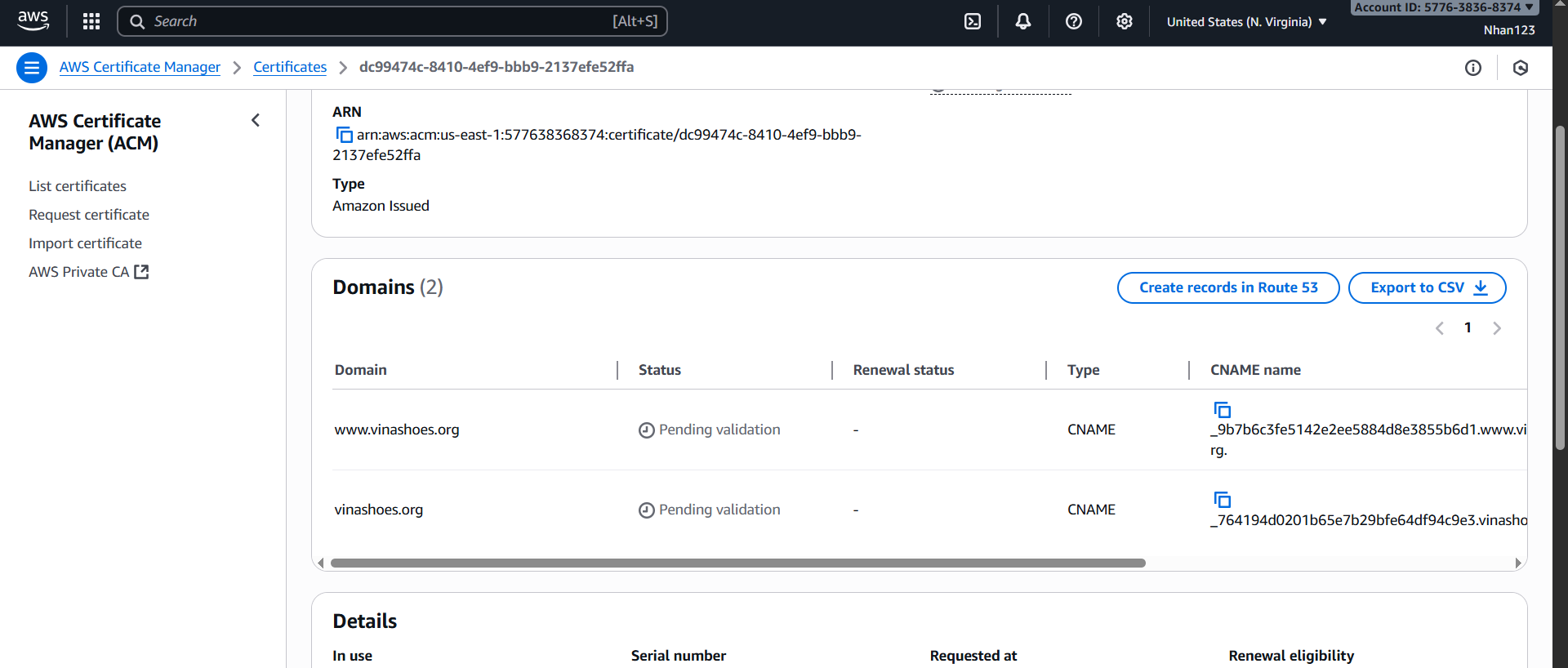
3.2. Backend Certificate (ap-southeast-1)
Tương tự như front-end, Fully qualified domain name: Nhập api.vinashoes.org
3.3. DNS Validation qua Cloudflare
💡 DNS Validation với Cloudflare DNS
Sau khi request certificate, AWS sẽ generate DNS validation records. Chúng ta sẽ add các records này vào Cloudflare DNS để validate domain ownership.
Bước 1: Lấy DNS validation records từ ACM
Console Steps:
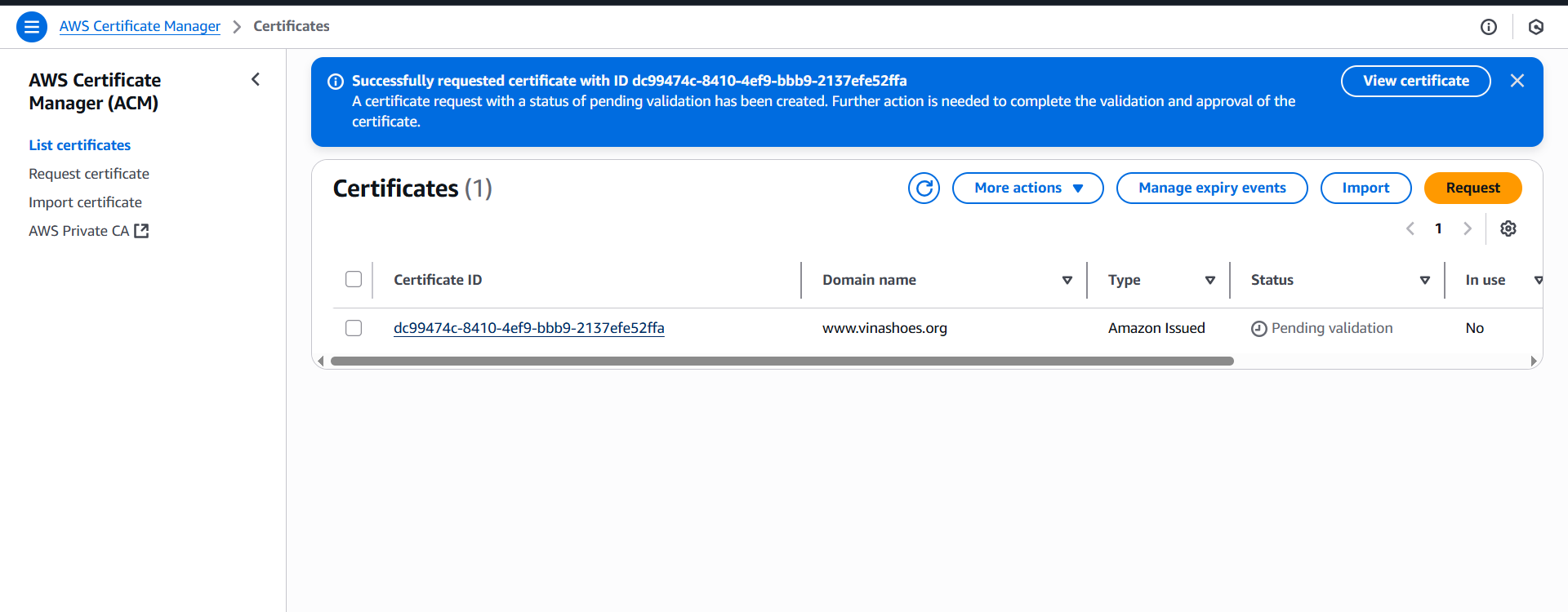
- Access Certificate Details:
- Return to Certificate Manager (us-east-1 for Frontend)
- Click vào certificate ID để xem chi tiết
- Navigate to “Domains” section
- View Validation Records:
- Trong section “Domains”, bạn sẽ thấy:
- Domain:
vinashoes.org - Status: ⏳ Pending validation
- CNAME name: (copy value này)
- CNAME value: (copy value này)
- Domain:
- Trong section “Domains”, bạn sẽ thấy:

Bước 2: Tạo CNAME validation records trong Cloudflare
Console Steps:
- Access Cloudflare DNS Management:
- Vào Cloudflare Dashboard
- Chọn domain
vinashoes.org - Click tab “DNS”

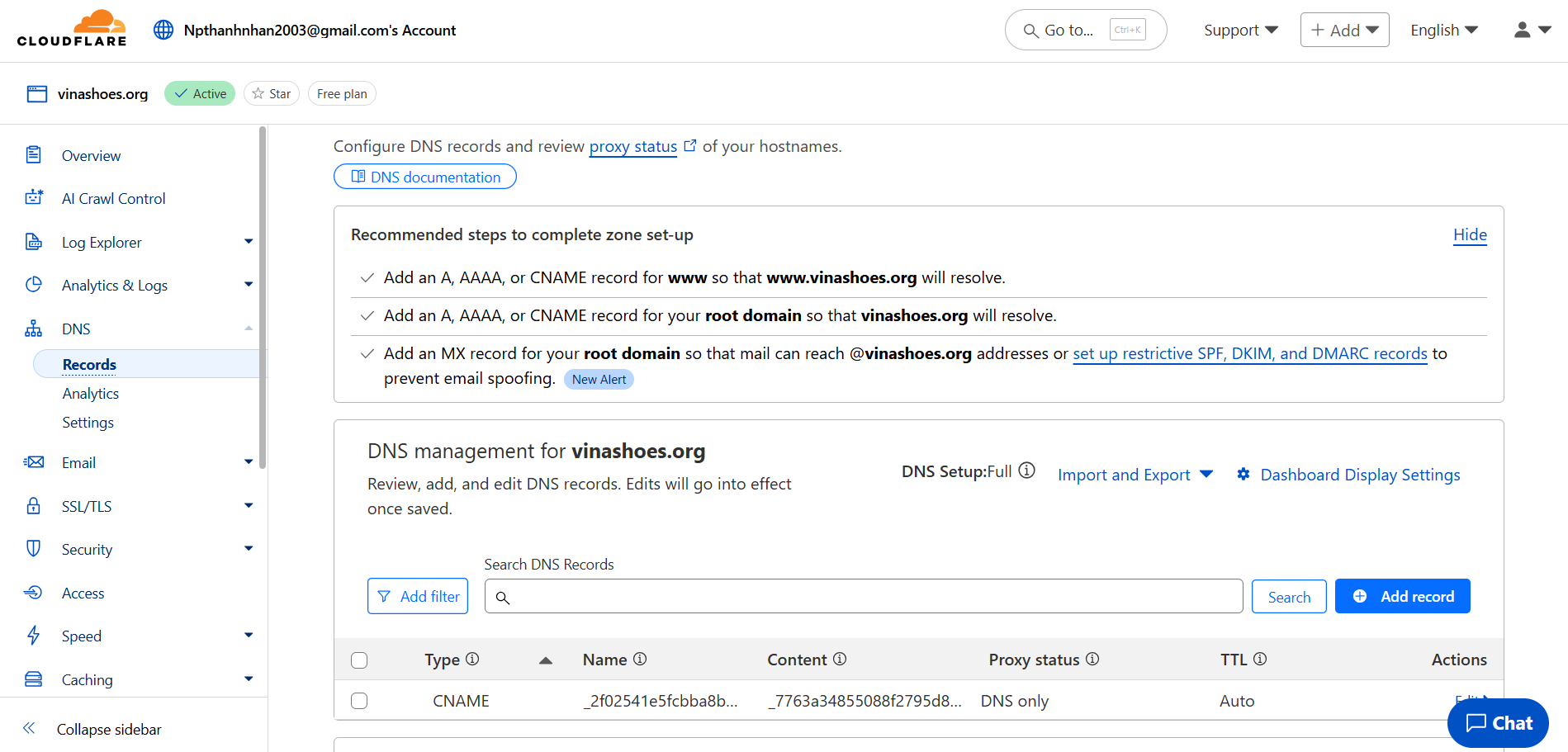
- Add New DNS Record:
- Click “Add record” button
- Prepare to add CNAME validation record
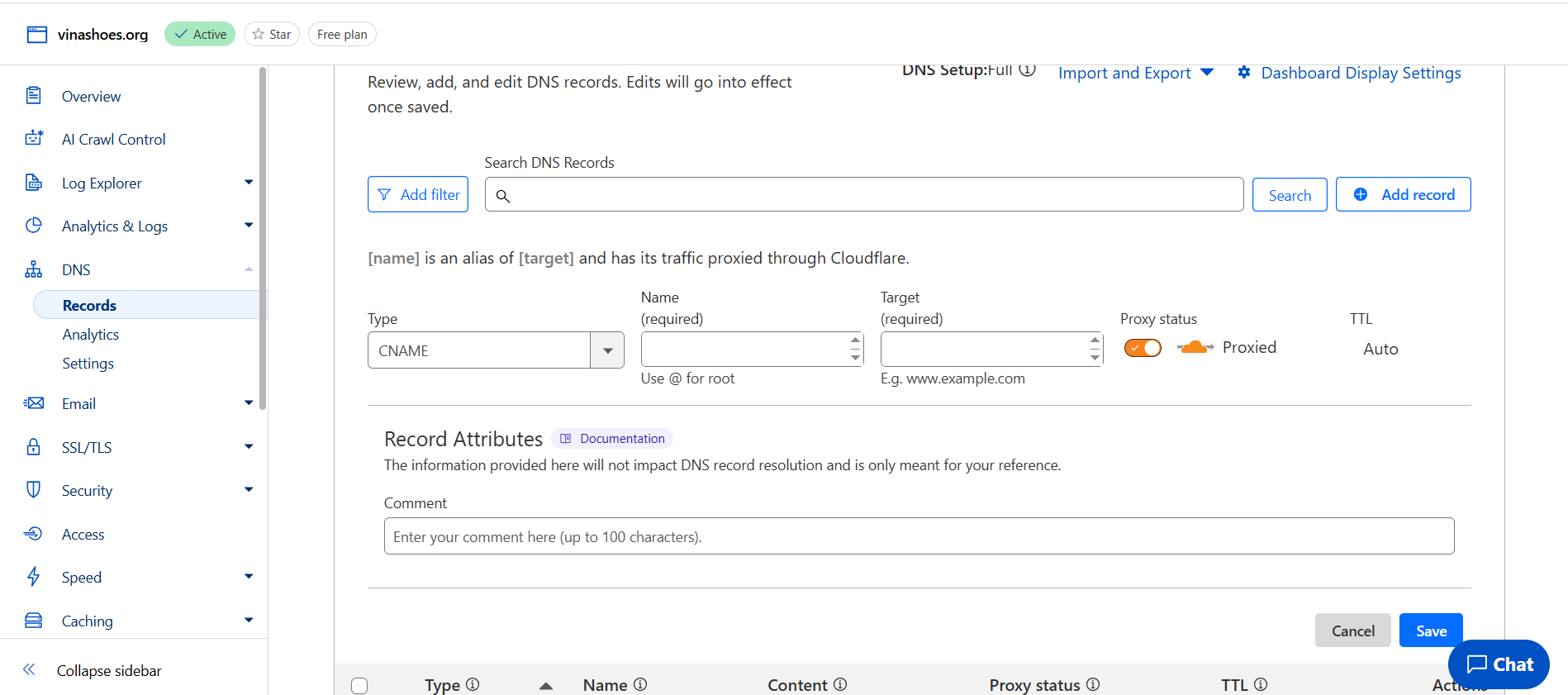
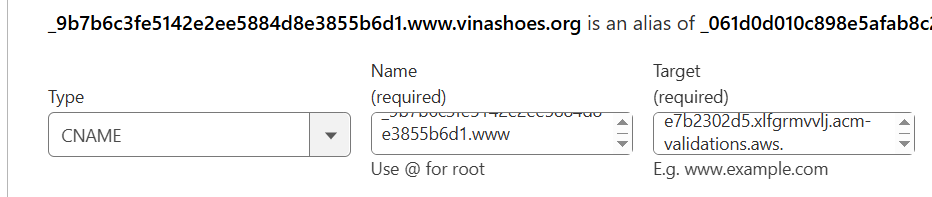
- Configure CNAME Record:
- Type: Select
CNAMEtừ dropdown - Name: Copy từ “Record Name” (bỏ phần
.vinashoes.org)- Ví dụ:
_abc123def456ghi789jkl
- Ví dụ:
- Target: Copy từ “Record Value”
- Ví dụ:
_xyz789abc123def456ghi.acm-validations.aws.
- Ví dụ:
- Type: Select
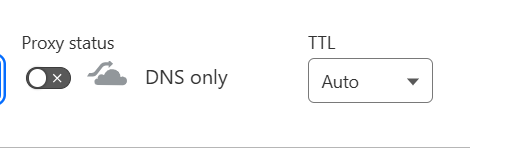
- Critical Settings:
- Proxy status: 🚫 DNS only (cloud xám) - QUAN TRỌNG!
- TTL:
Autohoặc1 minutefor faster validation - Double-check all values exactly match ACM
- Save DNS Record:
- Review all settings
- Click “Save”
- Record appears in DNS records list

- Verify DNS Record Created:
- Check DNS records list
- Confirm CNAME record visible
- Note “DNS only” status (gray cloud)

Bước 3: Đợi validation complete
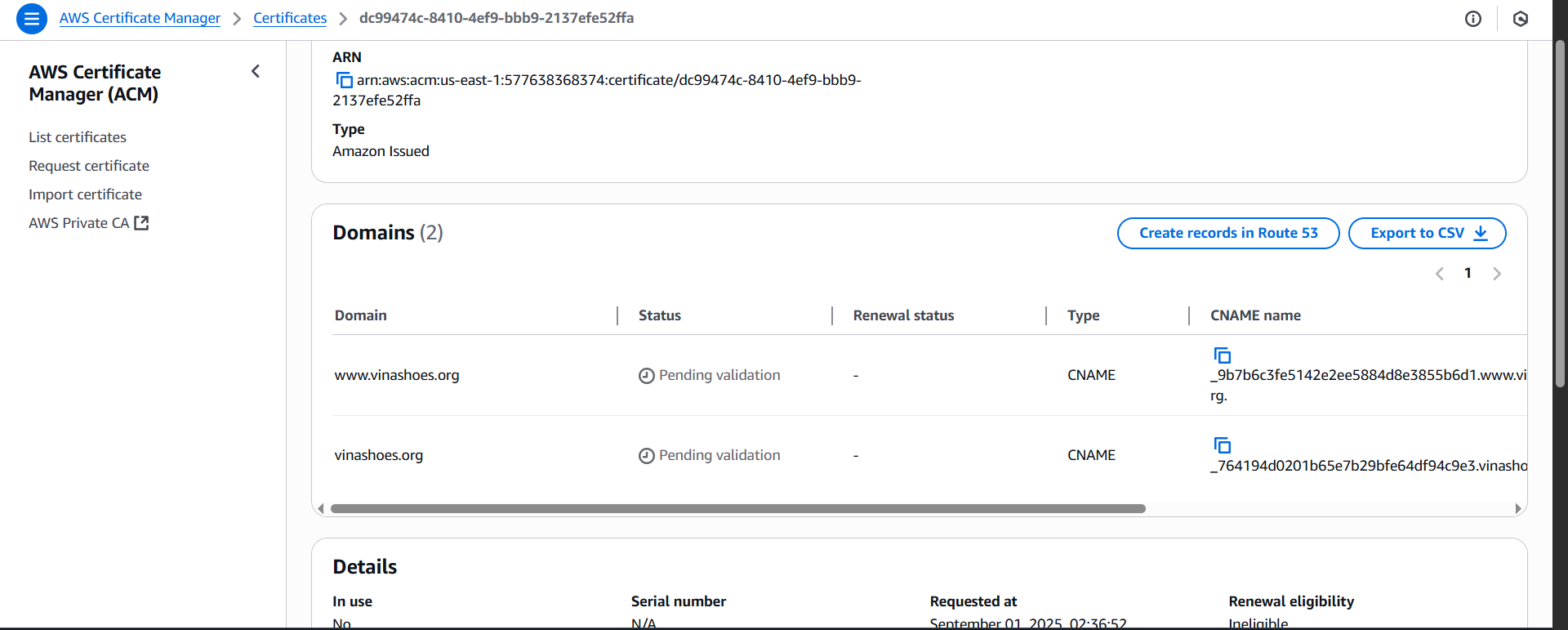
Console Monitoring:
- Return to ACM Console:
- Back to Certificate Manager
- Refresh certificate details page
- Monitor validation status
-
Validation Progress:
- Domain status từ ⏳ “Pending validation”
- Process thường mất 5-15 phút
- AWS validates DNS record propagation
-
Validation Success:
- Domain status → ✅ “Success”
- Certificate status → “Issued”
- Certificate ready for use
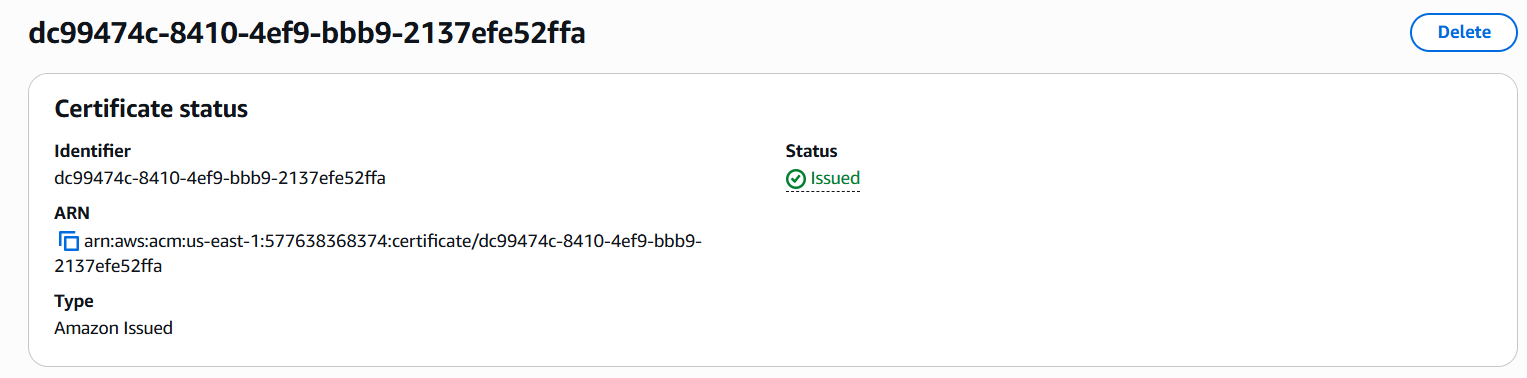
- Certificate Issued Confirmation:
- Full certificate details available
- ARN ready for AWS services
- Valid for 13 months
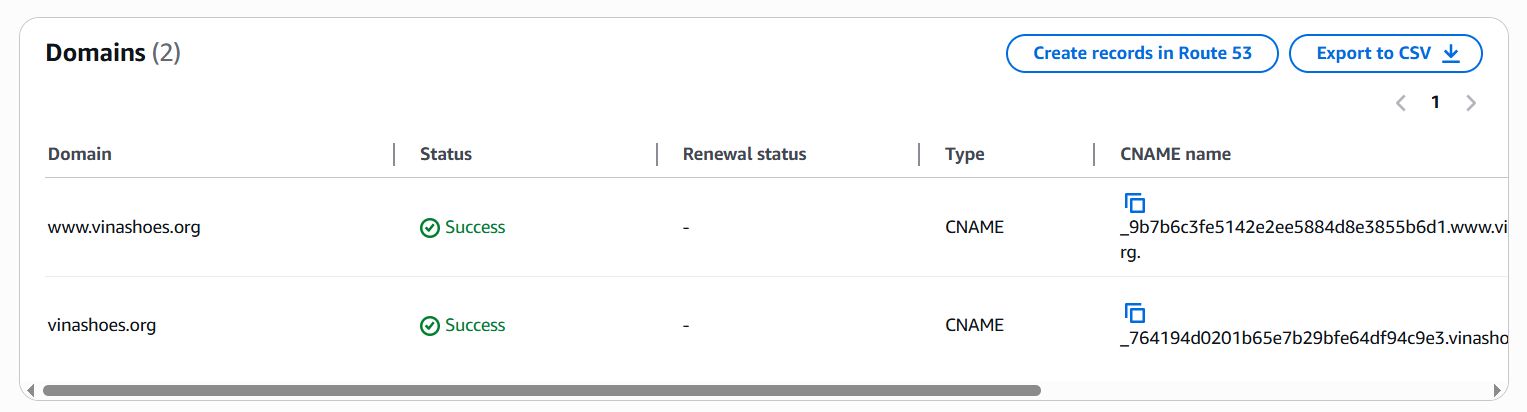
🎉 Certificate Status: ISSUED
Cả 2 certificates (us-east-1 và ap-southeast-1) đã sẵn sàng để sử dụng cho:
- ✅ Frontend Certificate (us-east-1): Ready cho CloudFront (Task 3)
- ✅ Backend Certificate (ap-southeast-1): Ready cho API Gateway (Task 4)
Alternative: AWS CLI method
# Lấy validation records cho frontend certificate (us-east-1)
aws acm describe-certificate \
  --certificate-arn "arn:aws:acm:us-east-1:577638368374:certificate/abc123" \
  --region us-east-1 \
  --query 'Certificate.DomainValidationOptions[0].ResourceRecord'

# Lấy validation records cho backend certificate (ap-southeast-1)
aws acm describe-certificate \
  --certificate-arn "arn:aws:acm:ap-southeast-1:577638368374:certificate/def456" \
  --region ap-southeast-1 \
  --query 'Certificate.DomainValidationOptions[0].ResourceRecord'
4. Redirect Plan
📋 Task 2 chỉ lập kế hoạch, Task 3 sẽ implement:
www.vinashoes.org→ 301 redirect →vinashoes.org(CloudFront Function)http://→ 301 redirect →https://(CloudFront automatic)
Lý do WWW → Apex: SEO tốt hơn, branding ngắn gọn, modern standard
5. Testing & Validation
DNS Infrastructure:
nslookup -type=NS vinashoes.org
Expected: Cloudflare nameservers
Certificate Status:
- AWS Console → Certificate Manager
- us-east-1: vinashoes.org, www.vinashoes.org, assets.vinashoes.org = “Issued”
- ap-southeast-1: api.vinashoes.org = “Issued”
📋 Task 2 KHÔNG test:
- ❌ Website access (chưa deploy)
- ❌ DNS records resolution (chưa tạo)
- ❌ SSL in browser (chưa attach)
✅ CHỈ test: Domain ownership + Certificate status
Kết quả Task 2
✅ Domain: vinashoes.org registered ($7.5/năm)
✅ DNS: Cloudflare DNS ready cho AWS integration
✅ Certificates: Frontend + Backend certificates issued
✅ Plan: Redirect strategy documented
🚀 Next: Task 3 sẽ deploy Frontend và sử dụng domain + certificates đã chuẩn bị.